Team Events
Team divisions: choose a team format, enter the teams, and get the line-ups in before each match.
In a team event, teams enter instead of athletes, and each match is a series of contests, one per weight. A tournament can mix individual divisions and team divisions. The Team event starting point in the setup wizard is set up for the IJF mixed teams.
Make a team division
Create it as a team event
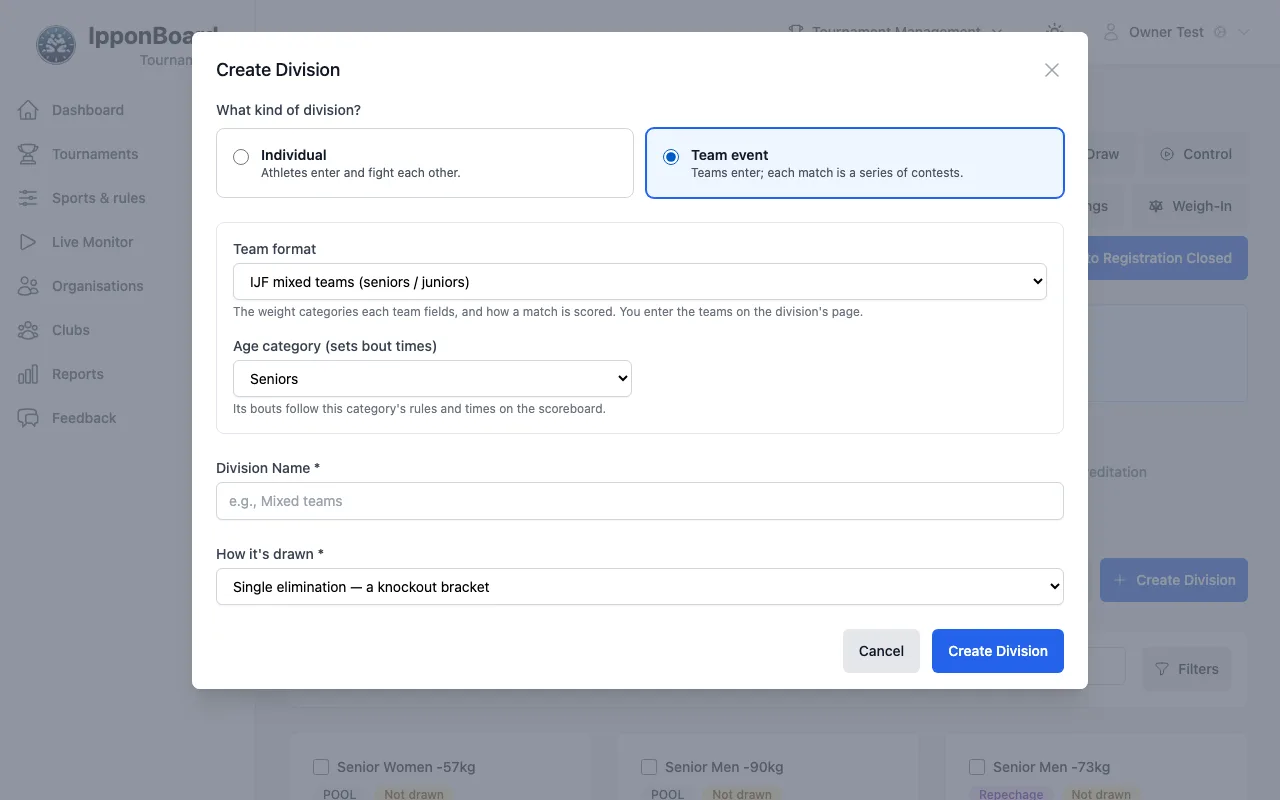
On the Divisions tab, click Create Division. Under What kind of division? choose Team event (Teams enter; each match is a series of contests.), then pick the Team format: IJF mixed teams (seniors / juniors), the cadet version, the IJF women's and men's teams, Team starter (five bouts), one of your saved team formats, or Choose later, on the division's page.
Or turn a division into one
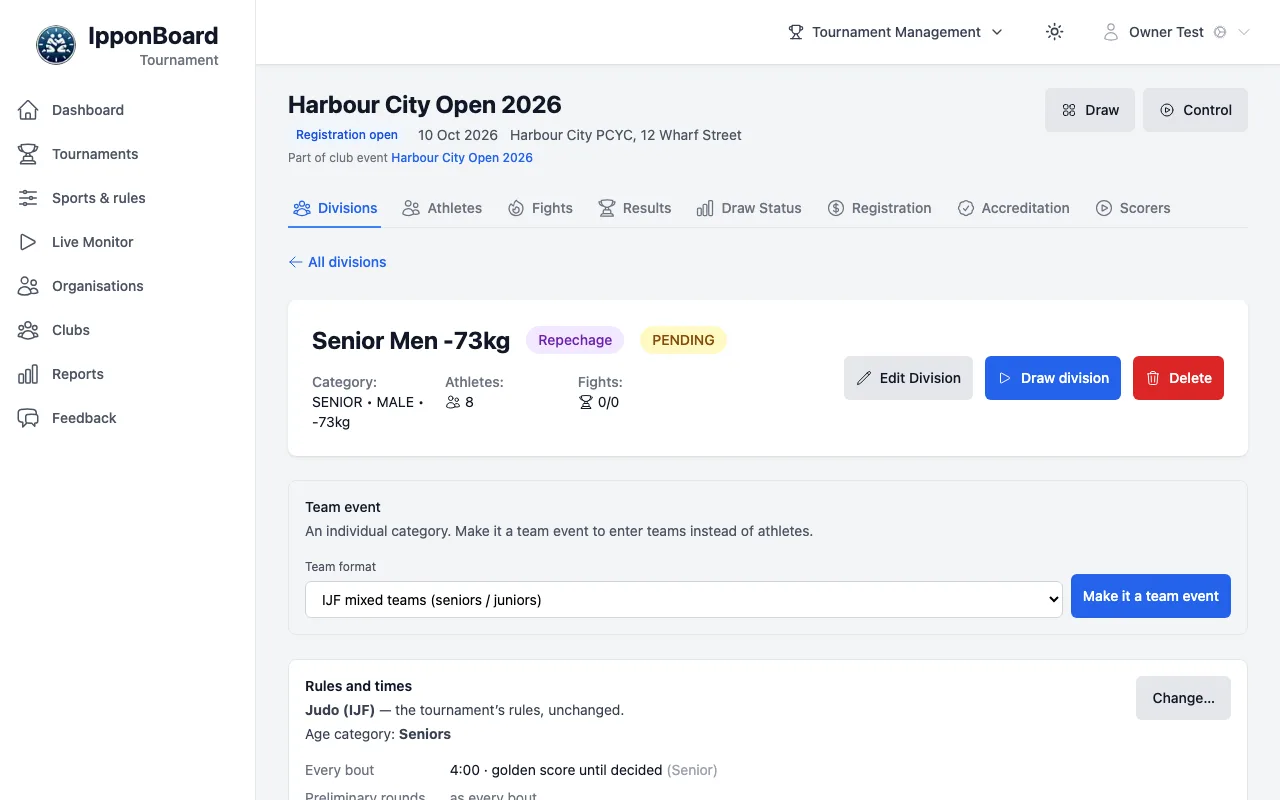
Every division's page has a Team event card. Before the draw, an individual division can become a team event: pick the Team format and click Make it a team event (and back with Individual category).
Set how teams work
On the division's Team event card:
- Who can be on a team: Team members must also be entered individually or Teams can include team-only athletes.
- Whether team leaders hand in their own team's line-ups (this applies to the whole tournament).
- Line-ups due: so many minutes before the session (the first round), and so many minutes after both teams are known. It's a reminder on the Control page and the boards; nothing is locked.
Enter the teams
Fill in Team name, Code and Club or delegation, then click Enter team. For each team, Athletes… picks its athletes for each category (Save athletes). Add a team leader by email with Add leader. Before the draw, Remove takes a team out; after it, Withdraw….
Draw it
Team divisions are drawn like any other (Drawing the Tournament). The division's Participants tab becomes Teams, with each team's club, members and medal.
Line-ups
Before each match, each team says who fights at each weight:
- At the table: on the Fights tab, a team match has Line-ups…. Pick a competitor (or No competitor) for each weight; Save keeps it to change later, Hand in gives it to the table. Once the match starts, the line-ups are locked. A line-up sheet and a match sheet print as PDFs.
- By the team leaders: when that's turned on, a team leader signs in and finds their matches on the Team line-ups page (in the sidebar), with Hand in the line-up… and the time it's due.
- On the day: the Control page lists the line-ups due, and how many are late.