Adding Athletes (CSV)
Add competitors one at a time, or import a whole roster from a spreadsheet.
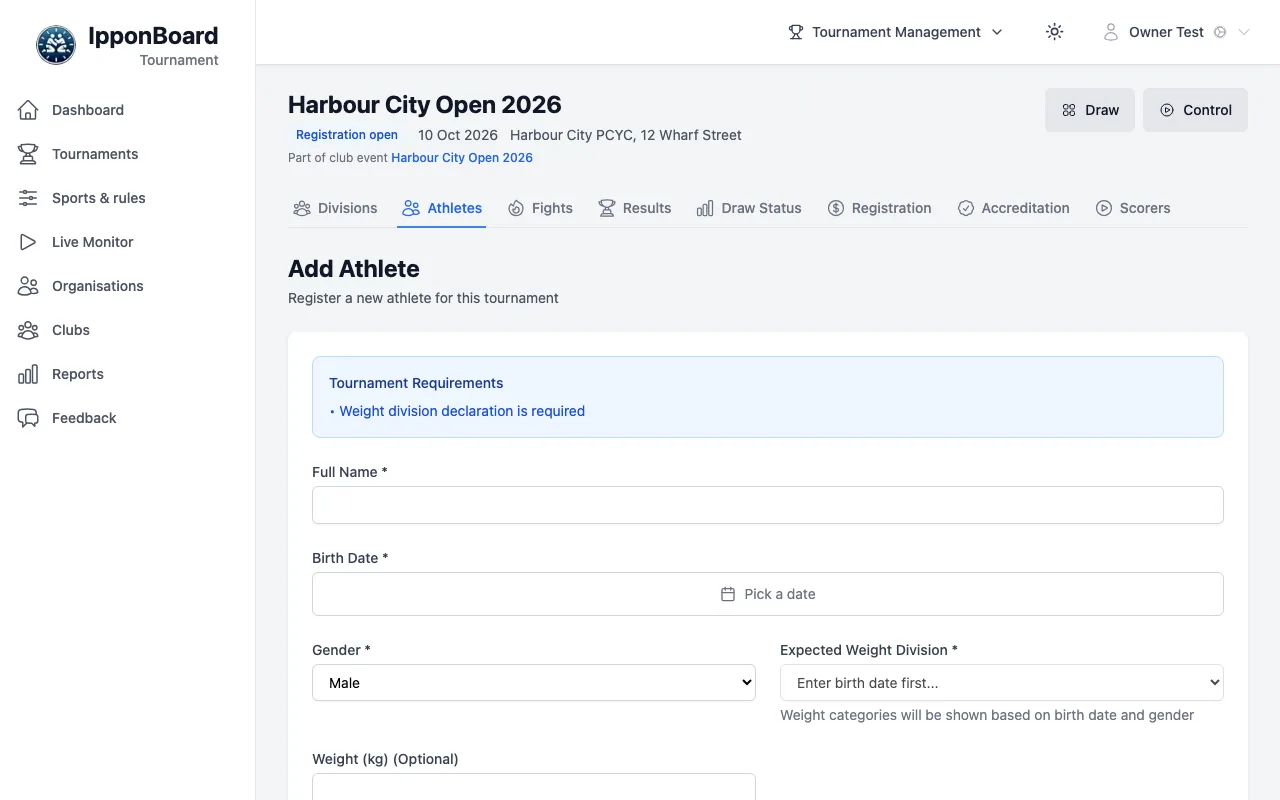
Competitors who enter on the public page are added for you. To add them yourself, go to the tournament's Athletes tab: Add Athlete adds one person, Import CSV brings in a roster.
One at a time
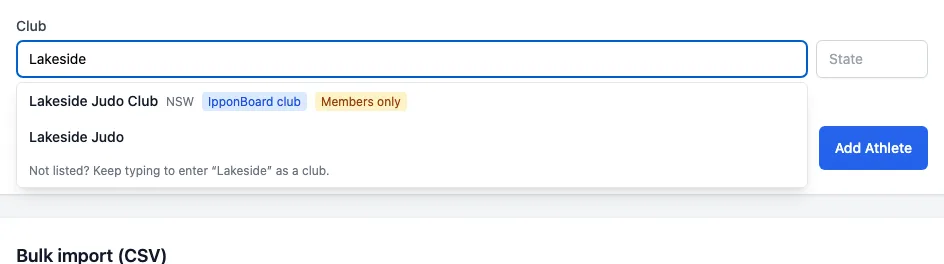
Click Add Athlete. Fill in Full Name, Birth Date, Gender, their weight and belt (what's asked depends on the tournament's settings), Club, and any custom fields, then click Add Athlete. For the club, start typing and pick it from the suggestions (IpponBoard clubs first, then clubs already in tournaments, with their state or country); a new name can still be typed. The State box beside it helps tell same-named clubs apart. If the name matches more than one club, or a club in another state, you're asked Is this the same club?. When the tournament charges an entry fee, an Entry fee window then asks how it's settled (Payments & Accreditation).
A roster from a spreadsheet
Open the import
Click Import CSV. The page shows the one-person form at the top and Bulk import (CSV) below.
Paste or upload
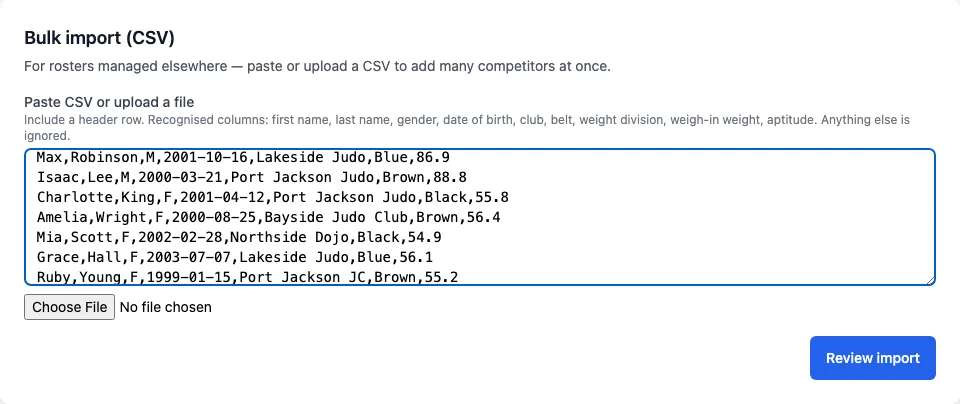
Paste the rows into Paste CSV or upload a file, or choose a .csv file. Include a header row: columns are found by their names, in any order, and other columns are ignored. Click Review import.
Review
The summary says how many rows are ready and how many need a decision, and how many club questions in Clubs below are still open. Rows with something to check (an unreadable gender, an unknown belt, a note in the file) are left out until you tick Include; you can fix the gender, belt and weight in the table. Someone entered twice is shown under Entered more than once. Rows with no name or no usable date of birth can't be imported.
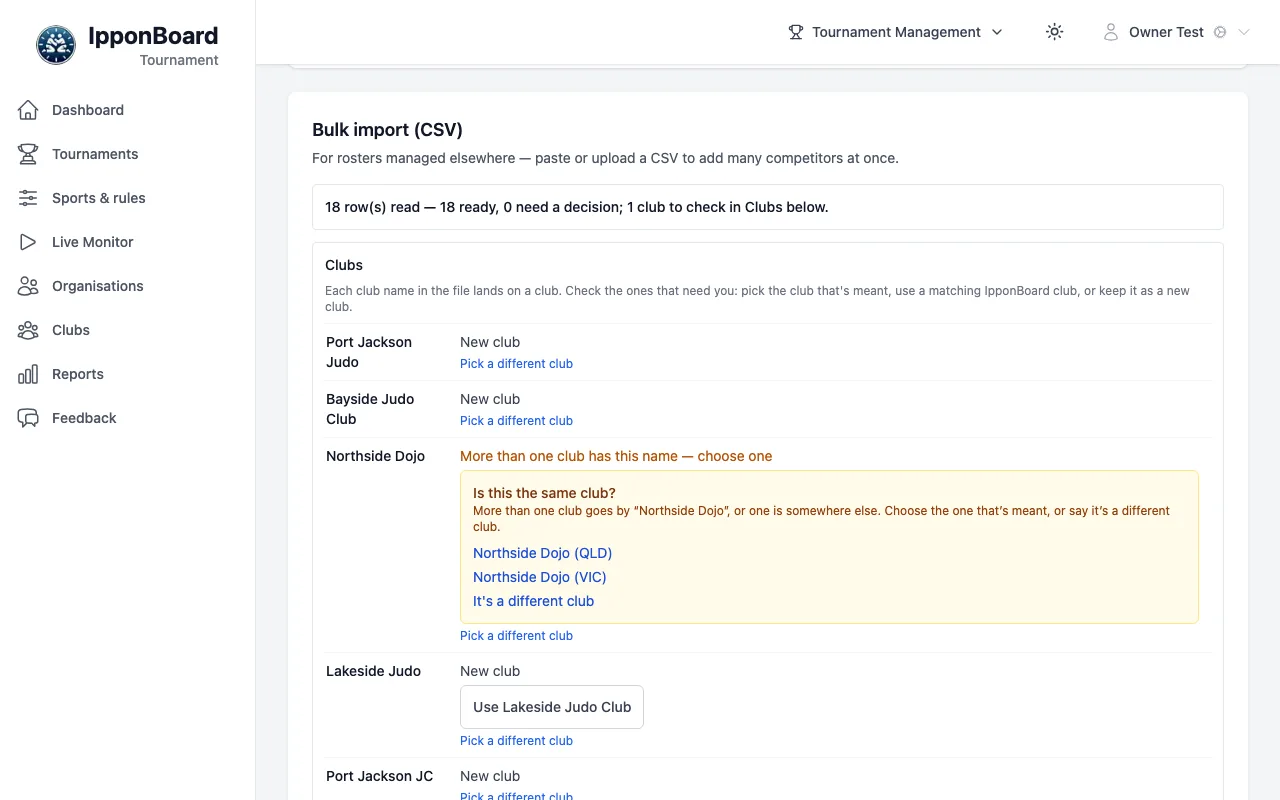
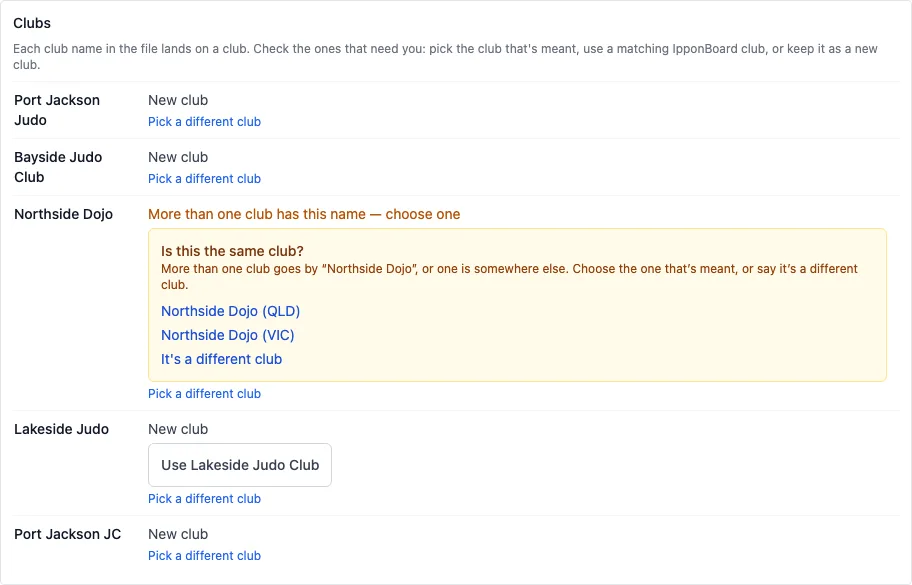
Under Clubs, each club name in the file shows where it lands: an Existing club, a New club, or More than one club has this name — choose one with Is this the same club? when two clubs share the name or the one with it is in another state (pick the club, or It's a different club). When an IpponBoard club matches the name, Use it (e.g. Use Lakeside Judo Club) to put the competitors under that club; an existing club that matches one offers Link to … instead. Pick a different club chooses any club yourself. See Clubs & Coaches.
Import
Click Import 18 competitor(s) (your number). You'll see Imported 18 competitor(s). and they're on the Athletes tab.
The columns it reads
| Column | Header names it knows | Notes |
|---|---|---|
| First name | first name, firstname, given name, first | Needed. |
| Last name | last name, lastname, surname, family name, last | Needed. |
| Gender | gender, sex | Male or female: M, F, Male, Female, Men, Women, Boy, Girl. |
| Date of birth | date of birth, birthdate, birth, dob | Needed: it works out the age group. 2001-03-14 is safest. |
| Club | club, team, association | Matched to the club across your tournaments; checked in the Clubs review before importing. |
| Belt | belt, grade, skill, belt colour | White to black, e.g. "Brown" or "Green Belt". |
| Weight | weight, division, weight class, category | A number (72.4) is their weight in kg; words ("Under 81kg") are the division they entered. |
| Weigh-in weight | weigh-in weight, actual weight, weight kg | Kilograms. |
| Aptitude | aptitude, competitive aptitude | 1 to 5, for aptitude matching. |
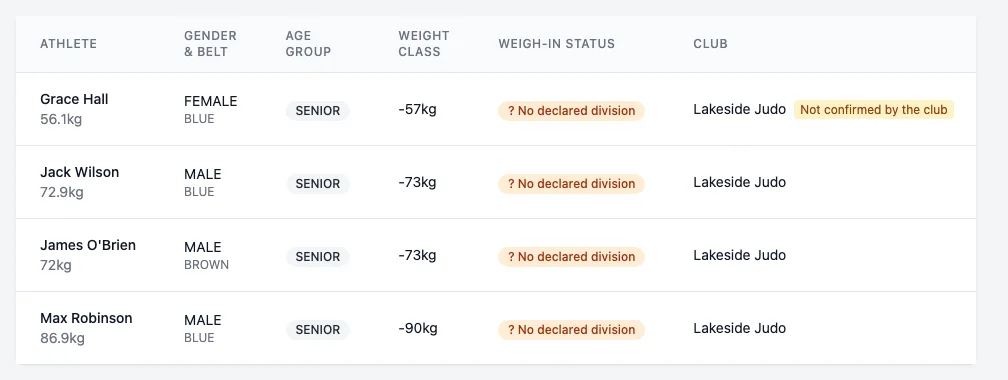
"Not confirmed by the club"
A competitor you add (one at a time or by import) under a club linked to an IpponBoard club is checked against its members by name and date of birth. If they don't match one, the Athletes tab marks them Not confirmed by the club. They still compete; the club's owner, manager or coach confirms them on the club's page, or rejects them, which takes them off the club and marks them Rejected by the club.