Payments & Accreditation
Charge entry fees, see who's paid, collect at the desk, and accredit competitors before the weigh-in and the draw.
Online entry fees go to your club's or organisation's own connected payment account (Stripe or Square). You can set fees before an account is connected: until then, entrants are told they'll be emailed a payment link, or can pay at the desk.
Setting entry fees
Turn fees on
On the Registration tab, under Entry fees, tick Entry fee enabled.
How entrants can pay
Under How can entrants pay?, tick any of Online, at registration, Online later (we email a payment link) and At the desk on the day (cash / card at accreditation).
Unpaid entries and the draw
Never block the draw, or Warn on unpaid competitors at the draw (then you can also tick Block drawing a division until every competitor in it has paid).
Add your rates
Under Add a rate: Name, Price, Each extra division, Charged (Per tournament (flat) or Per division entered), optionally one division, and Member rate (club members only). Click Add rate. A member rate is applied to club members automatically.
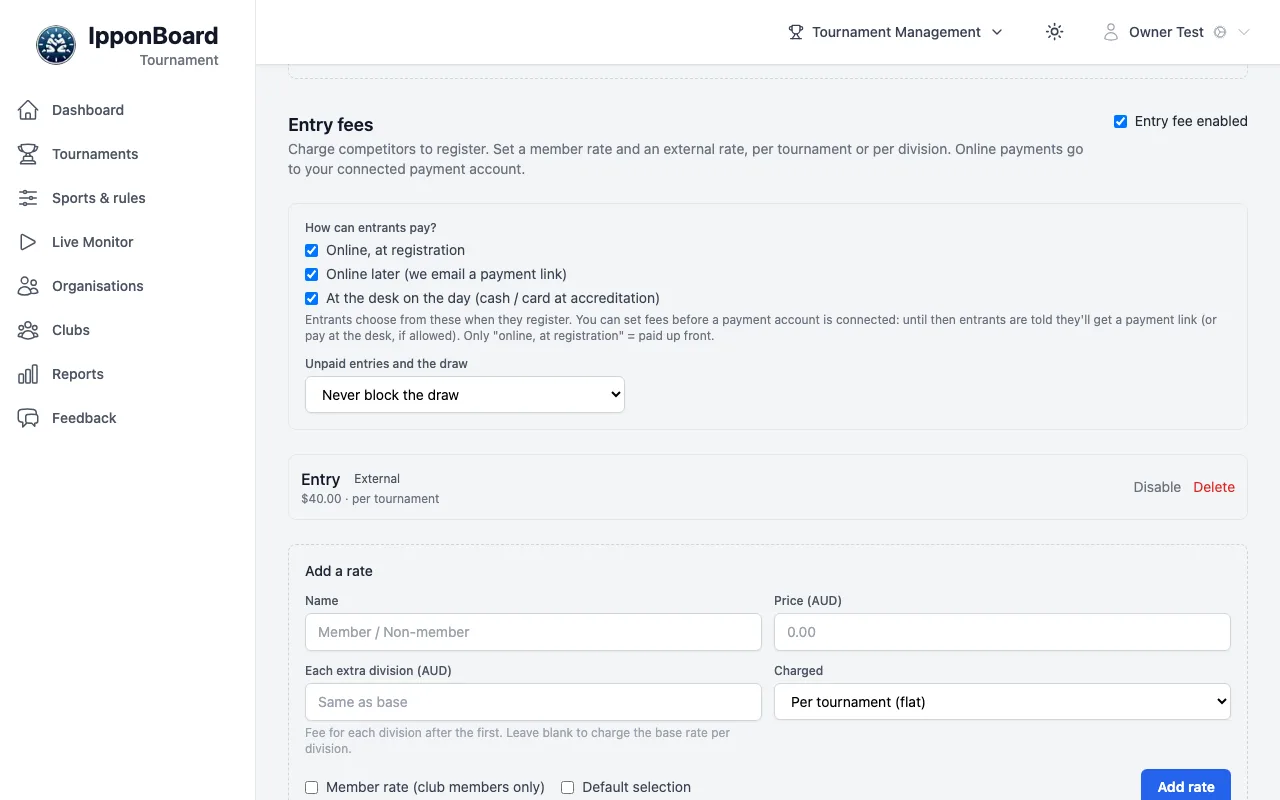
While fees are set and no account is connected, the top of the tournament says so, with Connect payments. An organisation connects its account from its page: Organisation settings → Receiving payments (Your Organisation & Roles).
The Accreditation tab
Accreditation is the desk on the day: who's entered, who's paid, and who's been through. The totals at the top show competitors, accredited, paid, unpaid and outstanding.
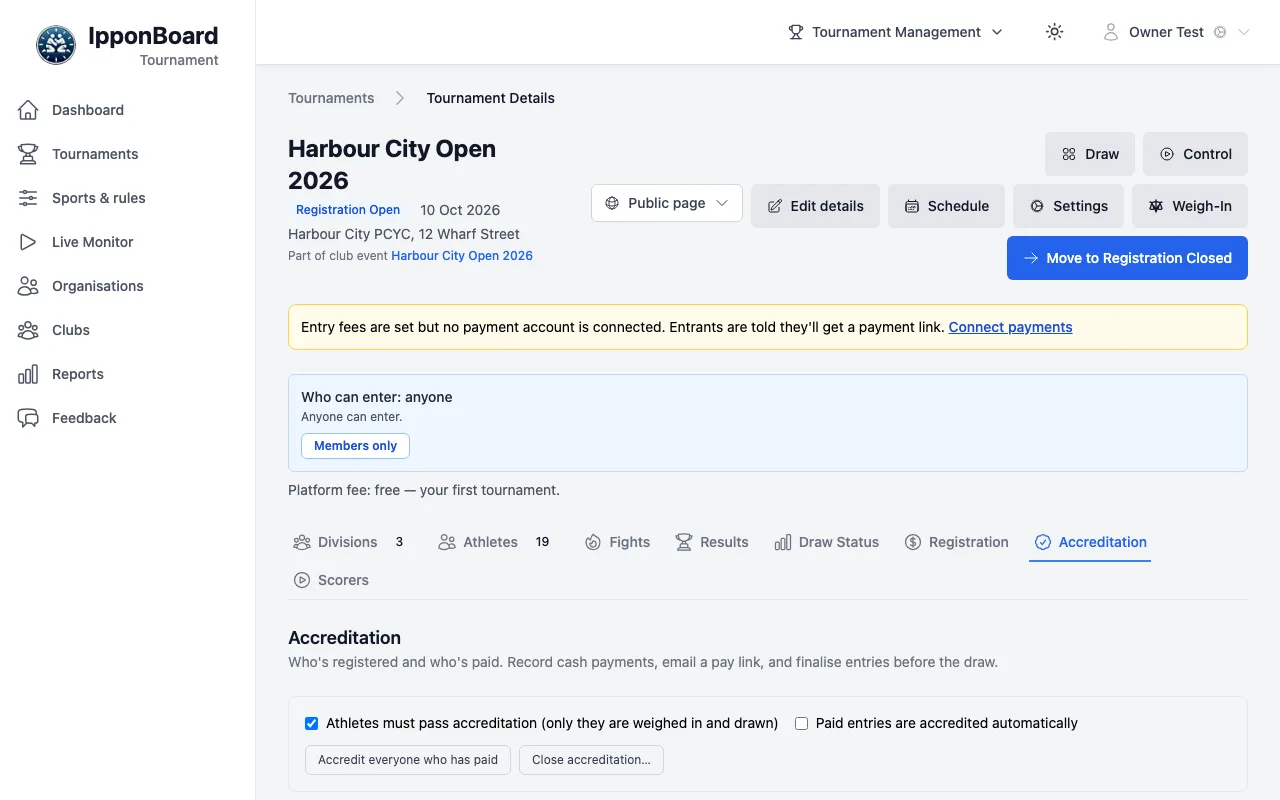
- Athletes must pass accreditation (only they are weighed in and drawn), and Paid entries are accredited automatically.
- accredit beside each person, or Accredit everyone who has paid. Close accreditation… withdraws the ones who didn't come.
- If the tournament asks for waivers & agreements, unsigned ones can hold up accreditation: while Required agreements must be signed before accreditation is on (it is to start with), accredit refuses anyone with a required agreement unsigned, and a paid entry isn't accredited automatically until it's signed. The Agreements box shows who still has to sign; click their to sign: … tag to sign at the desk, or use Email signing link.
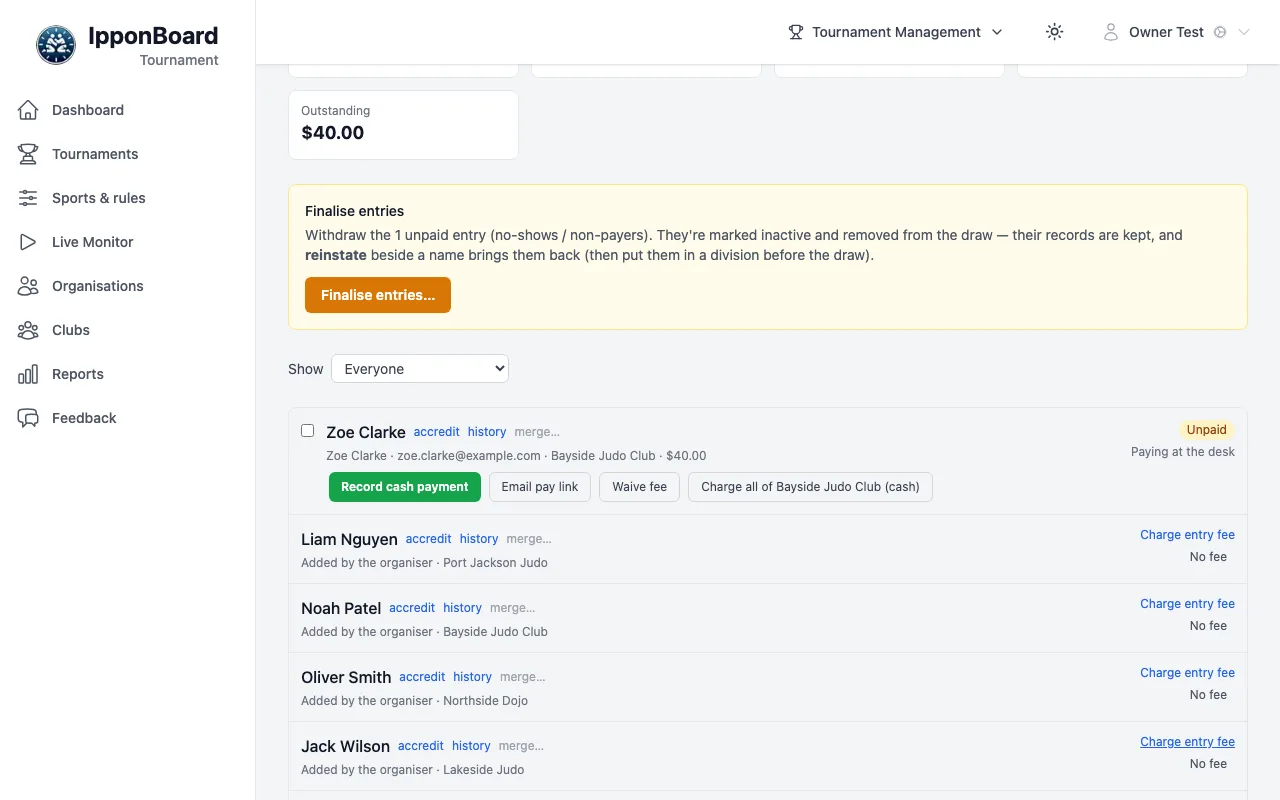
- On an unpaid entry: Record cash payment, Email pay link, Waive fee, and Charge all of Bayside Judo Club (cash) for the whole club. With Square set up for in-person payments, Send to card reader and Send to Square app too.
- Tick several entries to pay them together (Record cash for selected, or one card-reader or Square-app charge).
- Someone you added without a fee has Charge entry fee.
- Show filters the list: Everyone, Paying at the desk, and others.
Before the draw: finalise entries
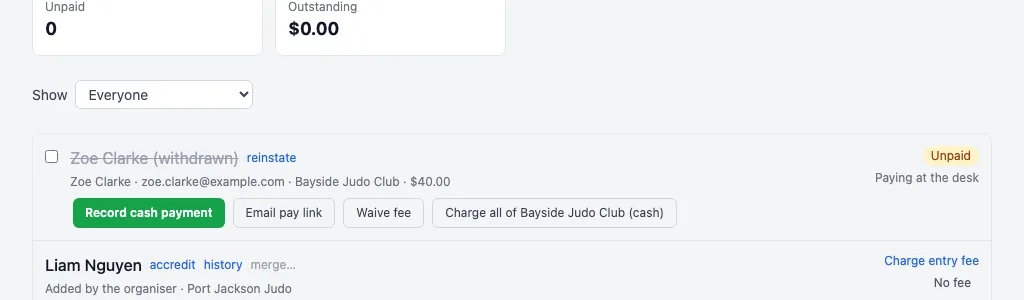
When entries are still unpaid, Finalise entries appears: Finalise entries… then Withdraw 1 unpaid (your number) takes the no-shows and non-payers out of the draw. Their records are kept, shown as withdrawn. If one pays later, reinstate beside their name brings them back; finalising took them out of their division, so put them back in one before the draw.
Or leave it to the draw: the draw wizard marks divisions with unpaid entries, and Generate all draws asks who to keep in (Drawing the Tournament).
History and duplicates
- history shows what's known from earlier tournaments: the last aptitude and the bouts won.
- merge… joins a person entered twice: click it on one, then merge "…" into this on the one to keep. Merging isn't possible once either has bouts in the draw.