Clubs & Coaches
The clubs your competitors come from, and how coaches see their club's competitors and fill in coach-only details like aptitude.
Every competitor can have a club. In tournaments, a club is a light record: a name with its competitors across tournaments. It can stand on its own, or be linked to a real IpponBoard club, whose people then look after it.
Picking a club
Wherever a competitor's club is entered (Add athlete, a CSV import, public registration), start typing and pick it from the list. IpponBoard clubs come first, then the clubs already in tournaments, matched on their name and the other names they go by ("Riverside" finds "Riverside Judo Club" and "Riverside JC"), with the state or country when it's known. An IpponBoard club is marked IpponBoard club, and Members only when online entries under it are for its members. A club no one has entered before can still be typed (Not listed? Keep typing…); a new club is made for it.
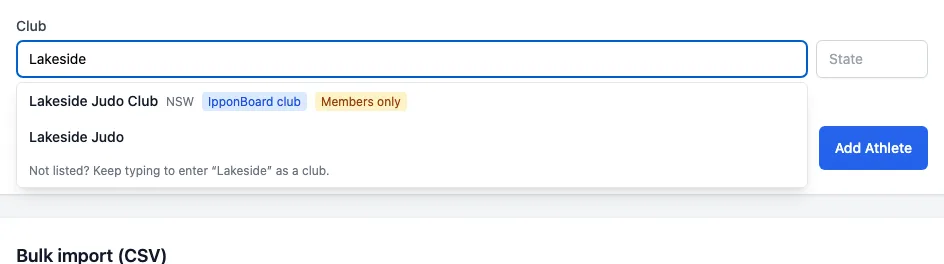
A typed name lands on the club with that name (capitals and punctuation don't matter: "Riverside Judo" and "riverside-judo" are one club). Two different clubs are never merged quietly: if two clubs share the name, or the one with that name is in a different state or country from the one given, you're asked Is this the same club? and choose the existing club or a new one. An imported fight order, with no one to ask, uses the one club that fits and otherwise keeps just the typed name.
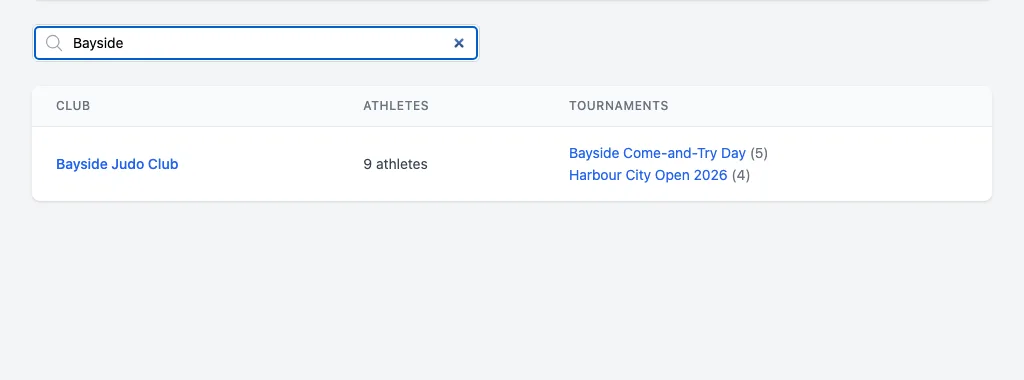
Clubs in the sidebar (Tournament Clubs) lists the clubs whose athletes have entered your tournaments, with how many athletes and which tournaments. It shows to everyone who runs tournaments (a club's owner or manager, an organisation's Owner, Admin or Manager). Click a club's name to open its page: you see its competitors in your tournaments only, not its coaches. A club only typed as a name (no club record) has no page.
Linking to an IpponBoard club
A tournament club can be linked to the real IpponBoard club it is. Two ways:
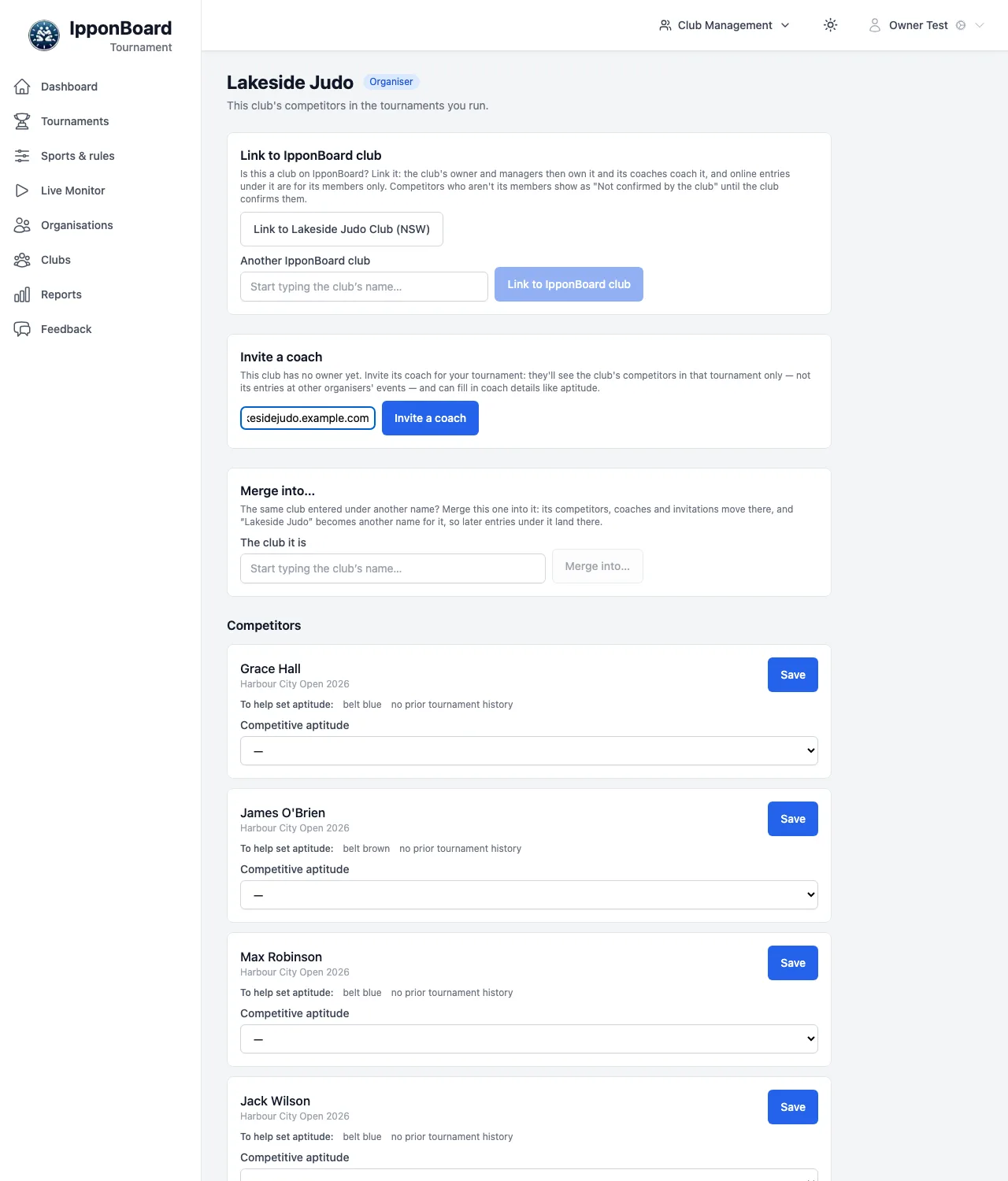
- The organiser links it. On the club's page, Link to IpponBoard club offers each IpponBoard club whose name matches (Link to Lakeside Judo Club (NSW)), or pick one under Another IpponBoard club. The import's Clubs step offers Link to … too. You can link a club that nobody owns yet, when it has a competitor in a tournament you run.
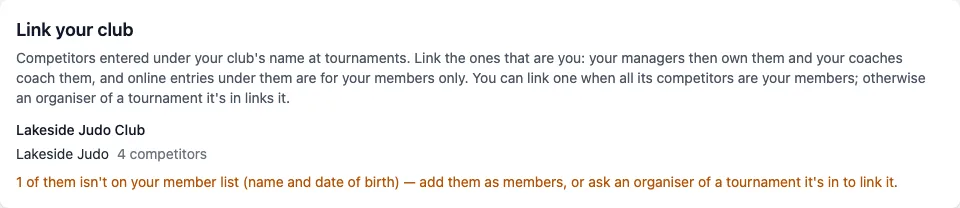
- The club links itself. An owner, manager or coach of the IpponBoard club opens Clubs in the sidebar (Tournament Clubs) and, under Link your club, clicks This is us — link beside the tournament clubs that are theirs. That works only when every competitor under it is one of the club's members (matched by name and date of birth, or by their member record), or it has none yet. Otherwise the page says how many aren't on the member list: add them as members, or ask an organiser of a tournament it's in to link it. This stops one club taking over another club's name. The ones already linked are listed there too.
Once linked:
- The IpponBoard club's owners and managers own it, and its coaches coach it, straight away: no invitations, no claiming.
- Online entries under it are for its members only (see Entering a Tournament).
- A competitor an organiser enters under it who doesn't match one of its members (by name and date of birth) is marked Not confirmed by the club. On the club's page its owner, manager or coach clicks Confirm (they're ours) or Reject (they're taken off the club, shown to the organiser as Rejected by the club). Until confirmed, the club's people see only that competitor's name and tournament.
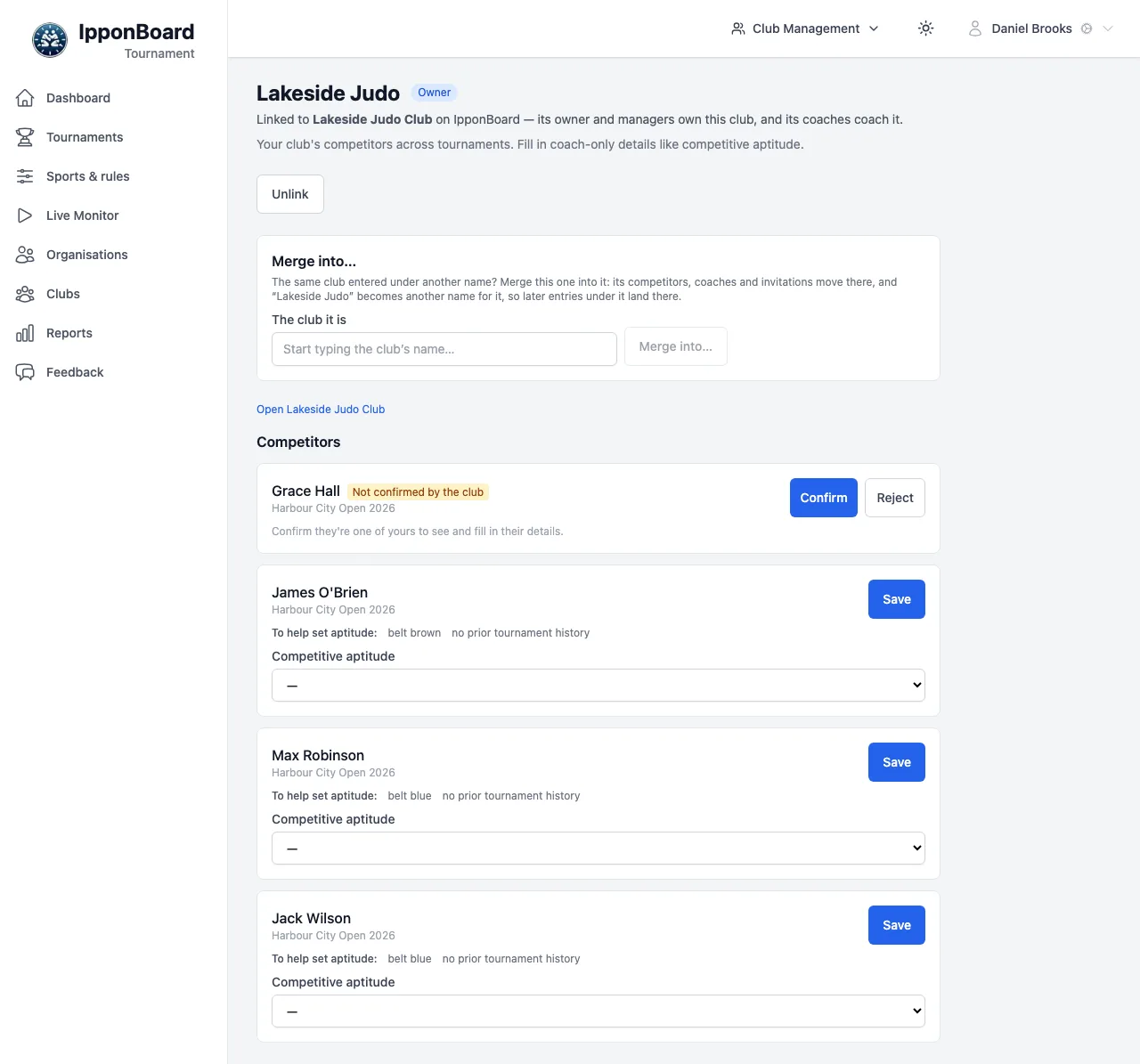
The IpponBoard club's owner or manager can Unlink it again; the competitors keep the club name.
Merging duplicates
If one club ended up under two names ("Riverside Judo" and "Riverside JC"), merge one into the other from the club's page with Merge into…. Its competitors, coaches and invitations move to the other club, and its names become the other club's other names, so later entries and imports under them land there. Under The club it is, start typing and pick the club, then click Merge into… and confirm.
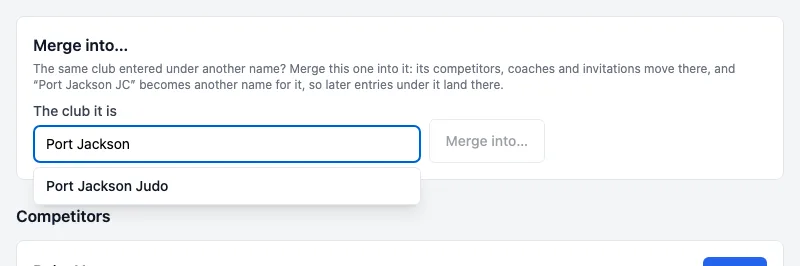
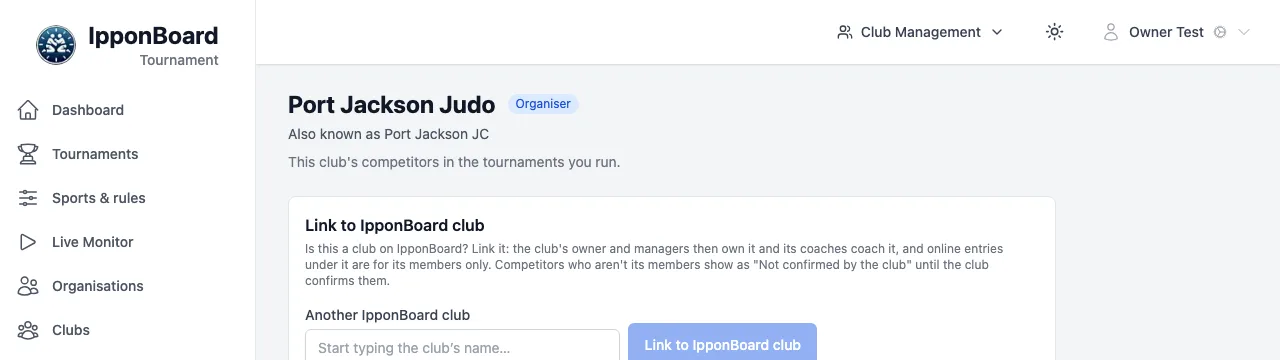
Who can merge a club: its owner (for a linked club, the IpponBoard club's owner or manager), an organiser of a tournament it's in while nobody owns it and it isn't linked, or IpponBoard support. You can only merge into a club you own or that has a competitor in your tournament, and never two clubs linked to different IpponBoard clubs.
Coaches
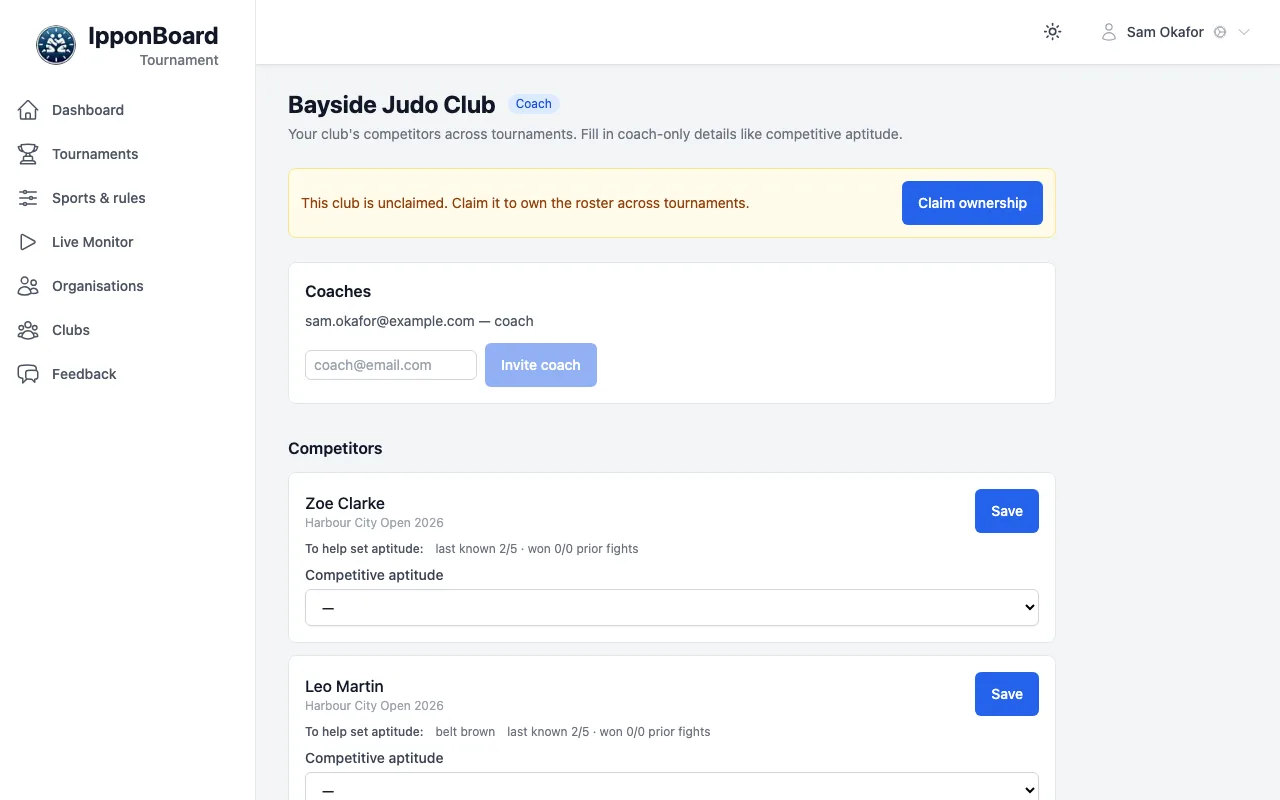
A coach has a page for their club with its competitors across tournaments, where they fill in the coach-only fields such as competitive aptitude. A coach only ever sees the clubs they coach. They find them under Clubs in the sidebar, in Clubs you coach.
Invite a coach
On the club's page, one of its coaches (or its owner), under Coaches, types the coach's email and clicks Invite coach. IpponBoard emails the invitation to that address; the link isn't shown on the page. It lasts 7 days. A linked club has no invitations: its coaches are the IpponBoard club's.
The coach accepts
They need an IpponBoard account with that email, verified, and to be signed in to it. The link in the email opens Coach invitation; Accept invitation takes them to the club's page.
Fill in the coach fields
For each competitor, set the fields and click Save. For aptitude, To help set aptitude: shows the belt, years in judo, and the last aptitude and record from earlier tournaments.
Claim the club (optional)
A club nobody owns (and not linked) shows This club is unclaimed. with Claim ownership. Claiming is by invitation only: someone invited by the club's own coaches or owner (or by IpponBoard support) at their verified email can claim it once. Organisers can't claim a club, and an organiser's coach invitation never lets anyone claim it.
An organiser inviting a coach
For a club nobody owns and that isn't linked, with a competitor in your tournament, you can invite its coach: on the club's page, under Invite a coach, choose your tournament (when you run more than one it's in), enter their email and click Invite a coach (see the organiser's view above). The invitation is emailed to them only.
That coach sees only the club's competitors in the tournaments whose organisers invited them, not its history at other organisers' events. They can fill in coach fields there, but can't invite others or claim the club. The club's owner (once it has one) sees them listed as limited to those tournaments, and can invite them as a full coach.