Your Organisation & Roles
Organise tournaments under your club or an organisation, invite the people who help run them, and give each the right role.
Every tournament has an organiser: a club or an organisation. When you create one, Organised by lists the clubs where you're an owner or manager and the organisations where you're an Owner, Admin or Manager. An organisation is a light group for running events, without setting up a full club. On the setup page, Create a new organisation is under Organised by, including when a club is already listed. If you have neither, that is how you make one and continue.
Create an organisation
Open Organisations
In the sidebar, click Organisations, then Create organisation (or Create your first organisation).
Name it
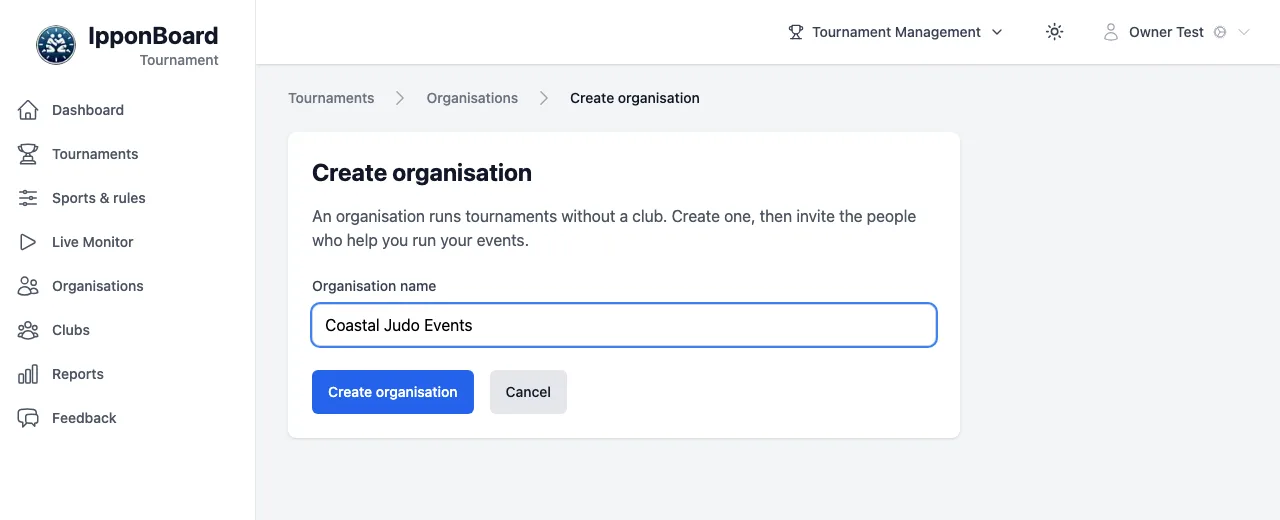
Type the Organisation name and click Create organisation. You're its Owner.
Invite your people
Invite by email
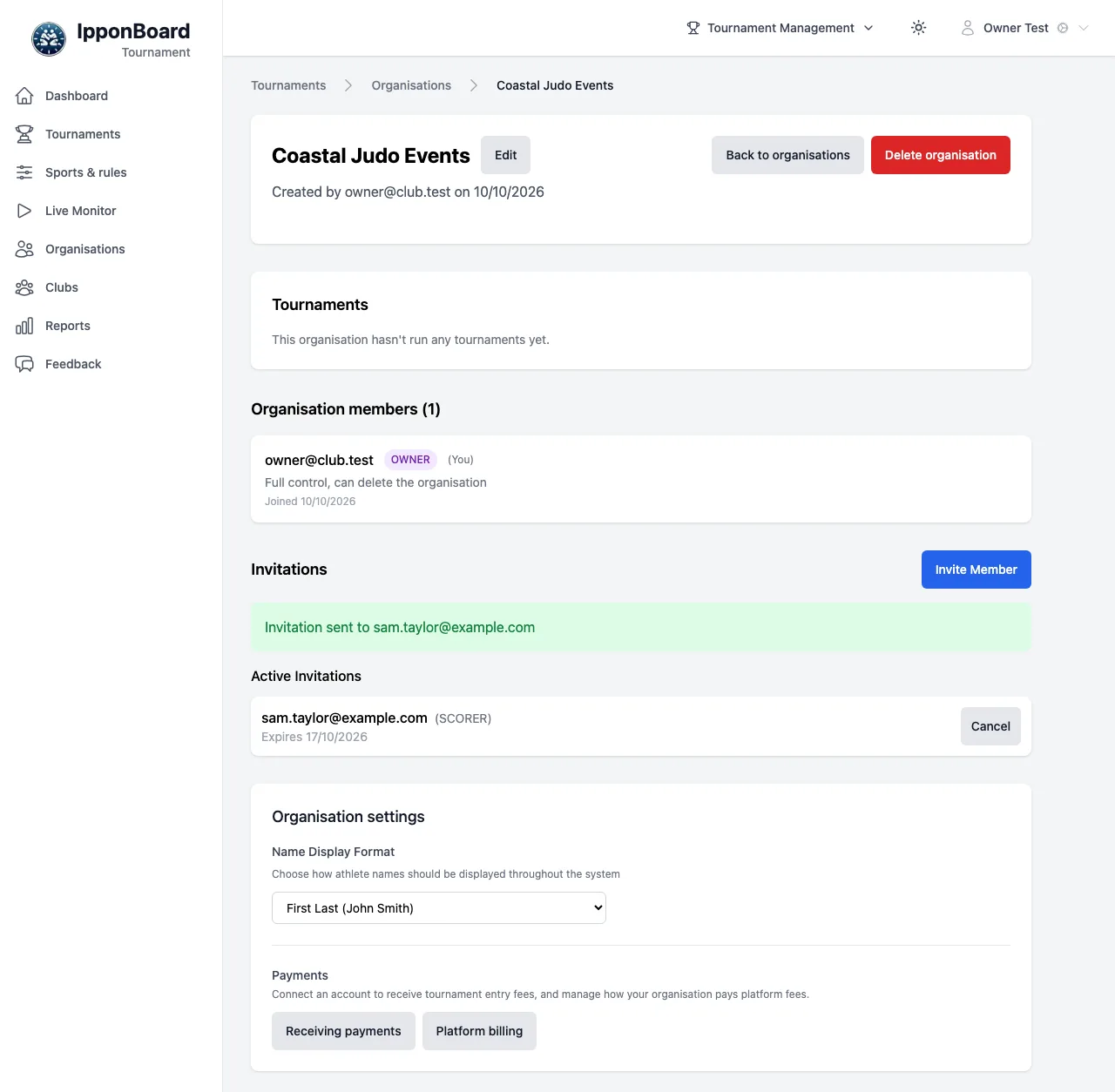
Open the organisation. Under Invitations, click Invite Member, enter the Email Address, pick the Role and click Send Invitation. The invitation is emailed and lasts 7 days; it's listed under Active Invitations with Cancel. The link goes only to that email address: it isn't shown to you, so nobody else can use it.
They accept
The link opens Organisation invitation. Someone new sets a password (Create Password) and clicks Accept Invitation: their account is made (its email counts as verified, since the link reached that inbox) and they're signed in. Someone with an account must be signed in with that email, and have verified it, then click Accept Invitation.
Change roles later
Under Organisation members, change a member's role or click Remove. An Owner can change anyone; an Admin, anyone but the Owner (to Admin, Manager or Scorer); a Manager can remove Scorers but not change roles. To hand the organisation on, the Owner sets another member's role to Owner (and becomes an Admin).
The four roles
Scorer
Scores on the boards and can open the Control page. Can’t change the organisation’s tournaments or members.
Manager
Creates and runs the organisation’s tournaments: entries, divisions, the draw, results. Can invite and manage Scorers.
Admin
Everything a Manager can do with tournaments, and manages every member except the Owner. Sees Organisation settings.
Owner
Everything, plus connecting payments, platform billing, deleting the organisation and handing it on. The organisation’s creator; can’t be removed.
An Owner can invite Admins, Managers and Scorers; an Admin, Managers and Scorers; a Manager, Scorers.
Clubs: coaches and volunteer scorers
A club's tournaments are run by its owners and managers; its coaches can score at the club's own tournaments. A club has no Scorer role, so for helpers, such as parents, add volunteer scorers.
A volunteer scorer is added on the tournament's Scorers tab, from the club's members or by email, for Just this tournament (ends when it finishes) or All our tournaments (until removed). Organisations can add them too. They accept with their own account and get a Scorer's rights on the scoreboards, and nothing else: no club or organisation records, payments or settings. See Connecting the Scoreboard.

Organisation settings
Owners and Admins see Organisation settings: Name Display Format and, under Payments, Receiving payments (connect Stripe or Square for entry fees) and Platform billing. Only the Owner can connect payments or set up billing (see Payments & Accreditation).