Schedule, Rules & Weigh-in
Competition days and start times, the final block, breaks and rest between contests, bout times for every division or just one, and the weigh-in.
Three buttons at the top of the tournament page set up how the day runs: Schedule (days, times, breaks, rest), Settings (rules and bout times) and Weigh-In. Edit details changes the name, dates, time zone, location and number of mats.
The competition schedule
Click Schedule. Times are in the tournament's time zone, and there's one day for each date of the tournament (change the dates in Edit details). Click Save schedule when you're done (the Draw system saves as soon as you change it).
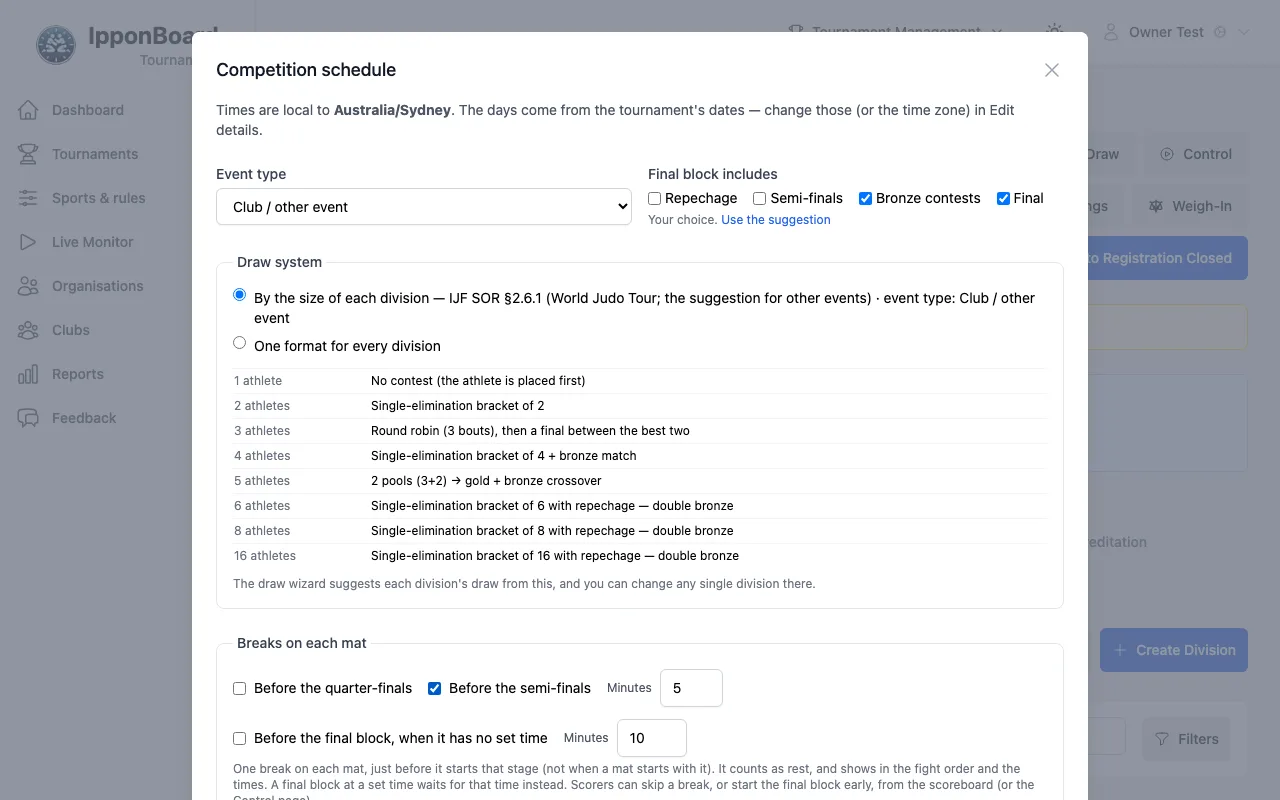
- Event type suggests what runs in the final block, and the draw for each division size. Final block includes can be any of Repechage, Semi-finals, Bronze contests and Final; Use the suggestion puts it back.
- Breaks on each mat: Before the quarter-finals, Before the semi-finals and Before the final block, when it has no set time, each for so many minutes. A break shows in the fight order; scorers can skip it from the board, and you can from the Control page.
- Rest between contests: Minimum minutes, and Off, Tell the scorer or Rest timer on the scoreboard (scorer can override). The mat layout plans for it too.
- Rankings and places: how round robins and pools are ranked, what happens when nothing separates athletes, and the places below the medals.
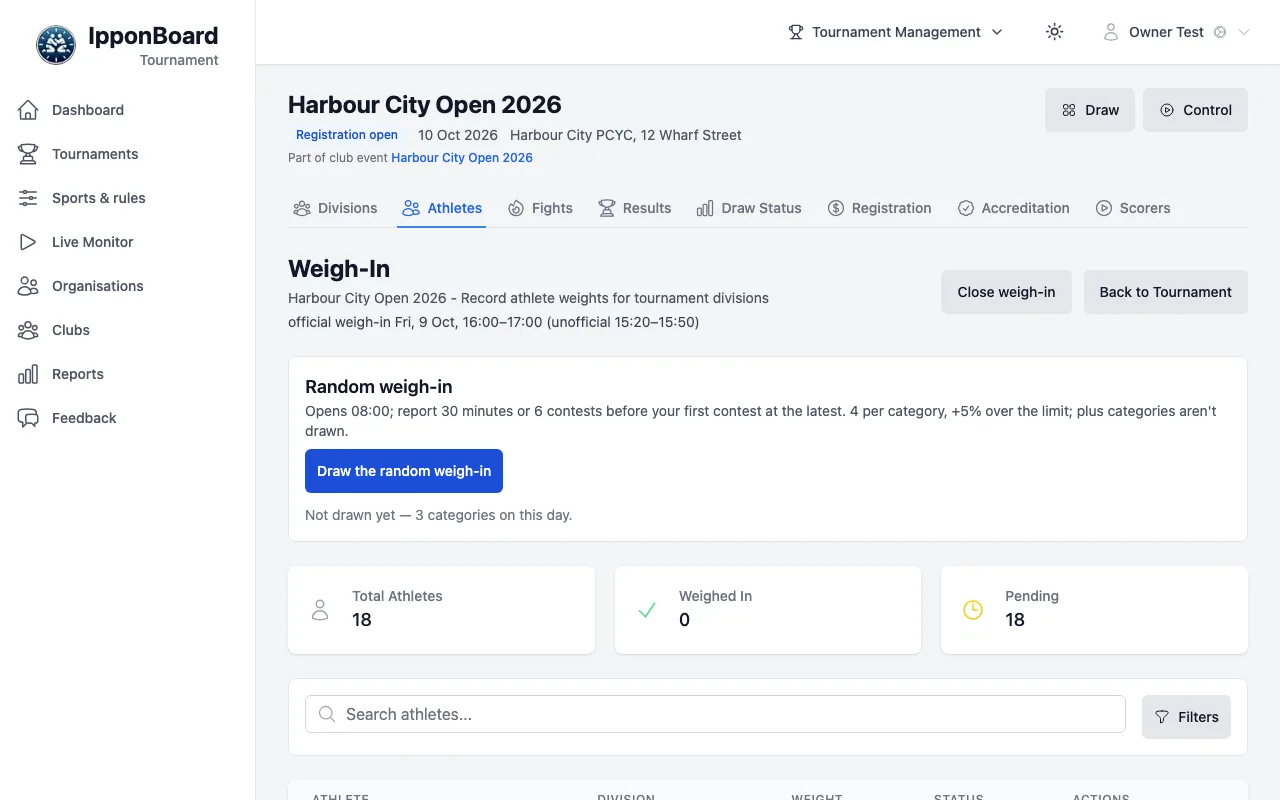
- Random weigh-in (competition morning): Hold a random weigh-in, Athletes per category and Tolerance over the limit (%).
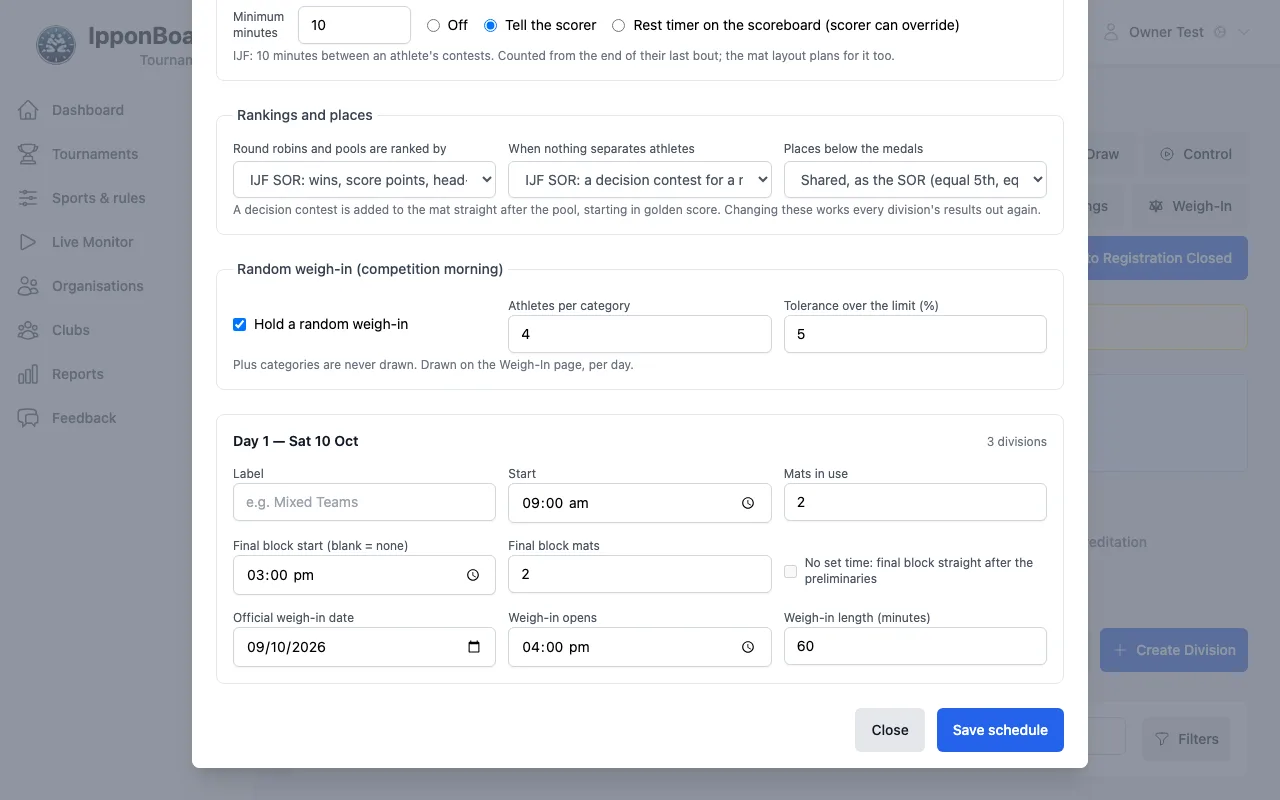
Each day has a Label, Start, Mats in use, Final block start (blank = none), Final block mats, No set time: final block straight after the preliminaries, and the official weigh-in (Official weigh-in date, Weigh-in opens, Weigh-in length (minutes)). Which divisions fight on which day is set in the draw wizard's Days & mats step (Drawing the Tournament).
Rules and bout times
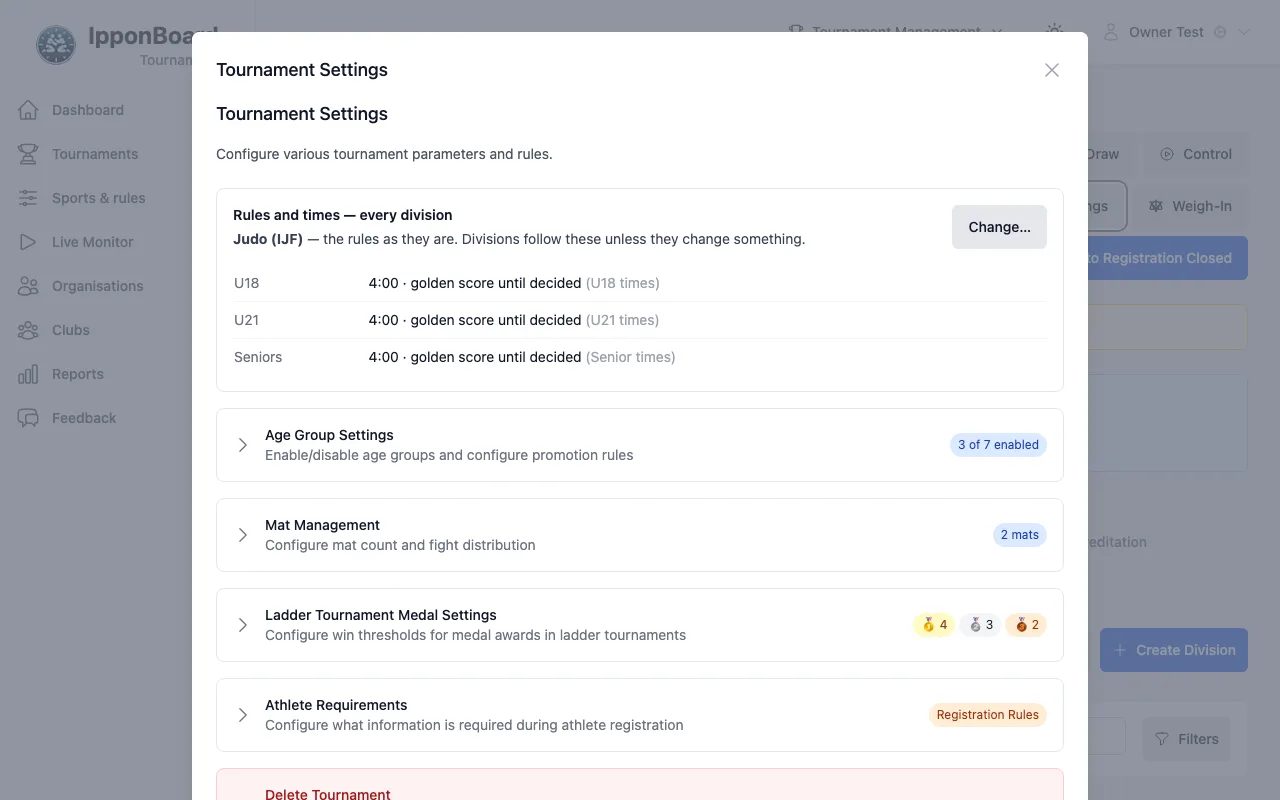
The tournament's sport and rules are chosen when you create it (Sport and rules). Click Settings to see Rules and times — every division: the bout length and golden score for each age group. Click Change… to change them, for example Different times for each age group, Use IJF contest times, or different rules by round. The rules can be changed until the first result is recorded.
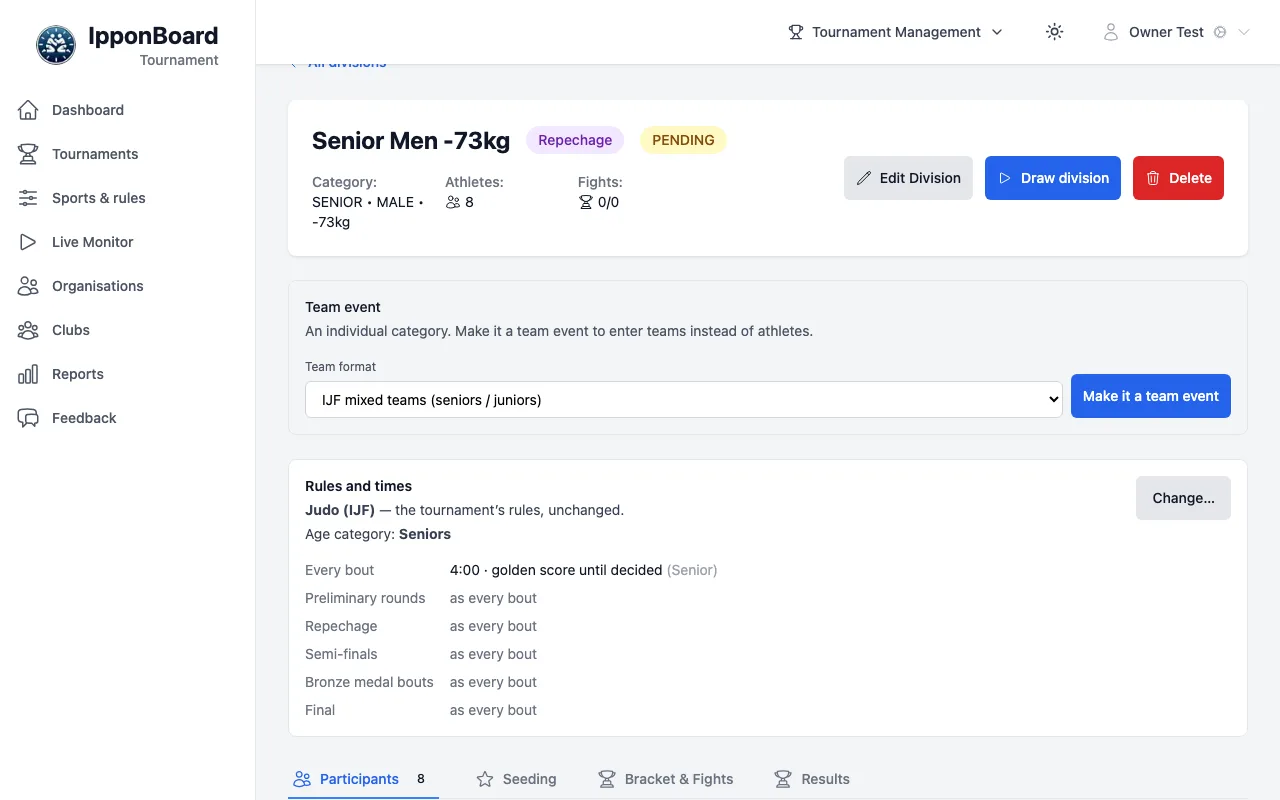
One division can have its own: open the division and use its Rules and times card. Change… sets times by round and the Age category (sets bout times); More changes… switches it to other rules, built in or one of your saved presets. Back to the tournament's rules undoes it. Settings lists the divisions that have their own rules.
Your own rule presets live under Sports & rules in the sidebar (New preset, or Copy to make my own from an official one). They work like the presets on the board: see Making your own rules.
Weigh-in
Open the weigh-in
Click Weigh-In. When accreditation is on, only accredited athletes are listed. The counts at the top show Total Athletes, Weighed In and Pending; search, or filter by division, gender or status.
Record each weight
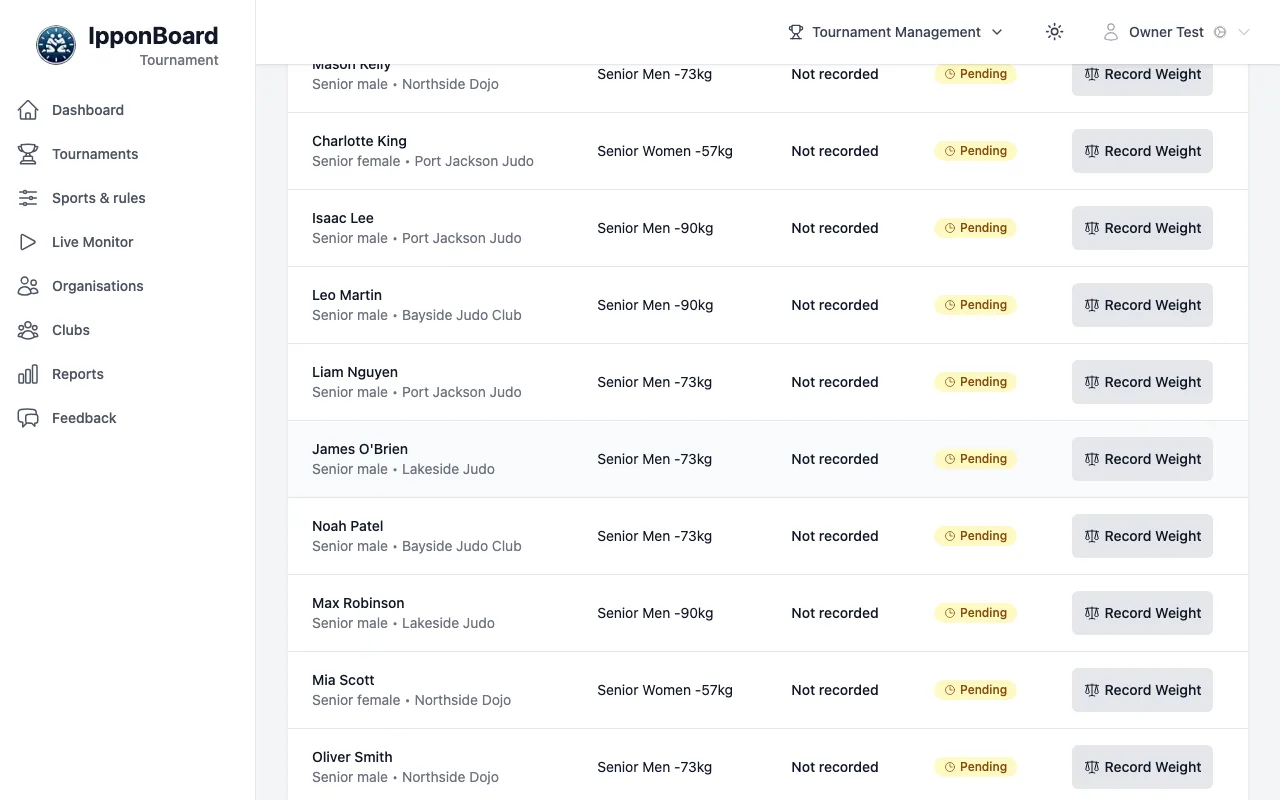
Click Record Weight beside the athlete, type the Weight (kg) and save. Someone over the limit can be marked with Mark failed weigh-in (Reinstate undoes it).
Close the weigh-in
Close weigh-in lists who hasn't weighed in; the ticked ones are marked as failed weigh-in (their opponents win by fusen-gachi, or they're left out of a draw still to be made). Untick anyone excused, then click Mark 2 as failed weigh-in (your number).
The random weigh-in
On competition morning, Draw the random weigh-in picks the athletes from each category, as set in Schedule. Turn on Random weigh-in list under Public page to show who was drawn.