Drawing the Tournament
Choose how each division is drawn, generate the draws, and lay them out on the mats.
Once your divisions exist, the draw wizard, Draw the tournament, turns them into brackets and pools and spreads the bouts over your mats. It has four steps: Confirm divisions, Choose draw, Review & approve and Days & mats.
Opening the draw wizard
Open your tournament and click Draw at the top (beside Control), or Draw the tournament on the Draw Status tab. Only the tournament's organisers see them. The page keeps the tournament's header and tabs, so you can get back.

The four steps
Confirm divisions
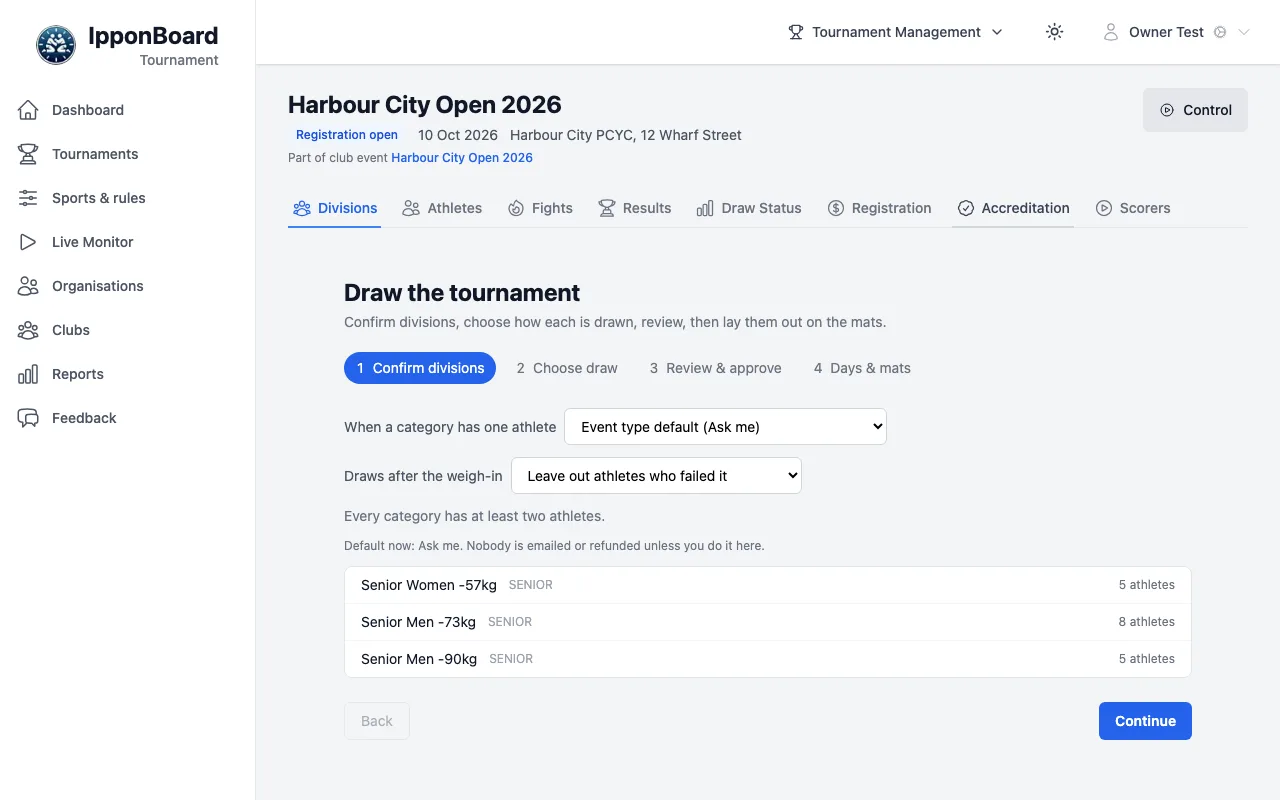
Check the divisions and their athlete counts. The step warns you about athletes who aren't accredited yet (they're left out of the draw), and about anyone unpaid. Two settings sit here: When a category has one athlete and Draws after the weigh-in (Leave out athletes who failed it, or Include them (fusen-gachi at the mat)). Click Continue.
Choose draw
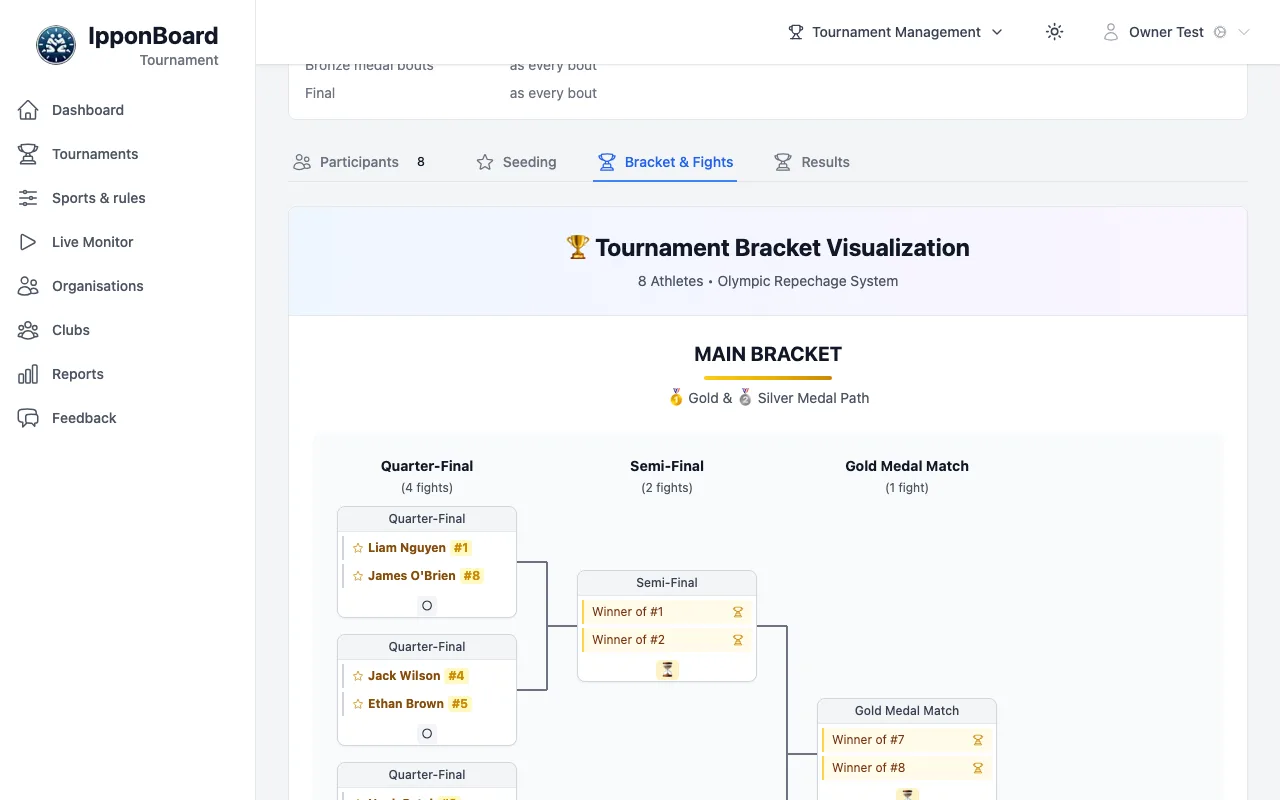
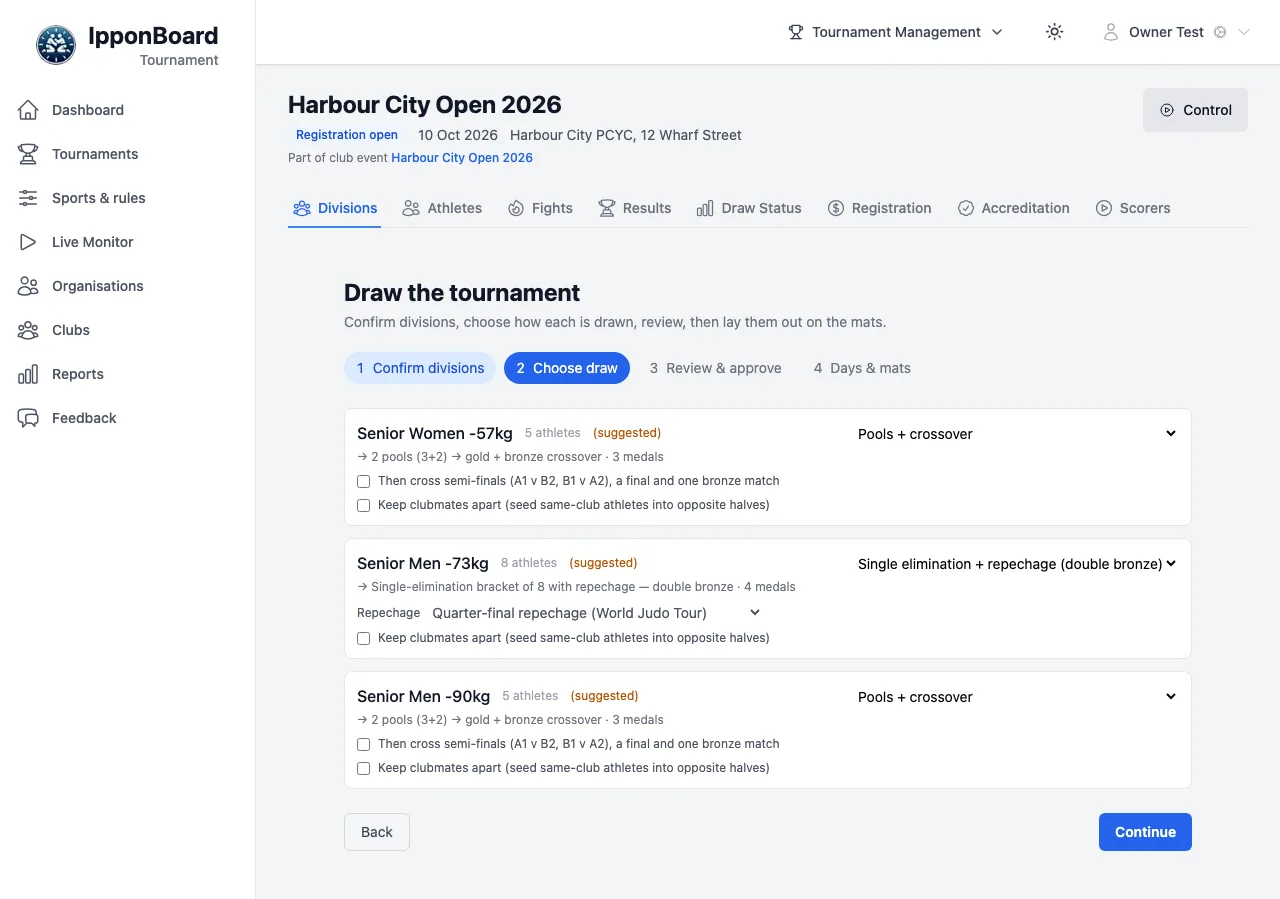
Each division shows its format, marked (suggested) until you choose one, and a line saying what it gives, for example → Single-elimination bracket of 8 with repechage — double bronze · 4 medals. Change the format from the list at the right; the options under it change with the format. Keep clubmates apart (seed same-club athletes into opposite halves) is on every division.
Review & approve
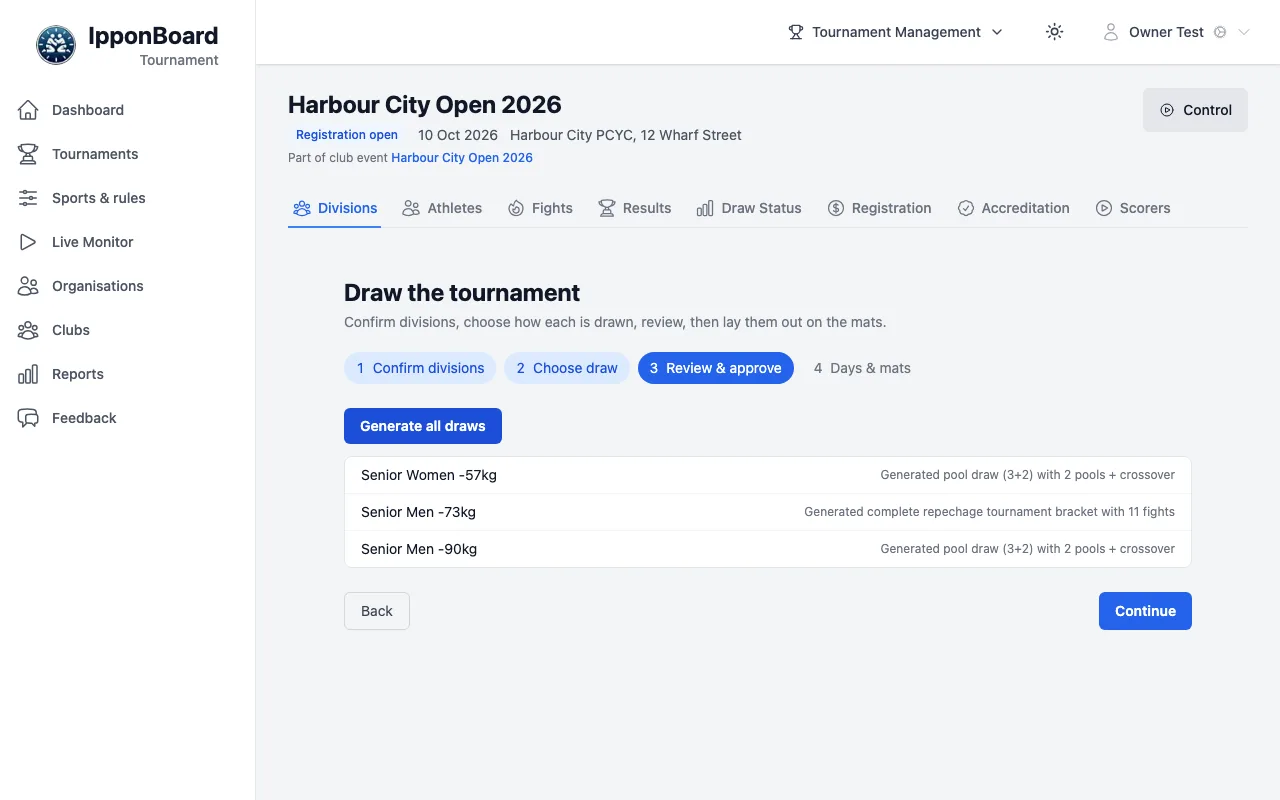
Click Generate all draws. Each division says what was made (for example Generated complete repechage tournament bracket with 11 fights). If some entries haven't paid, a window lets you keep them in or withdraw them first (Keep all & draw or Withdraw 2 & draw). If a division already has results, you're asked before they're discarded.
Days & mats
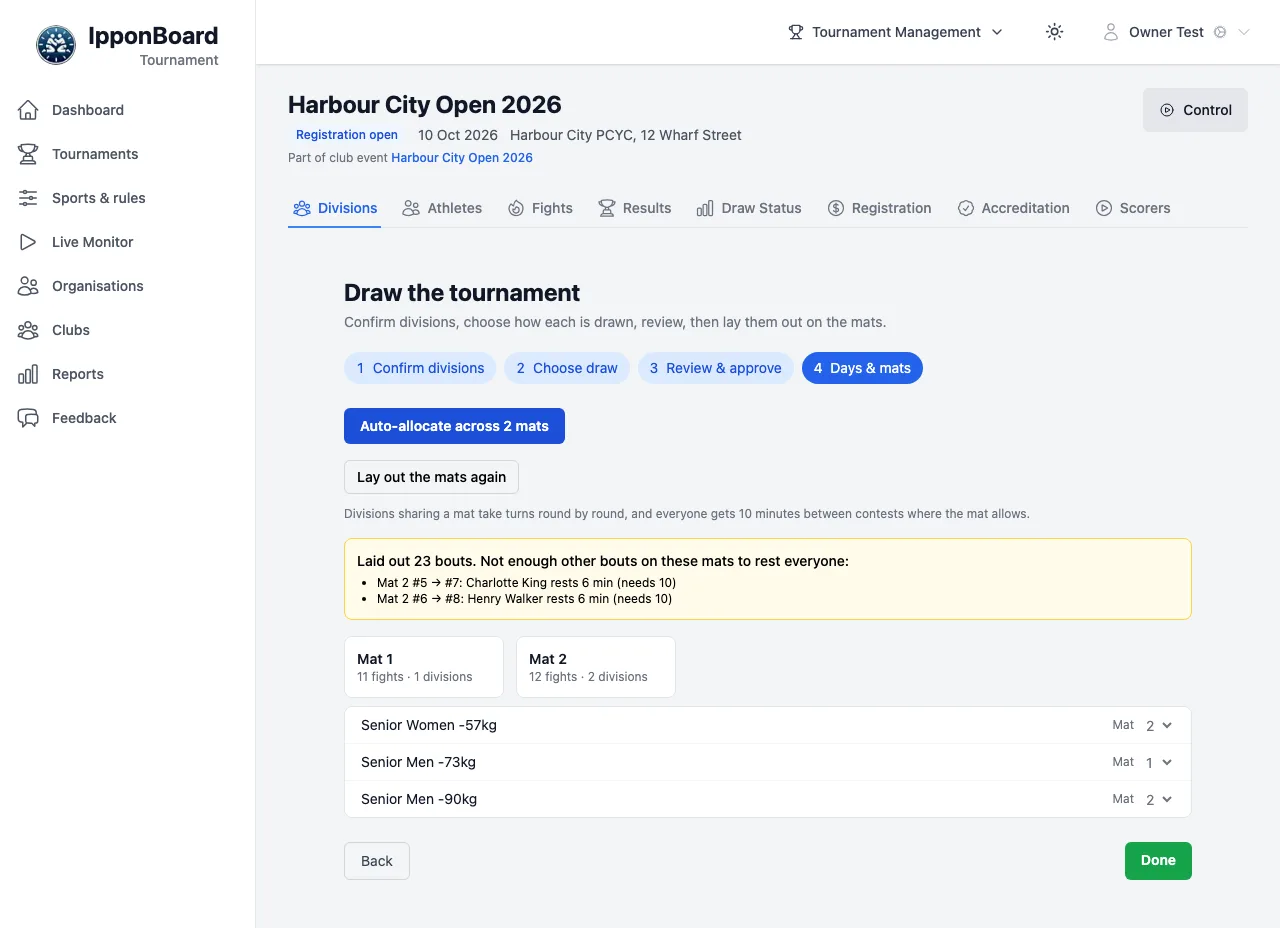
Click Auto-allocate across 2 mats (your number; on a multi-day event, Auto-allocate each day across its mats, and each division gets a Day). Change any division's Mat by hand. Lay out the mats again re-orders the bouts: divisions sharing a mat take turns round by round, and it says when there aren't enough other bouts to give someone their rest. Click Done.
Draw formats
The suggestion for each division comes from the tournament's Draw system (in Schedule): By the size of each division (for judo, the IJF table for the event type) or One format for every division. The formats:
Single elimination
A knockout bracket. Choose the bronze: both semi-final losers get bronze, one bronze match, or no bronze.
Single elimination + repechage (double bronze)
A bracket where losers come back through the repechage for two bronze medals. With 6 or more athletes you choose the repechage: Quarter-final repechage (World Judo Tour), Double repechage (continental events, veterans) or Losers to the finalists (wrestling, UWW). With 5 or fewer it becomes a bracket with one bronze match.
Round robin (single pool)
Everyone fights everyone. With 3 or more you can add a final between the best two (the third gets bronze).
Pools + crossover
Two pools; the pool winners meet for gold. Or tick "Then cross semi-finals (A1 v B2, B1 v A2), a final and one bronze match".
Ladder (win thresholds)
Medals for reaching set numbers of wins (set in Settings → Ladder Tournament Medal Settings).
Friendly / randori (no medals)
Bouts with no medals at the end.
Other ways to draw
- Divisions tab: tick divisions and click Draw Selected (2) (your number). Divisions that already have a draw are left as they are.
- A division's page: Draw division, or Redraw division once drawn (brackets and ladders). Its Seeding tab sets seeds by hand or with Auto-seed by Belt (Top 4) and similar.
- Fights tab: Import fight order loads a running order decided in a spreadsheet, and Edit running order — reorder fights or move them between mats changes the order by hand.