Registrant Self-Service
How competitors enter your tournament, get their confirmation and private link, and pay.
When registration is open, competitors (or a parent or coach) enter on the tournament's public page. For a tournament open to anyone they don't need an account; for one that is Members of your club only, they log in with their member account.
Opening registration
- At the end of the setup wizard, Open registration & list publicly publishes the tournament, opens entries and lists it in the public directory.
- Later, on the tournament page: Public page → Open public registration (and List in the public directory). On a draft, the menu offers Publish and open registration.
- To close it, switch Open public registration off, or click Move to Registration Closed.
What the form asks is set on the Registration tab (Registration Form & Custom Fields), and so are Withdrawals and changes and the entry fees.
What the competitor does
Find the tournament
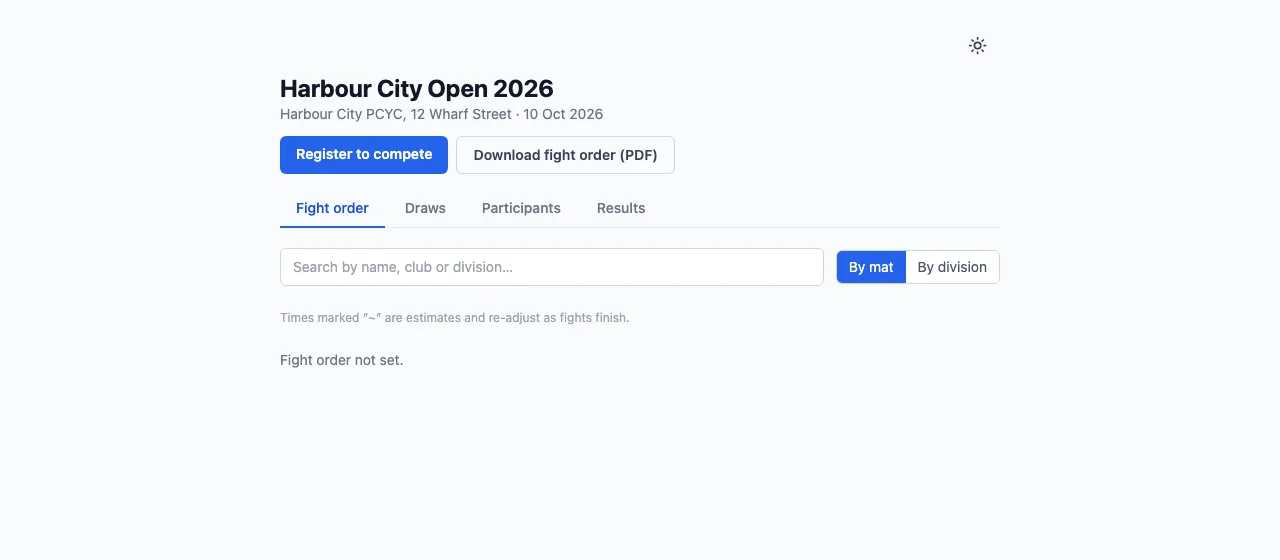
From the link you share, or the public directory. The tournament's page has Register to compete while entries are open.
Fill in the form
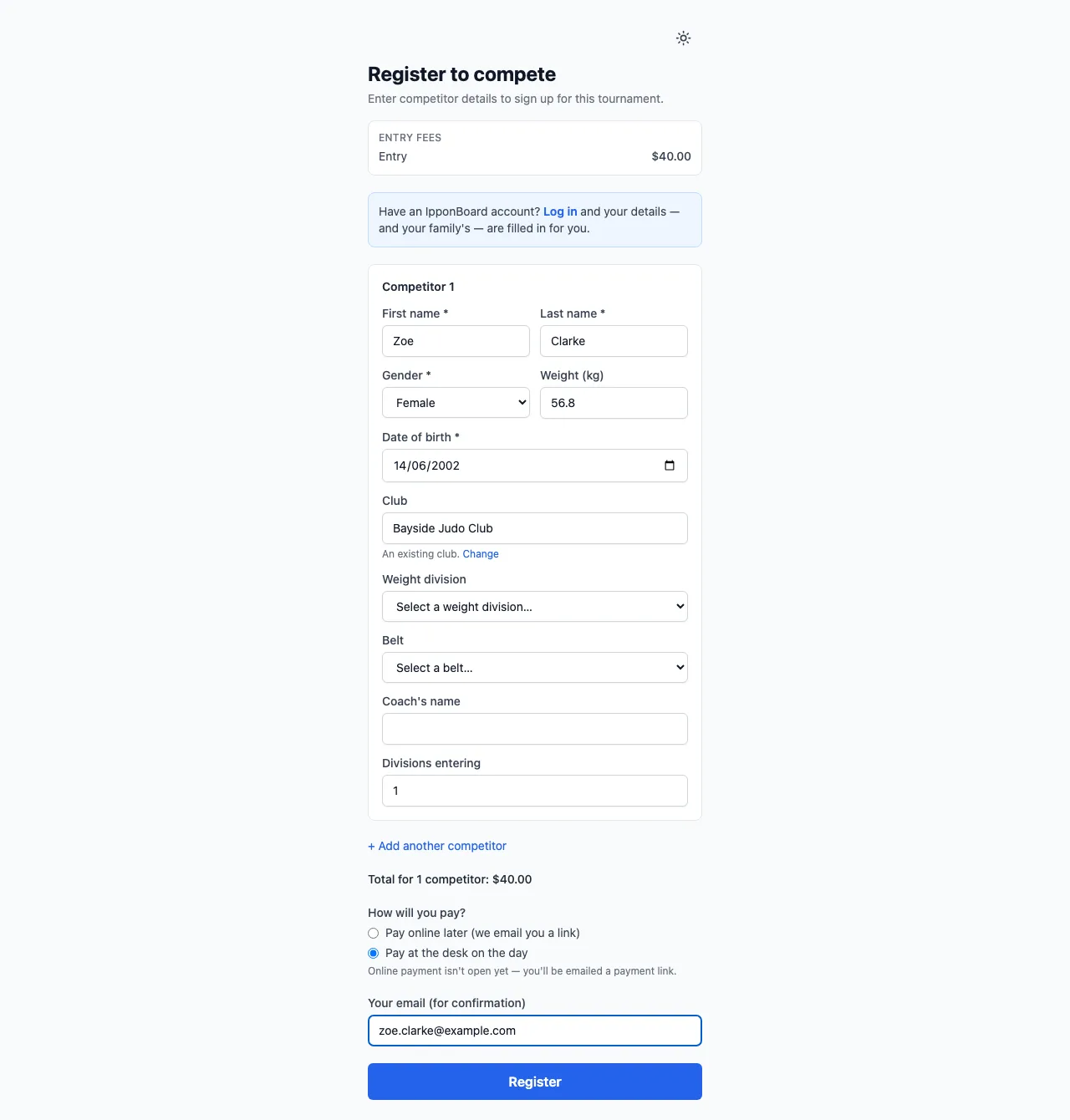
Each competitor's first and last name, gender, date of birth, and whatever else you ask. + Add another competitor enters a family or a team in one go. With a fee, the form shows the rates, the total, and How will you pay? (the ways you allow). A guest adds Your email (for confirmation); someone with an account can Log in and have their details, and their family's, filled in.
Answer the agreements
If your tournament asks for waivers & agreements, each competitor has an Agreements part under their details. An adult agrees for themselves; for anyone under 18 on the first day, a parent or guardian does (I’m their parent or I’m their guardian). They give their full name, tick I agree for each required one, answer Yes or No for one that's their choice, and sign where it asks (Type to sign or Draw to sign).
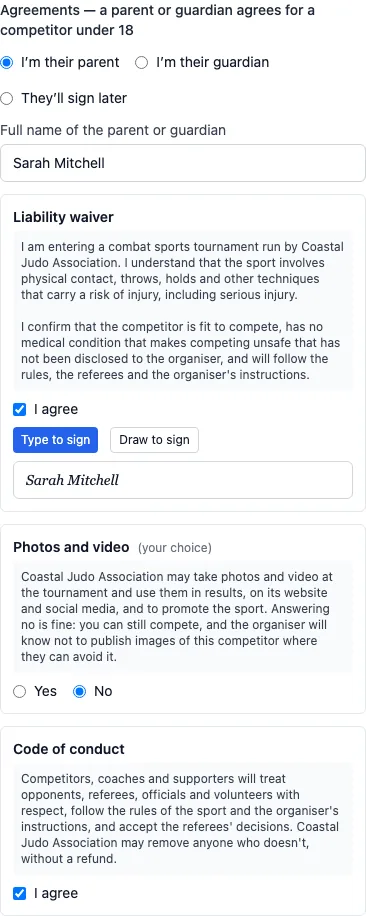
Someone entering other people (a coach, or anyone signed out) can choose They’ll sign later instead.
Register (and pay)
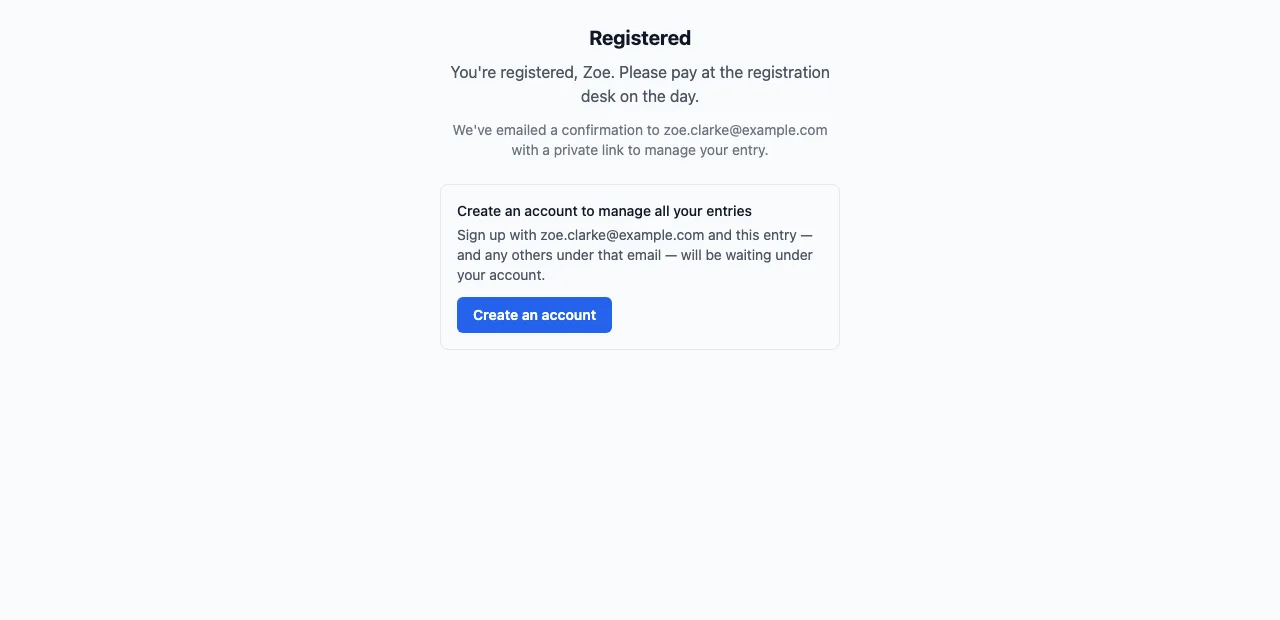
Continue to payment when paying online now, otherwise Register. The confirmation page says a confirmation is on its way, with a private link to manage the entry.
Come back with the private link
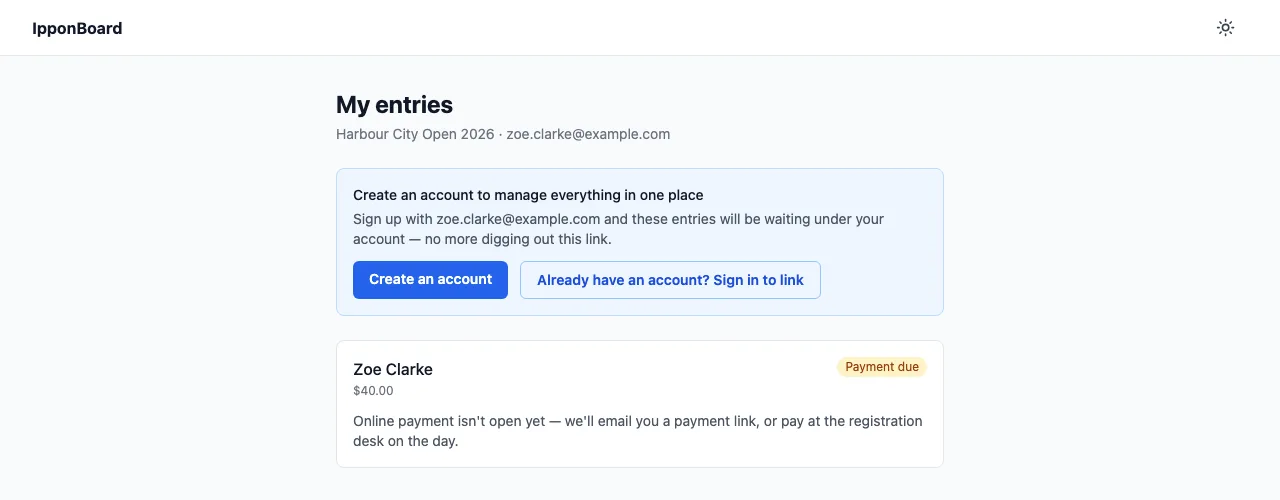
The email's View & manage my entries opens My entries: each entry with Not paid, Processing (a payment still clearing), Paid or No fee, and Pay $40.00 when online payment is open. With several unpaid, Pay all pays them in one go. No password needed; the link lasts 180 days.
Anyone left to sign later is listed under Agreements to sign there, with Sign for …. With an account, they can also sign from My tournaments (Sign agreements), or at the desk on the day.
Choosing a club
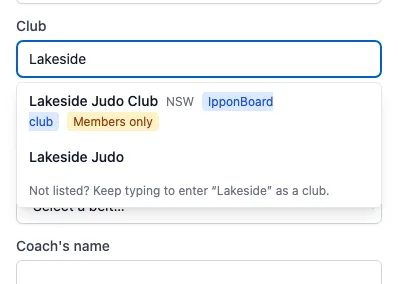
The club field suggests clubs as the competitor types: IpponBoard clubs first, then clubs already in tournaments (with the state or country when known). They pick theirs from the list, or type a new name. If two clubs share the name they typed, the form asks which club they mean.
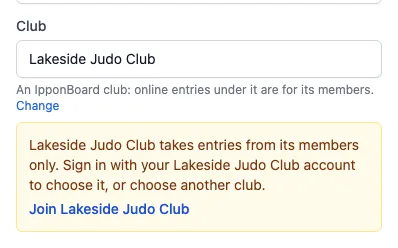
A club linked to an IpponBoard club (see Clubs & Coaches) takes online entries from its members only. To choose it, the competitor logs in, and they (or, for a child they're entering, the child) must be an active member of that club on their account. Otherwise the form says so when they register, with a Join … link: they can join the club, or choose another.
Accounts, and entries made with someone else's email
My entries offers Create an account, or Already have an account? Sign in to link to put the entries under an existing account. Entries only appear under an account once its email address is verified.
If someone who isn't logged in enters with an email that already has an account, that email gets "Was this you?" instead of the confirmation, with Yes, that was me and No, it wasn't me. Until they answer, your Accreditation tab shows Email owner hasn't confirmed this entry, with Email the confirmation again.
Withdrawing and changing division
Under Withdrawals and changes on the Registration tab you choose whether competitors can withdraw themselves (and until when), the refund, and whether they can change division. They do this from their account, not from the emailed link.