Results & Medals
Where results come from, the Results tab and its exports, a division's podium, how medals are decided, and sharing the results.
Results come from the scoreboards: each finished bout is sent to the tournament, the bracket or pool moves on, and the standings follow. This page covers reading them, fixing them, and sharing them.
Recording and fixing results
- From the boards. The winner, how they won and the score are recorded on the bout, and the next bouts get their competitors.
- When a board can't. Organisers can use Record result… on the bout, in the Fights tab or on a division's Bracket & Fights tab (Record the result).
- Correcting one. Correct result… on a finished bout (or Correct… on the Control page) shows what else changes before you apply it. See Running the Day (Control).
- If a division seems stuck. The Draw Status tab has Resolve for a division that can move on, and Resolve All.
The Results tab
Tournament Results shows each division as Complete, In progress, Not started or Not drawn, its medal count and its top results. Filter by gender, format, age group or status. It loads when you open it; click Refresh Results for the latest.
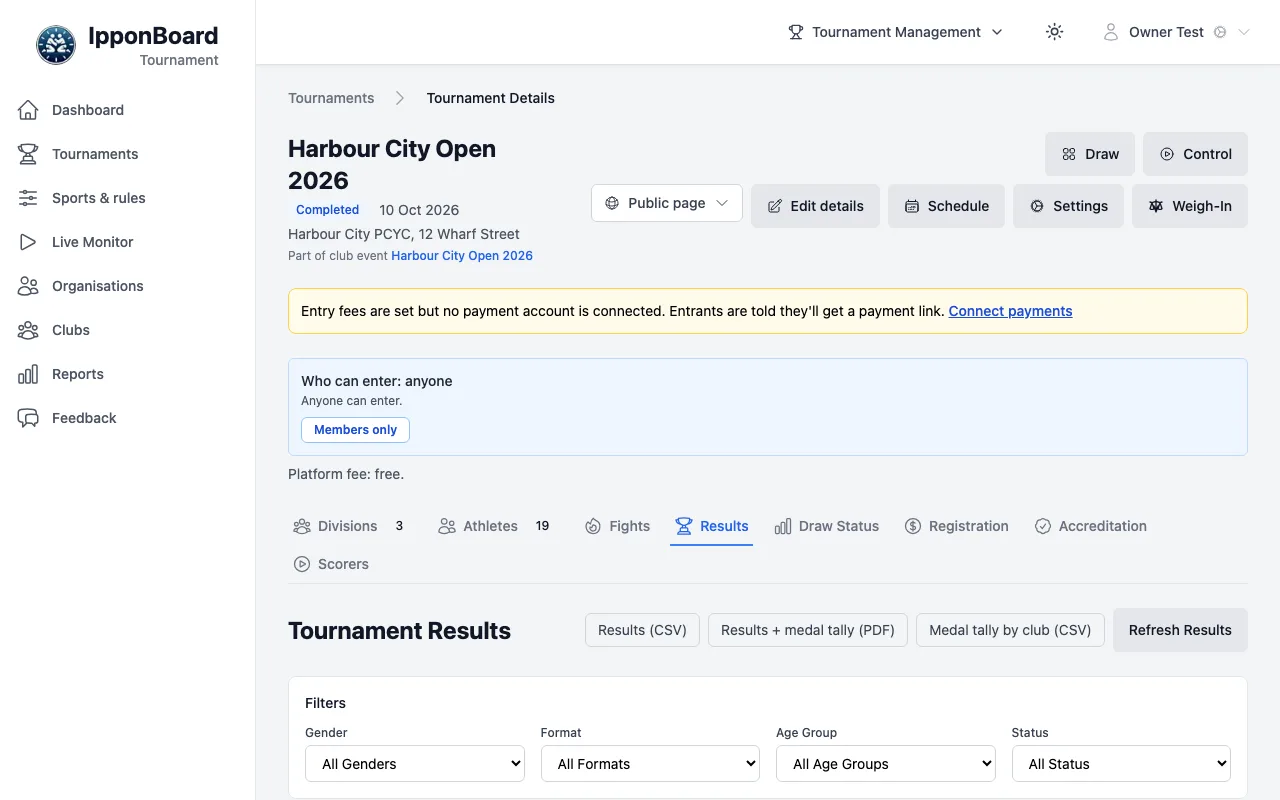
The exports, at the top:
- Results (CSV): every division's places.
- Results + medal tally (PDF): for printing or sending out.
- Medal tally by club (CSV).
The same buttons are on Reports in the sidebar, for each tournament you run.
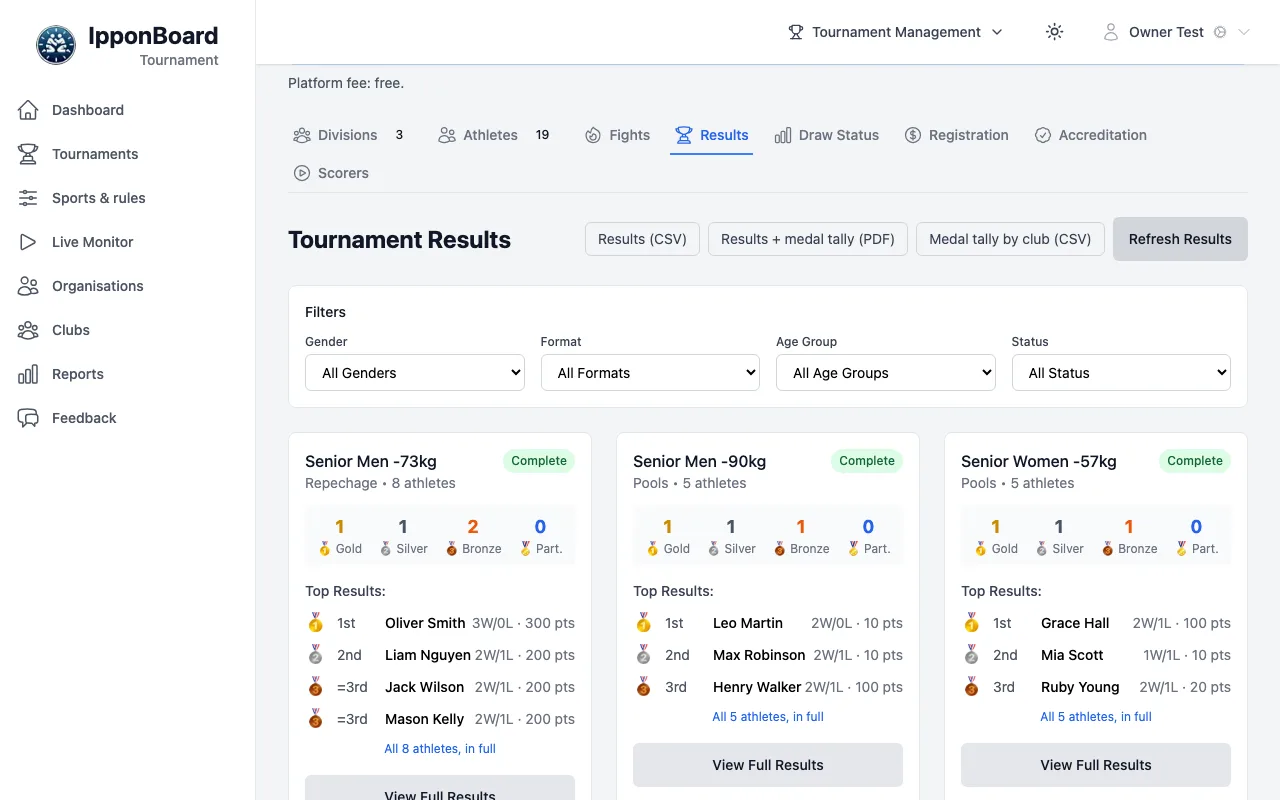
A division's podium
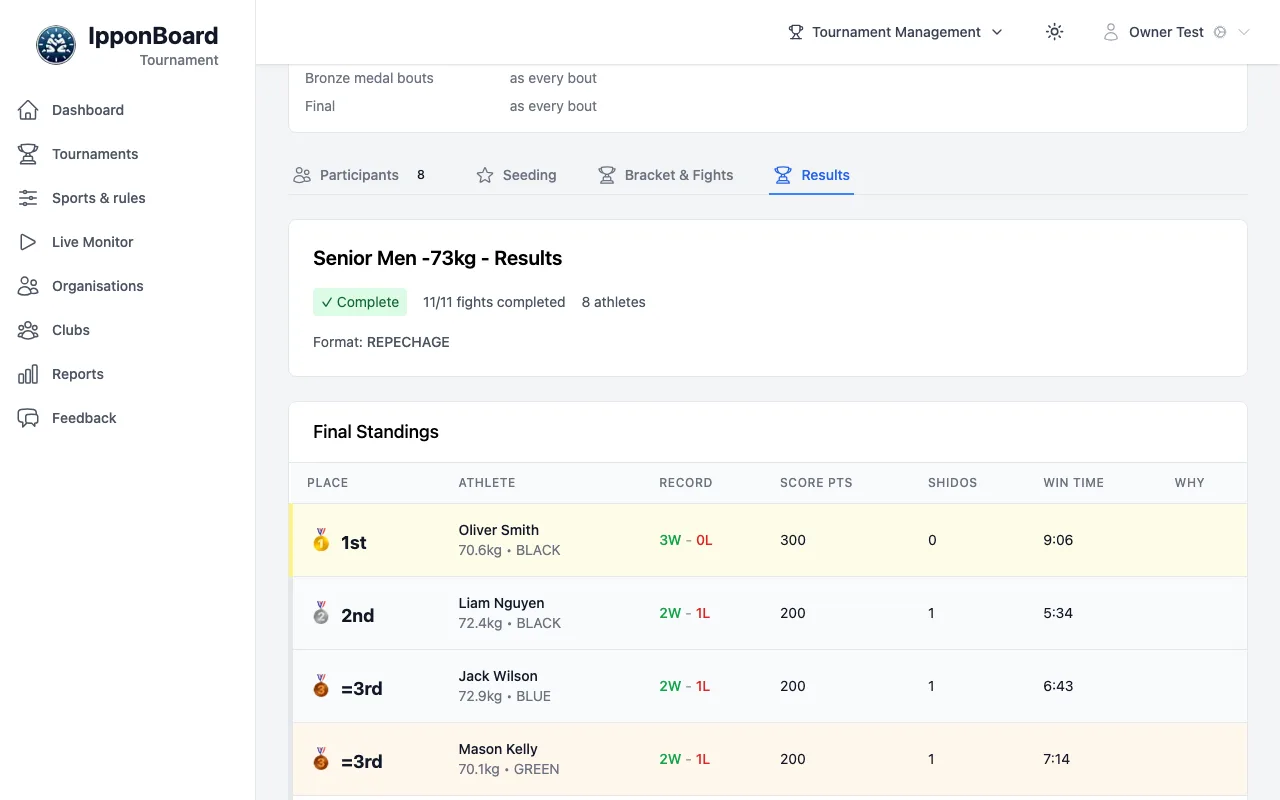
Click a division, then its Results tab. Final Standings lists each place with the athlete's record, score points, shidos and winning time (in round robins and pools, how ties were split).
How medals are decided
Medals come from the bouts that decide them, so a division stays In progress until they're fought. By format:
Pools + crossover
Gold and silver from the final between the pool winners; bronze from the bronze contest.
Single elimination + repechage
Gold and silver from the final; two bronze from the repechage (with 6 or more athletes). With 5 or fewer, one bronze match.
Single elimination
Gold and silver from the final; bronze as the division chose: both semi-final losers, one bronze match, or none.
Round robin
Places from the standings, once every bout in the division is fought. With a final, gold and silver come from the final.
Ladder
Medals for reaching the win thresholds.
Friendly / randori
No medals.
Sharing the results
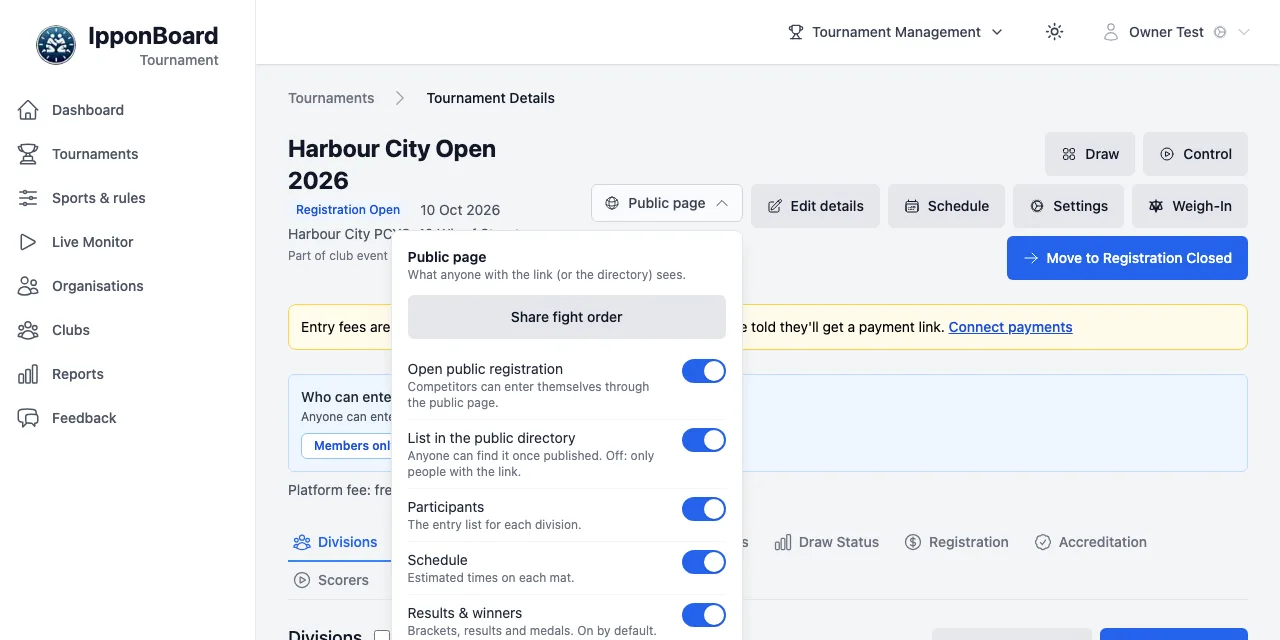
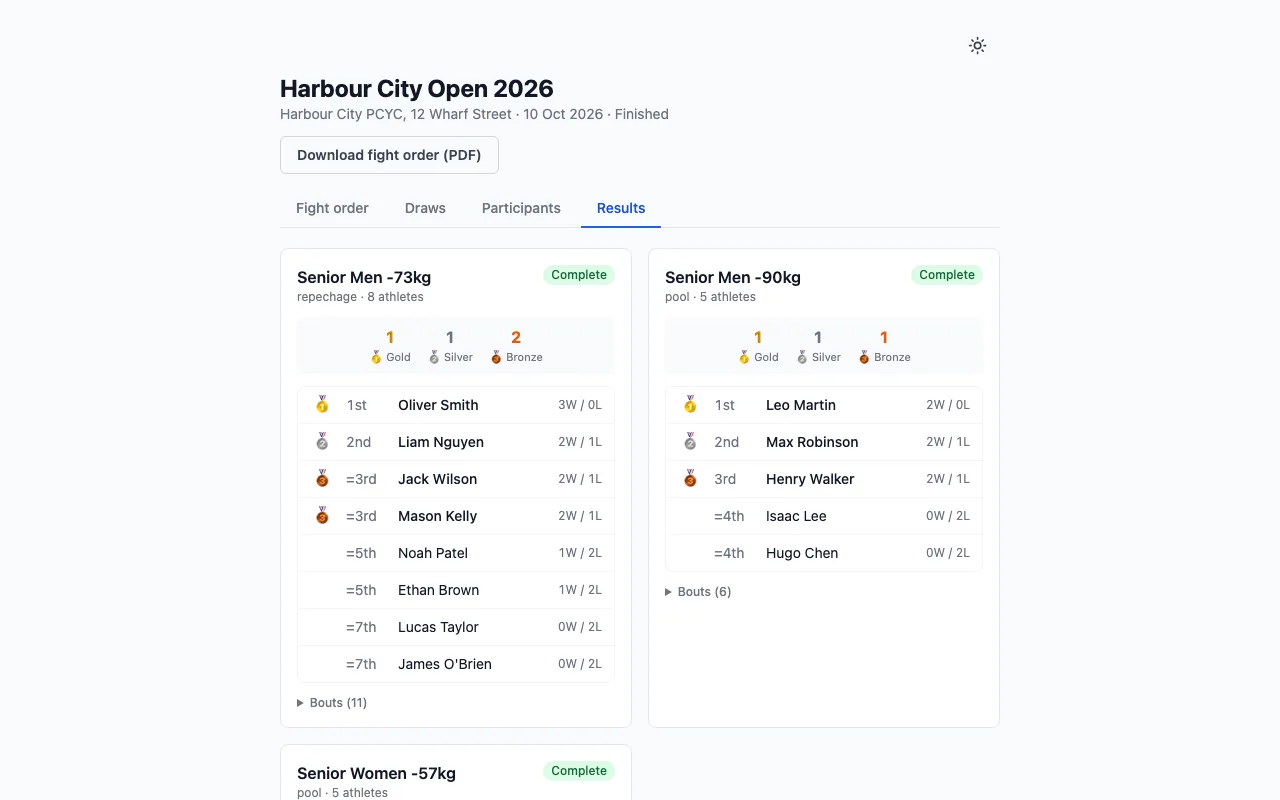
Click Public page at the top of the tournament. While Results & winners is on, the public page has a Results tab (and opens on it once the tournament is completed), and the draws show the results. A new tournament starts with it on (an aptitude-matched one with it off), and the line under the switch says which: On by default. or Off by default for an aptitude-matched tournament. Turn it off to keep the results to yourself. Share fight order in the same menu gives you the link.