Running the Day (Control)
The Control page on the day: each mat's start, breaks and final block, the bouts being scored, correcting a result, and extra bouts.
On the day, the scoreboards on the mats do the scoring (Connecting the Scoreboard). The Tournament Control page is where the organisers and the table officials watch every mat and step in.
Opening the Control page

Open the tournament and click Control at the top. The organisation's people (owner, admins, managers and scorers), the club's owner, managers and coaches, and the tournament's volunteer scorers see it and can open the page; each sees only the controls their role can use. It shows the tournament's header and tabs, with Fights highlighted.
The page doesn't update by itself: click Refresh (on Mat Connections) or reload it.
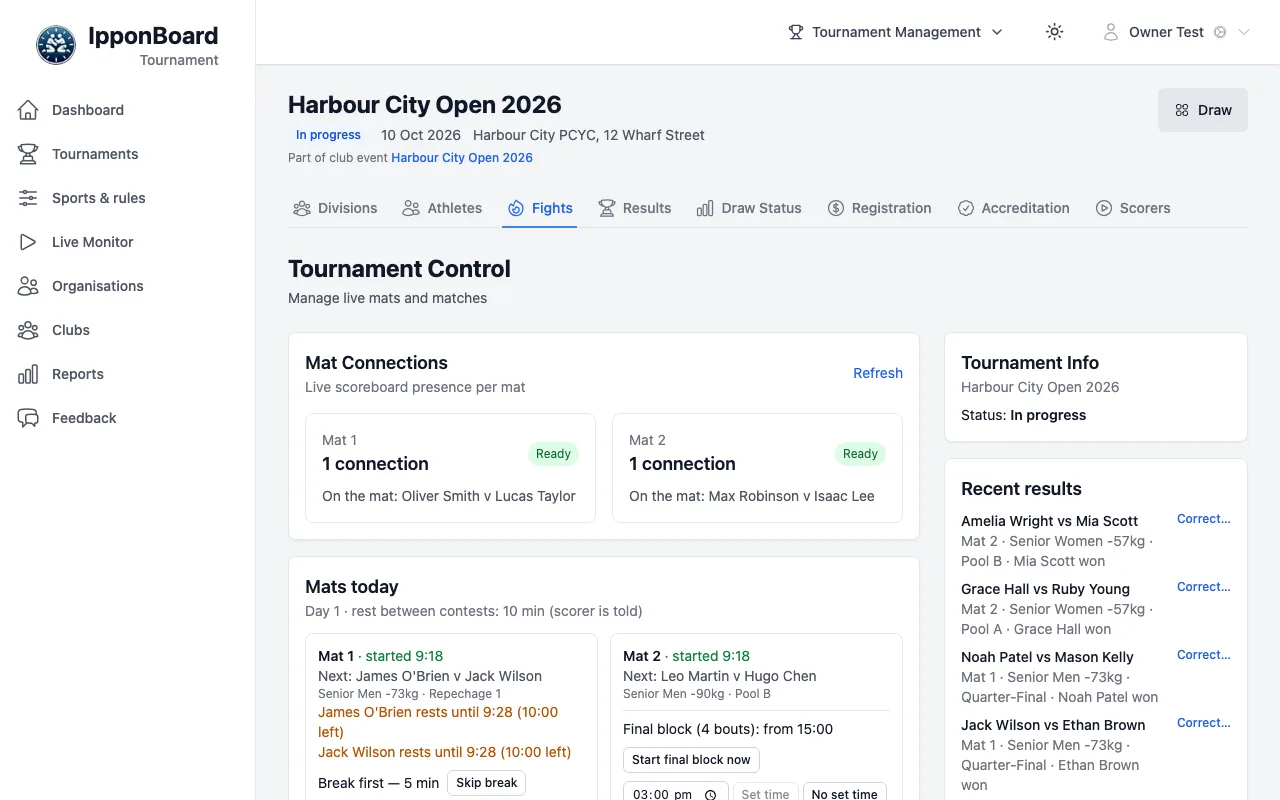
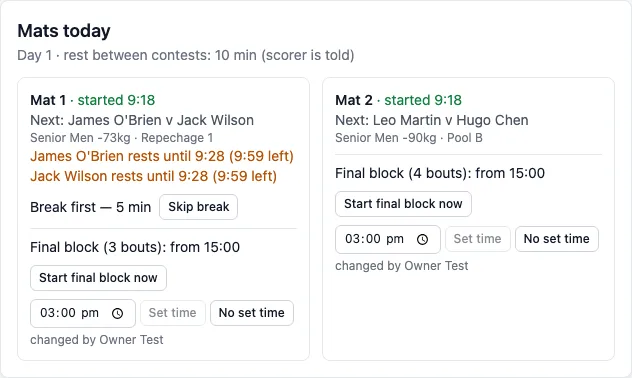
Mats today
Each mat starts when its board starts it (Start Mat 1 on the board; before that the board can practise and nothing is recorded). The card then reads Mat 1 · started and the time it did (for example Mat 1 · started 9:42); until then, not started. For each mat it shows:
- Next: the next bout, and who is still resting (for example James O'Brien rests until a time, with the minutes left) when the rest between contests is on.
- A break coming up (Break first — 5 min), with Skip break.
- The final block, with its start time (for example Final block (3 bouts): from 15:00), with Start final block now, a new time and Set time, or No set time (it follows the preliminaries). A start by hand can be undone until its first bout begins.
Mat Connections above it shows Ready for a mat whose board is connected, and the bout on the mat.
Live bouts and the scoreboards
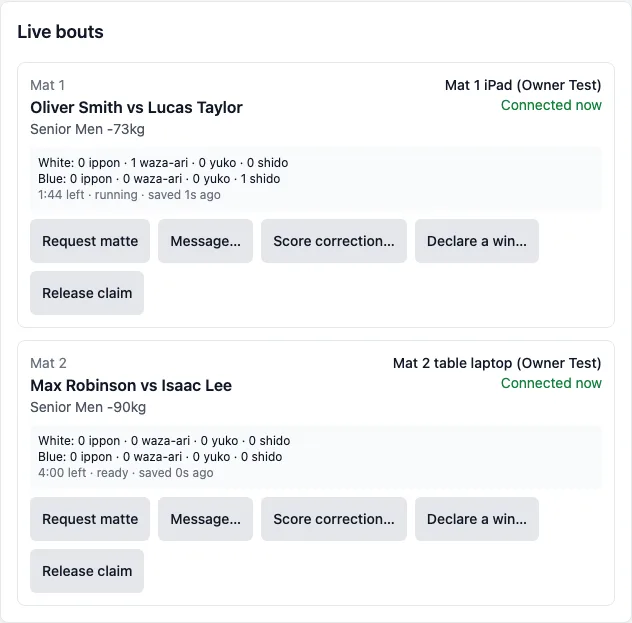
Live bouts lists every bout in progress or held by a board: the board holding it, whether it's Connected now, and the score it last reported. You can send that board:
- Request matte and Message…
- Score correction… (a side, a score, what to set it to)
- Declare a win… (the winner and how)
- Release claim, so another board can take the bout
Each one goes to that board, the table applies it (or dismisses it), and it's logged under your name. The organisers and scorers send them; a club's coach sees the bouts and boards but not these buttons (they may be in the corner of the bout).
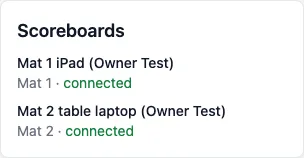
Scoreboards lists every board that has checked in, with its mat and connected or when it was last seen.
Correcting a result
Recent results lists the latest results. A manager (not a scorer or coach) clicks Correct… beside one to open Correct the result:
- Set the Result, the Winner and the score as they should have been recorded, and write the Reason (recorded).
- Click Check what changes. It says Nothing else changes., or lists the bouts that change: who fights in them, bouts no longer needed, bouts needed again.
- Click Apply correction or Apply — change these bouts. The boards on those mats get the changed bouts.
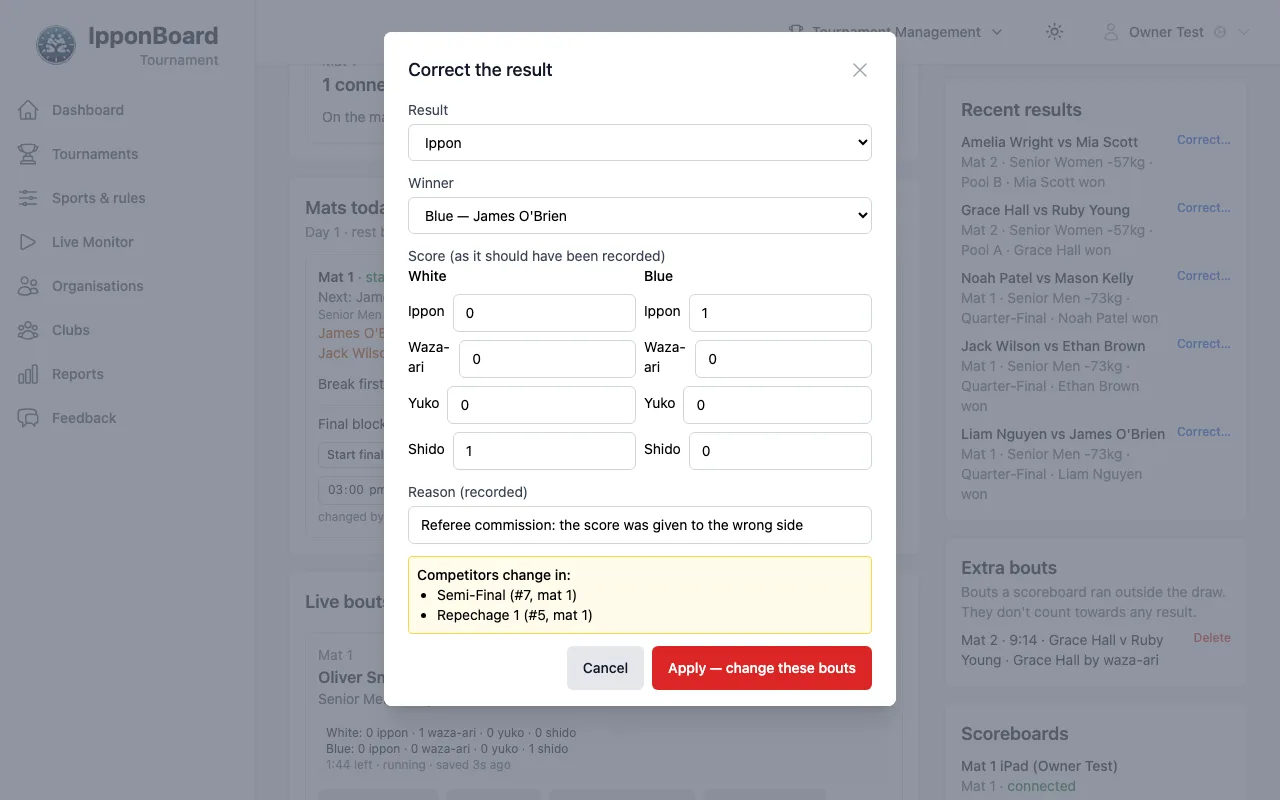
Only organisers (managers and up) can apply a correction. The same Correct result… is on each finished bout in the Fights tab and on a division's Bracket & Fights tab; Record result… there records a bout a board couldn't.
Extra bouts
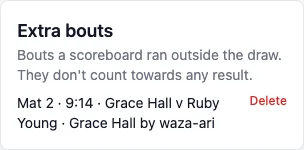
A board can run a bout outside the draw: a warm-up, a re-match, a friendly. It's listed under Extra bouts with its mat, time, the two names and the result. It doesn't count towards any result; Delete takes it off the list. Organisers see this card.
Team events: line-ups due
When a team match needs line-ups, Line-ups due at the top lists them, turning amber and then red as they're due, and the header shows how many are late. See Team Events.