Aptitude Matching
Come-and-try and development days: competitors are matched by a 1–5 competitive aptitude, with weight only a tolerance, so everyone gets fair bouts.
Aptitude matched is a competition type of its own. Instead of age, weight and gender divisions with brackets and medals, competitors are put in small groups (or paired) by a 1–5 competitive aptitude their coach sets, with weight only a tolerance. The point is good bouts for everyone, not a division winner.
Setting one up
Choose the type when you create it
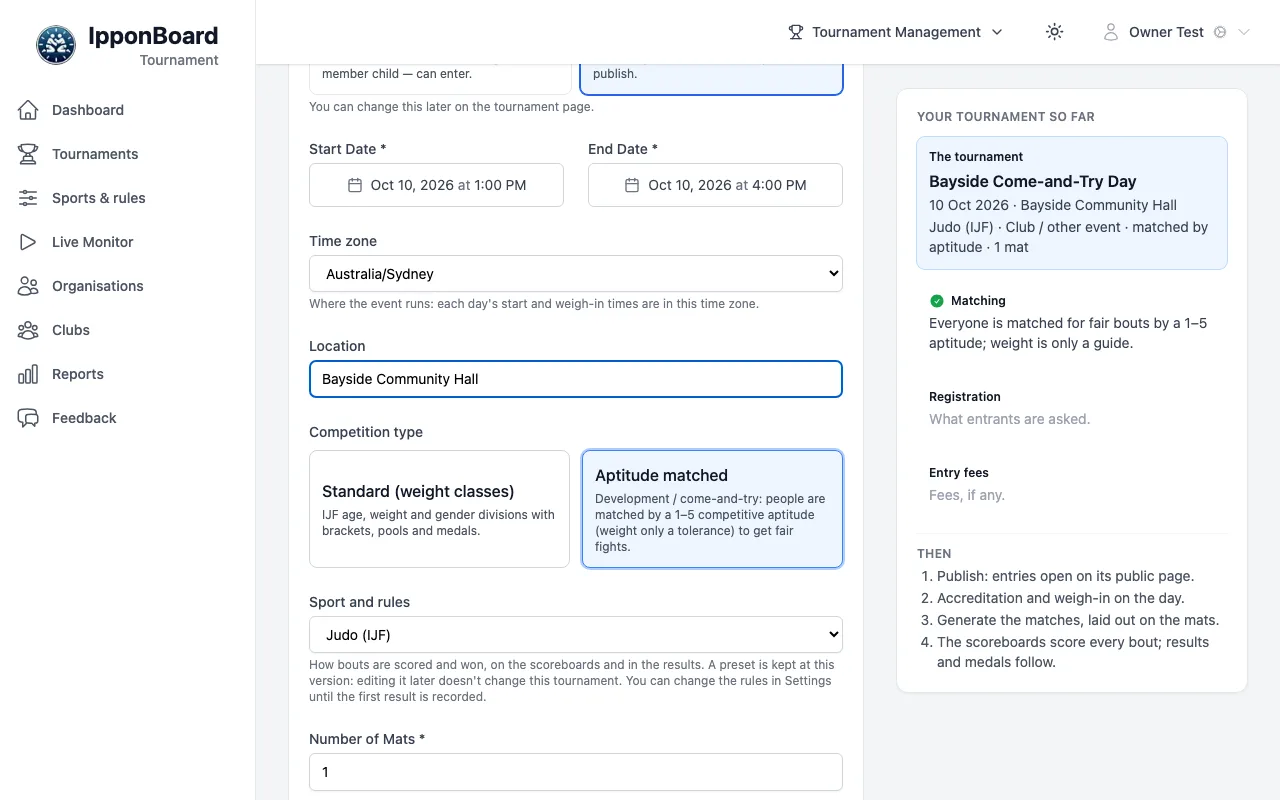
In the setup wizard, pick Come-and-try day under Start from, or choose Aptitude matched under Competition type. The type can't be changed after the tournament is made.
Matching setup
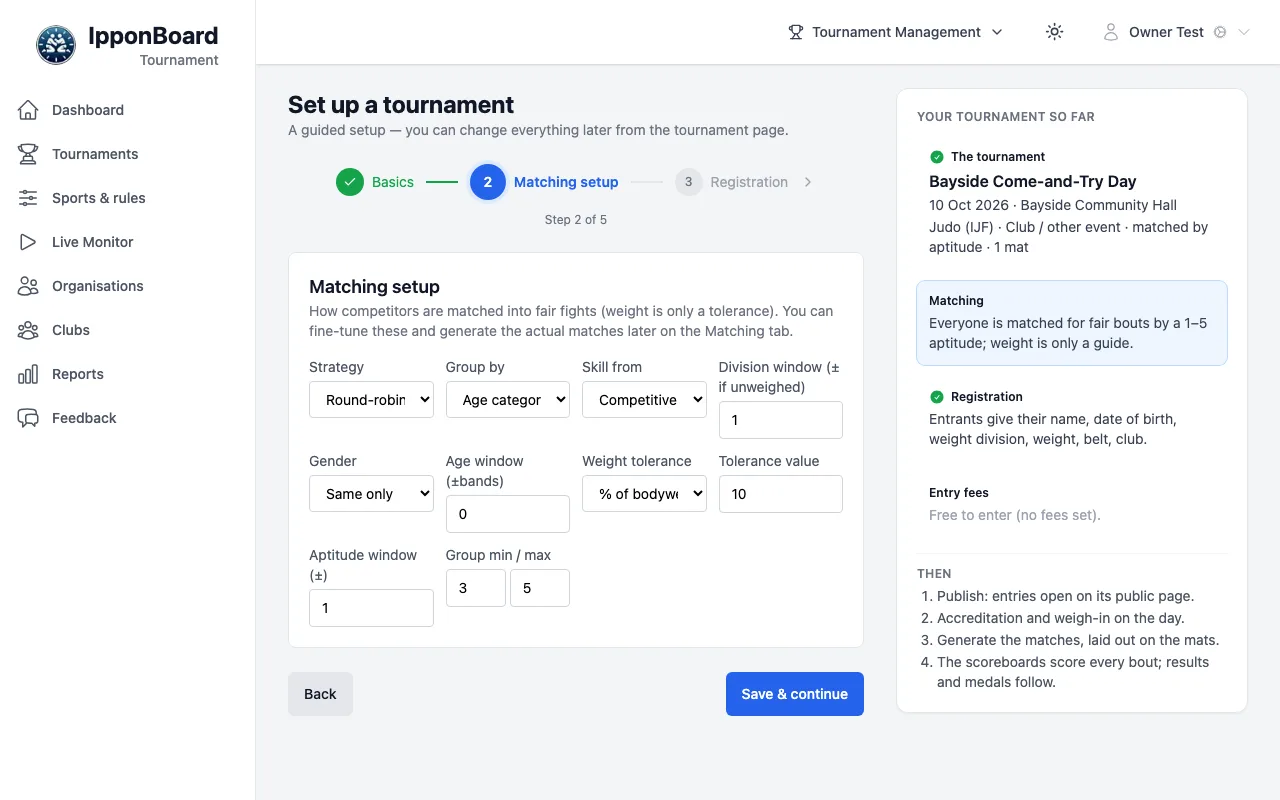
Step 2 is Matching setup instead of age groups and weights: how competitors are matched (all changeable later on the Matching tab). Click Save & continue, then carry on as for any tournament.
Get the aptitudes in
The tournament gets a Competitive aptitude field that coaches fill in from their club's page (Clubs & Coaches); competitors never see it. A CSV import can carry an Aptitude column. Anyone still missing one can be set on the Matching tab.
The Matching tab
The Matching tab (only on aptitude-matched tournaments) has the settings at the top. If some competitors have no aptitude, it says how many and offers Match on belt instead.
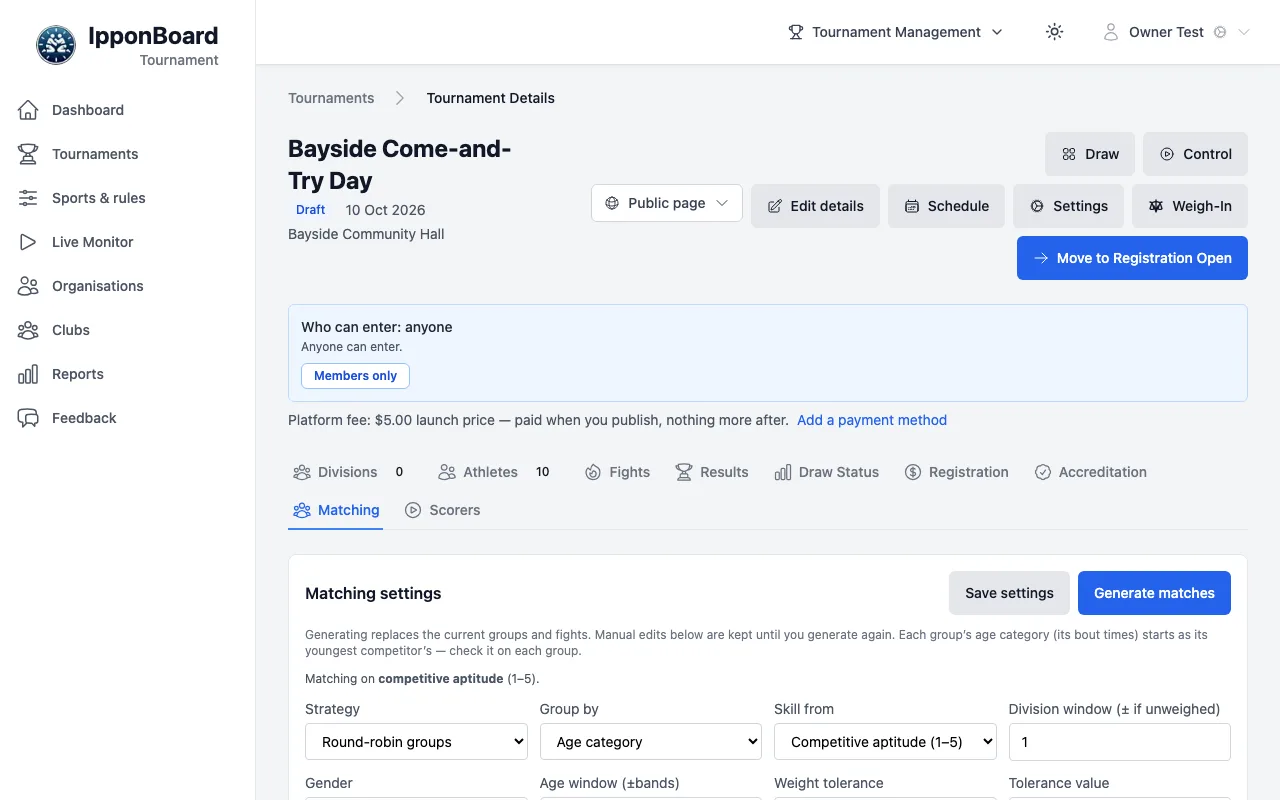
- Strategy: Round-robin groups (small groups that all fight each other) or Direct fights (pairings, aiming for a favourite and an underdog bout each).
- Group by: Age category, Belt / grade or One open category. Skill from: Competitive aptitude (1–5) or Belt / grade.
- Gender (Same only or Allow mixed), Age window (±bands), Weight tolerance (% of bodyweight, ± kg or Age-scaled) and its value, Aptitude window (±), and Group min / max.
Generate matches
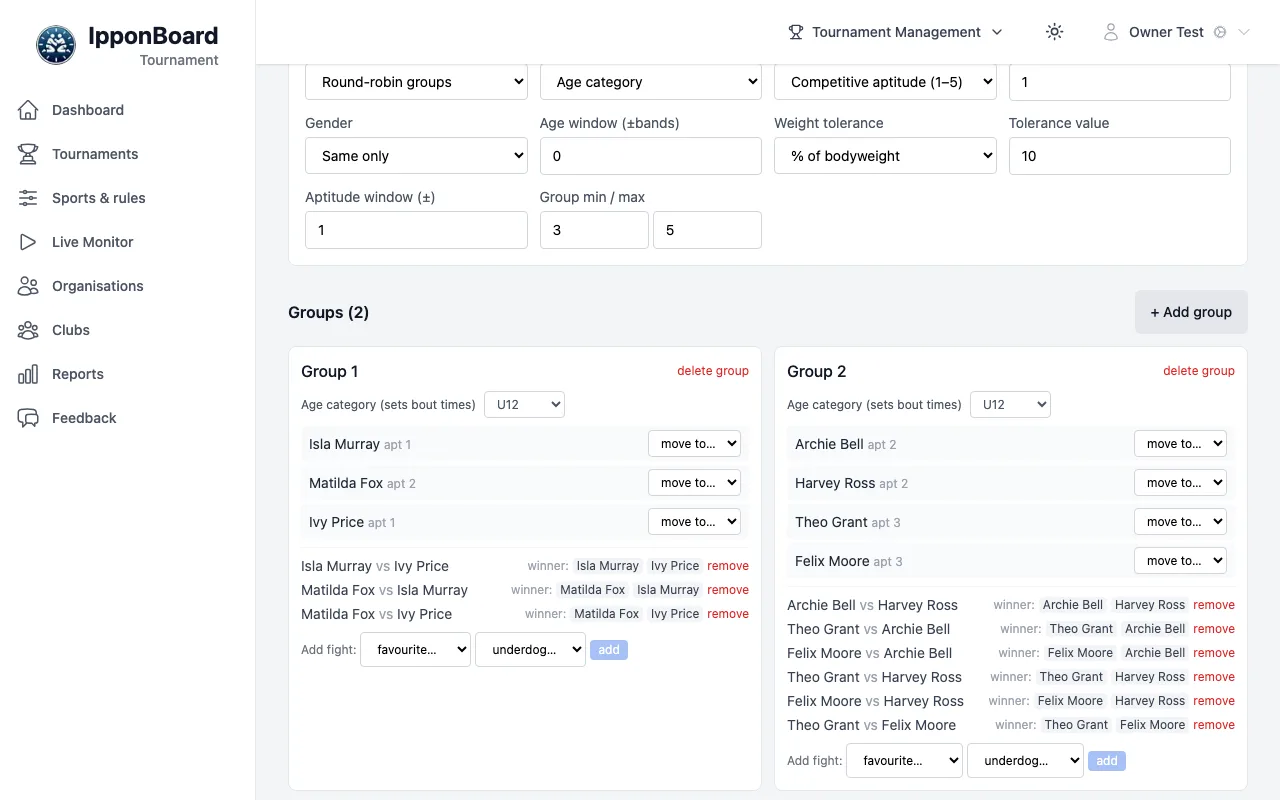
Click Save settings, then Generate matches. Generating replaces the groups and their bouts; your changes by hand are kept until you generate again.
Adjust by hand
Drag a competitor to another group or use move to…; + Add group makes a new one; Add fight: pairs two people. Each group has an Age category (sets bout times).
Nobody left out
Outside the automated rules lists everyone not in a group, and anyone with no aptitude (set one there with set aptitude…). Place them by hand, or widen the tolerance and generate again.
Bouts and results
Each bout is a real bout with a winner, scored on the boards or set on the Matching tab (winner:). There's no group winner and no medals. The public results start switched off (Results & winners under Public page). The results go into each competitor's history, so next time their coach sees the last aptitude and record.