Settings
Your club's details, check-in rules, term dates, front-desk devices, payment provider and IpponBoard plan.
In the sidebar, tap Settings. Owners and managers see it; coaches and front-desk accounts don't. Settings has six tabs, in this order:
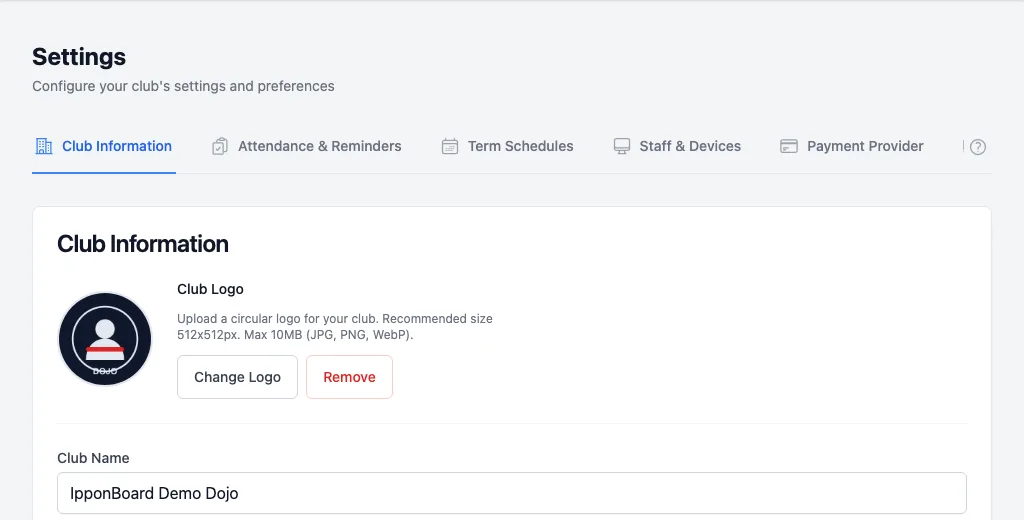
Club Information
Logo, name, URL stub, timezone, contact details, currency, revenue target, member portal shop, member numbers and the member login link. Club Information
Attendance & Reminders
What check-in does about missing waivers, overdue payments and insurance; guardian check-in; age thresholds; drop-ins. Payment enforcement
Term Schedules
Term dates for plans charged by term or season. Plan types
Staff & Devices
Front-desk (kiosk) accounts and the devices signed in with them. Staff & Devices
Payment Provider
Connect Stripe or Square for online payments, and Square for in-person card readers. Opens its own page. Payments
Platform Billing
Your club’s IpponBoard plan, payment method and invoices. Opens its own page. Platform billing
Who can change what
- Owner: every tab, including Platform Billing and connecting or disconnecting Stripe and Square.
- Manager: Club Information, Attendance & Reminders, Term Schedules and Staff & Devices. A manager can open Payment Provider and Platform Billing to see how they're set up, but a note at the top of each says only the club owner can change them. A manager can still pair Square Terminals on Payment Provider.
- Coach and front desk: no Settings.