Club Information
Every setting on the Club Information tab: your club's profile, currency, shop, member numbers and member login link.
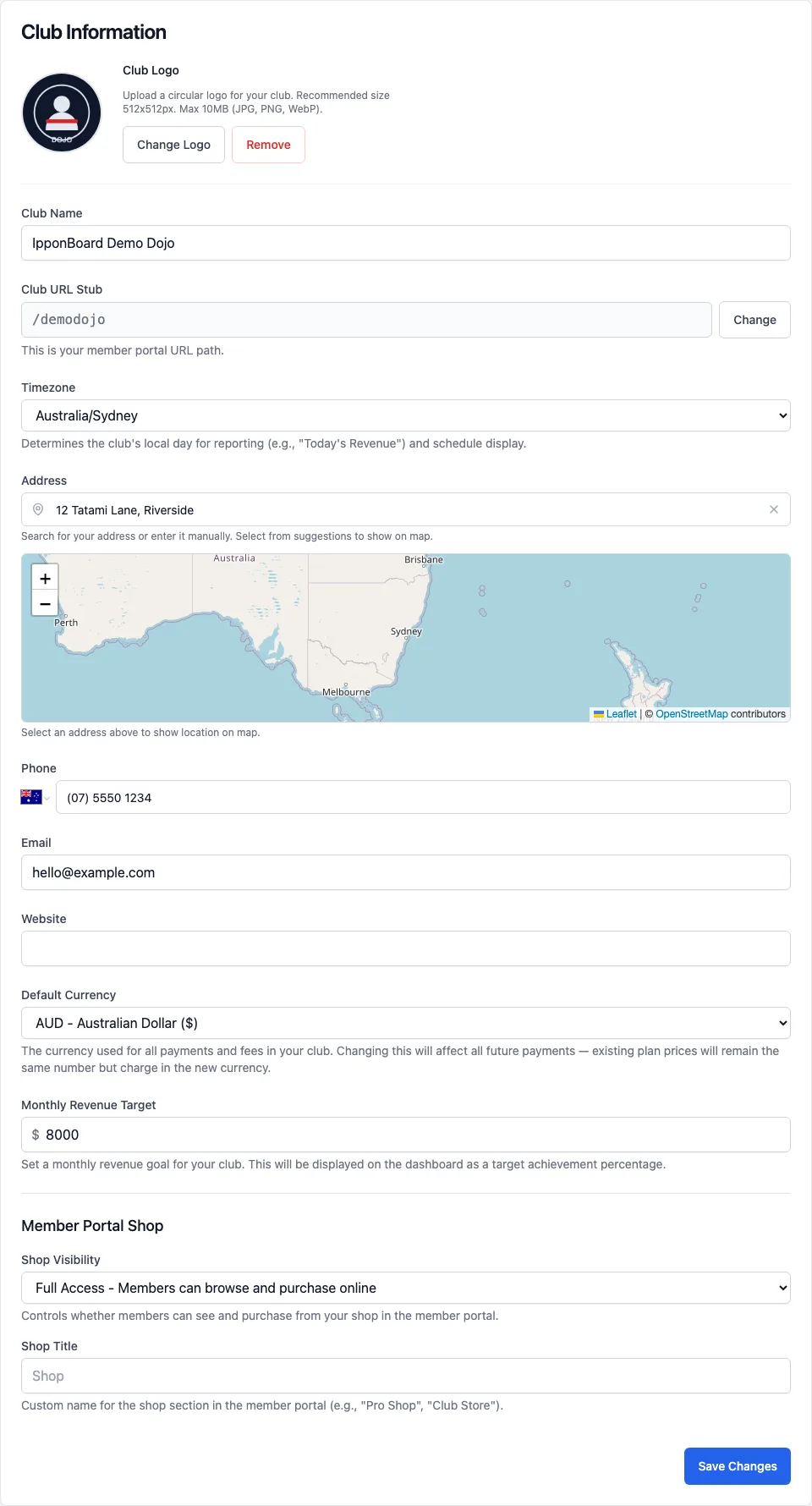
Sidebar Settings → Club Information (the tab Settings opens on). Owners and managers can change it. Setting up for the first time? Follow Set up your club details instead. The tab has three cards.
Club Information
- Club Logo
- Upload Logo (or Change Logo) and Remove. JPG, PNG or WebP up to 10MB, cropped to a square and shown in a circle; 512 × 512 pixels is ideal. It's on your sign-up page, the member portal and your club's emails.
- Club Name
- What members see throughout the app.
- Club URL Stub
- The part of your web address after the slash, used by your sign-up page, the member portal and QR check-in links. See Changing the URL stub.
- Timezone
- Sets your club's "today" for reports (such as today's revenue) and the times on your timetable.
- Address, Phone, Email, Website
- Shown on your public sign-up page. Pick the address from the suggestions to place it on the map, then drag the pin if it's not quite right.
- Default Currency
- The currency for all your club's payments and fees. If you change it, existing plan prices keep the same number but charge in the new currency.
- Monthly Revenue Target
- Optional. Shows your progress towards it on the dashboard.
- Member Portal Shop
- Shop Visibility: Disabled (hidden from members), View Only (members can browse but not buy online) or Full Access (members can browse and buy). Shop Title renames the shop in the member portal, for example "Pro Shop". See Shop.
Tap Save Changes at the bottom of the card. (The logo saves on its own as soon as you upload it.)
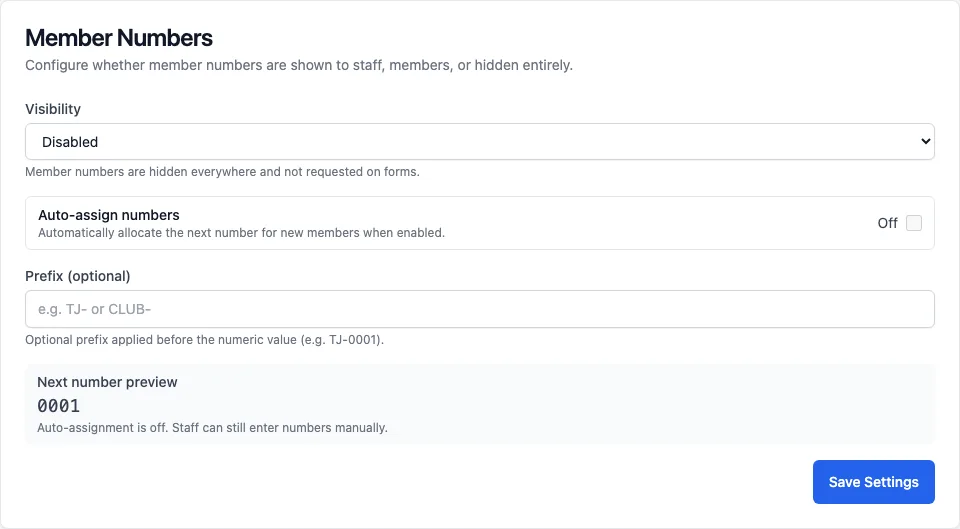
Member Numbers
- Visibility: Disabled, Internal Only, Registration or Everywhere. The page explains each choice as you pick it.
- Auto-assign numbers: give each new member the next number. When it's off, staff can still type numbers in by hand.
- Prefix (optional): letters in front of the number, for example TJ-0001. The Next number preview shows what the next member gets.
This card has its own Save Settings button.
Member Login Link
The link your members use to sign in to the member portal, with a Copy button and a QR code. Download or Print the QR code and put it up at the dojo.
Changing the URL stub
Tap Change
Next to Club URL Stub, tap Change. The Change Club URL Stub box opens with a warning.
Type the new stub
Up to 10 characters. The box checks that it's free while you type.
Confirm
Tap Change Club Stub. It takes effect straight away.