Payments
Take payments from your members by card, in person or online, and keep a record of cash and bank transfers.
Every payment your club takes is in one place: sidebar Payments. Card payments go through your own Stripe or Square account, straight to your club. Cash, bank transfers and cheques you record by hand.
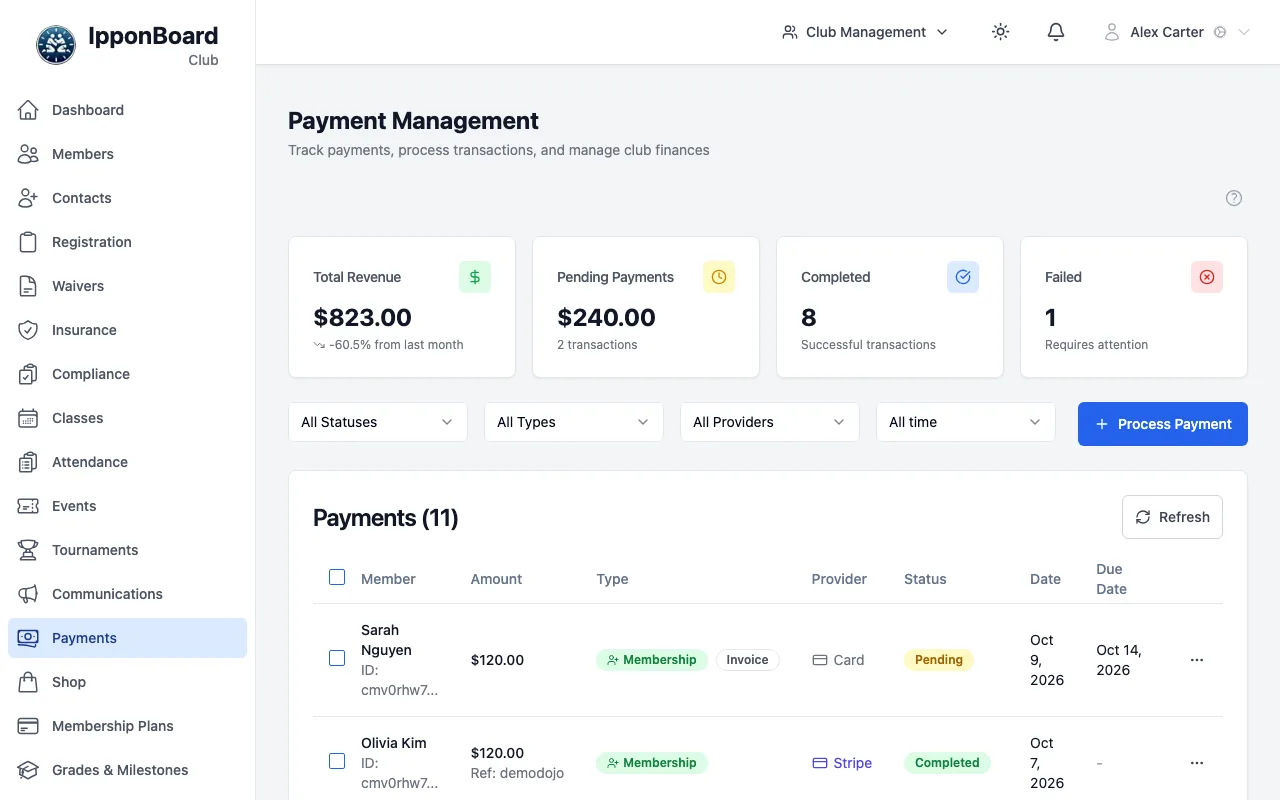
Where things are
- Sidebar Payments: the list of payments, with filters for status, type, provider and date. Click a payment (or ⋯ → View Details) to see it in full.
- Process Payment (top right of the Payments page): take a payment from a member or a walk-up.
- Sidebar Settings → tab Payment Provider: connect Stripe or Square, and turn on Square Terminal or Square POS.
- Sidebar Membership Plans → View All Subscriptions: the members' ongoing plans, including who pays automatically.
- A member's profile → tab Payments: that member's payment history.
Ways to take a card payment
You can always record cash, bank transfers and cheques, and email an invoice. To take cards, connect a payment provider:
- Online card payments: Stripe or Square. Only one is used for online payments at a time; turning one on turns the other off.
- Square Terminal: a Square card terminal at your front desk. The payment is sent from the app to the terminal. Needs your Square account connected.
- Square POS: the Square Point of Sale app and a Square Reader on an iPad or iPhone. The app opens Square POS to take the card.
You can mix them
Who can do what
- Owner: connects and disconnects Stripe and Square, turns payment options on and off (including Square Terminal). Other staff can open Payment Provider to see how payments are set up; a note at the top says only the club owner can change it.
- Owner and Manager: refund payments, and pair and set up Square Terminals once the owner has turned Terminal on.
- Owner, Manager and front-desk (Transactional) staff: see the Payments page and take payments.
- Coach: as your club allows (What coaches can do). By default a coach takes payments and sees the last 30 days of them; an owner or manager can change both.
The payments guides
- Connecting Stripe — take card payments online through your own Stripe account.
- Connecting Square — take card payments online through Square, and use Square POS on an iPad or iPhone.
- Square Terminal — pair a Square Terminal and send payments to it from the front desk.
- Processing payments — the Process Payment steps: member, items, payment method, then pay.
- Refunds — refund a card payment back to the member.
- Payouts — how the money gets from Stripe or Square to your bank.
About fees
Stripe and Square charge their own fees on each card payment, and they take them before the money reaches your account. Check their pricing pages for the current rates in your country. Members pay what your plans and items cost. On a payment's page, the Fee Breakdown shows any fees and the Net to Club. For what you pay to use IpponBoard, see Platform Billing.