Platform billing
Your club's IpponBoard plan: the free trial, how your plan is worked out, your payment method and your invoices.
This is what your club pays to use IpponBoard. It's separate from the money you take from your members (that's Payments). Sidebar Settings → Platform Billing. Owners and managers can open it; only the owner can change the plan or pay invoices.
The free trial
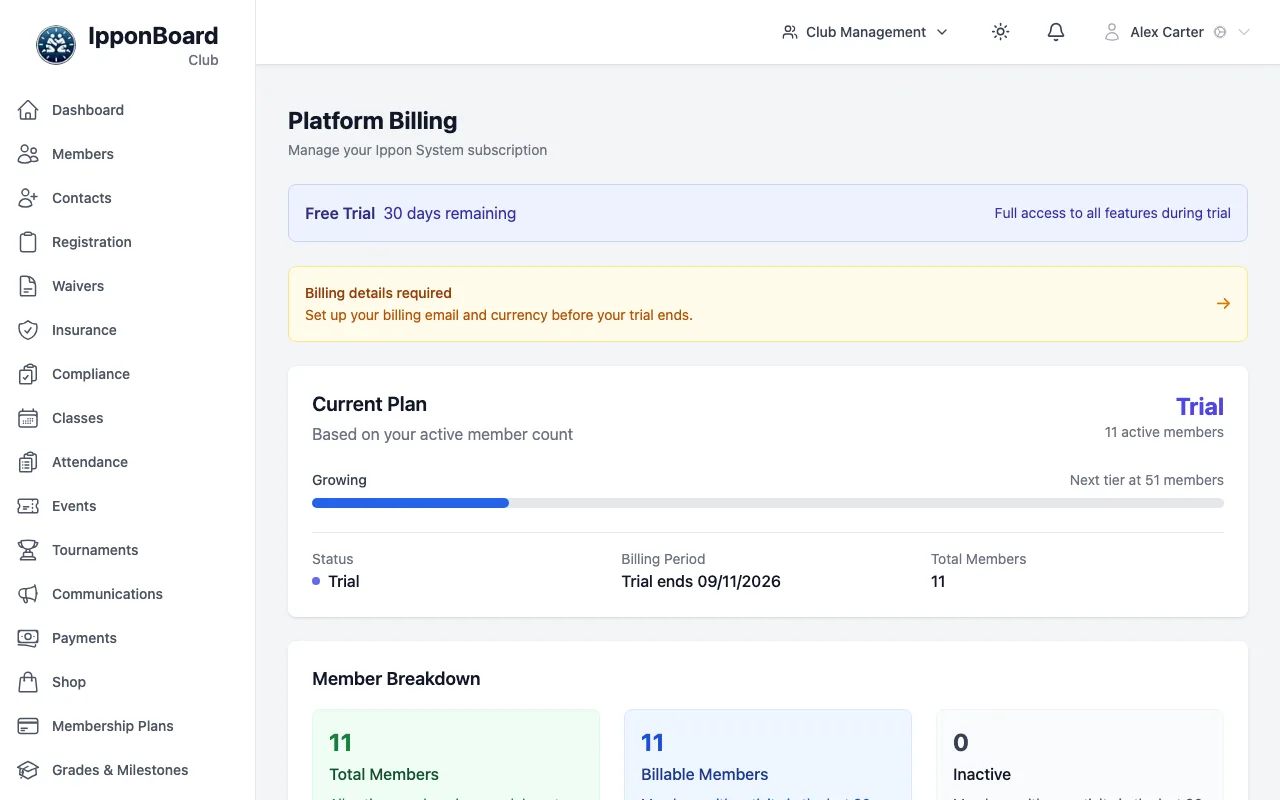
A new club gets 30 days free with every feature. While the trial runs, the page shows a Free Trial banner with the days left. Set up billing and add a payment method before it ends so nothing stops.
How your plan is worked out
Your plan follows your number of active members, and moves up or down by itself. Current Plan shows your plan, the price per month and, under it, Next tier at N members. Member Breakdown shows:
- Total Members: everyone on your roster (guardian-only parents aren't counted).
- Billable Members: members with activity in the last 90 days: they attended or coached a class, made a payment, or have a paid subscription running.
- Inactive: no activity in 90 days. They don't count.
| Plan | Active members | Notes |
|---|---|---|
| Starter | Up to 10 active members | Free. Emailing members and bulk import need a paid plan. |
| Starter Plus | Up to 10 active members, by choice | Adds emailing your members and bulk CSV import. |
| Growing | 11–50 members | |
| Established | 51–100 members | |
| Large | 101–200 members | |
| Premier | 201–400 members | Bespoke |
| Custom | 401+ members | Bespoke |
The prices are on the page in your billing currency (AUD, USD or EUR). AUD prices include 10% GST.
Starter Plus
A small club (10 active members or fewer) is free on Starter. If you want to email your members or import them in bulk, tap Choose Starter Plus (set up billing first). It then stays your lowest plan: past 10 members you move to Growing, and back to Starter Plus if you drop again. To go back to free, tap Stop Starter Plus: you keep it until the end of the period you've paid for.
Set up billing
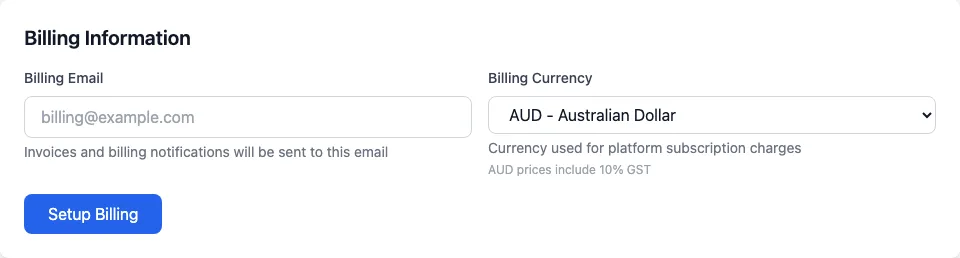
Billing Information
Under Billing Information, type the Billing Email (invoices and billing emails go here) and pick the Billing Currency. Tap Setup Billing. Later, Update Billing Details changes them. Once the currency is locked, a padlock shows next to it.
Payment Method
Tap Add Payment Method. Choose Card, or Direct Debit where it's offered (it takes a few business days to clear), and fill in the form. A club bank account works: use the account name as the bank has it. If it needs two signatures for payments, check your bank allows direct debits first.
Change it later
Update Payment Method replaces it, and Manage in Stripe Portal opens Stripe's own billing page.
Invoices
Invoice History lists each invoice with its Date, Description, Members, Tier, Amount and Status. Tap PDF to download one or View to open it. If an invoice is unpaid, a Payment Required banner shows and you can pay it from the list.
Cancelling
On a paid plan, tap Cancel Subscription, then Yes, Cancel Subscription. It stays active until the end of the period you've paid for. Changed your mind? Resume Subscription undoes it until then.