Tracking & Compliance

Monitor waiver status, view signed documents, and manage expirations.

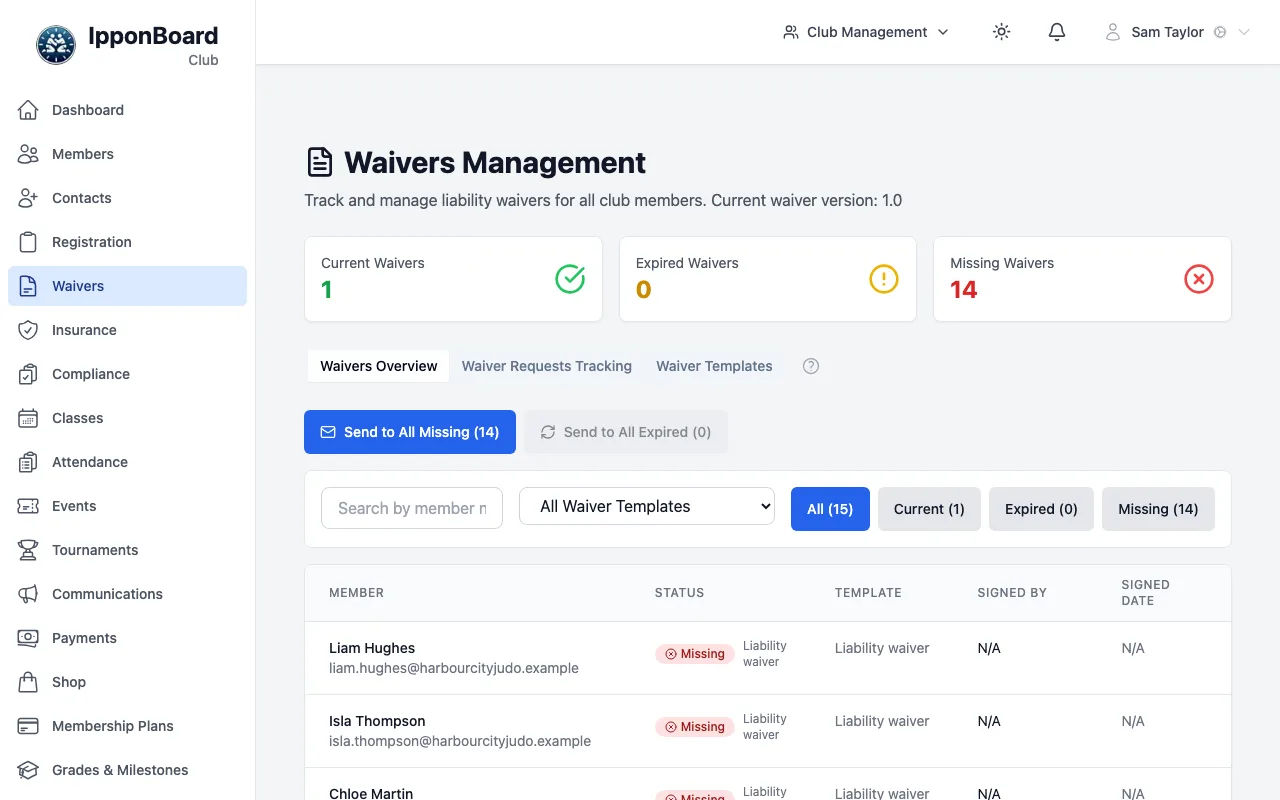
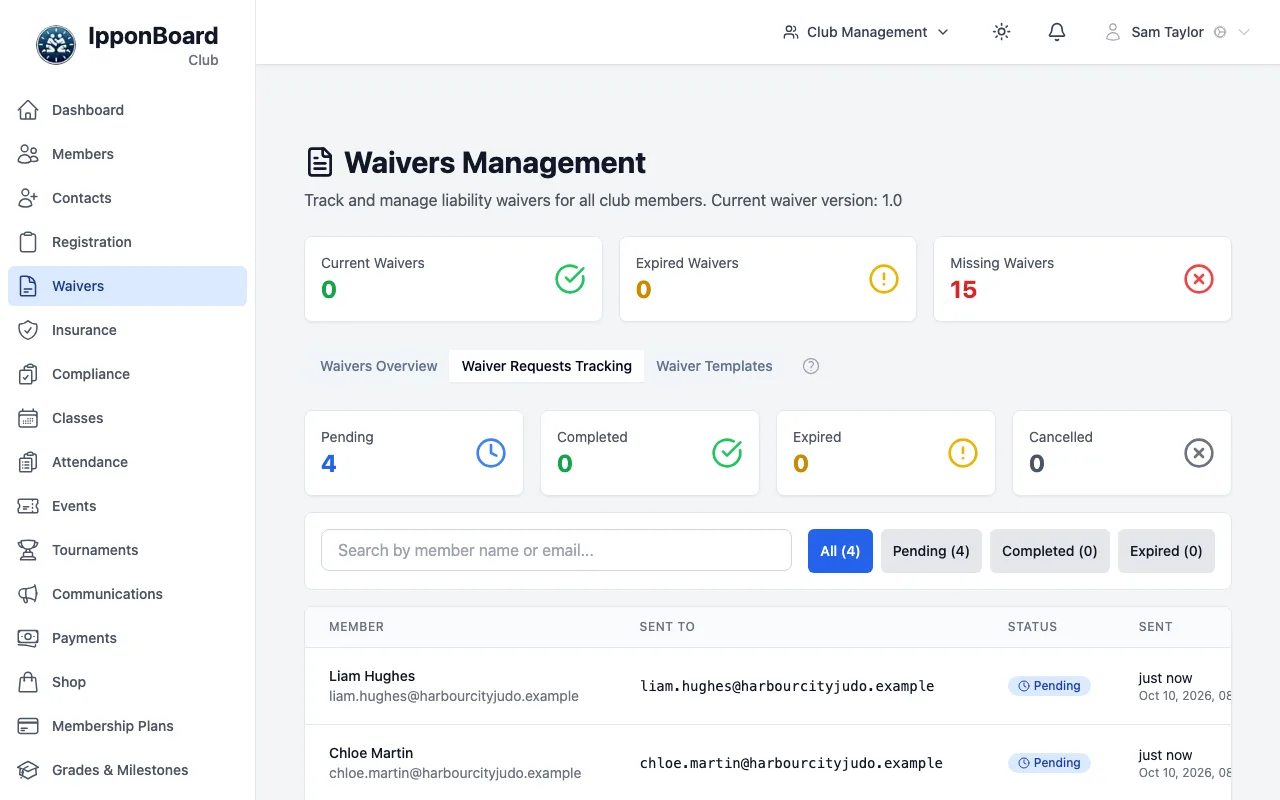
The waiver tracking dashboard gives you a complete view of all waiver signatures across your membership. See who has signed, who hasn't, and whose waivers are expiring soon.

Waiver Dashboard

Go to Waivers to see the tracking dashboard. You can filter by waiver type and status:

Waiver Status

MemberWaiverStatusDateActions
Sarah JohnsonMembership WaiverSignedJan 15, 2024
Mike ChenMembership WaiverPending-
Emma WilsonMembership WaiverExpiredJan 10, 2023

Filter by Waiver

Select a specific waiver template to see only that waiver's status across all members.

Filter by Status

Show only pending, signed, or expired waivers to focus on members needing attention.

Search Members

Search by member name to quickly find a specific person's waiver status.

Viewing Signed Waivers

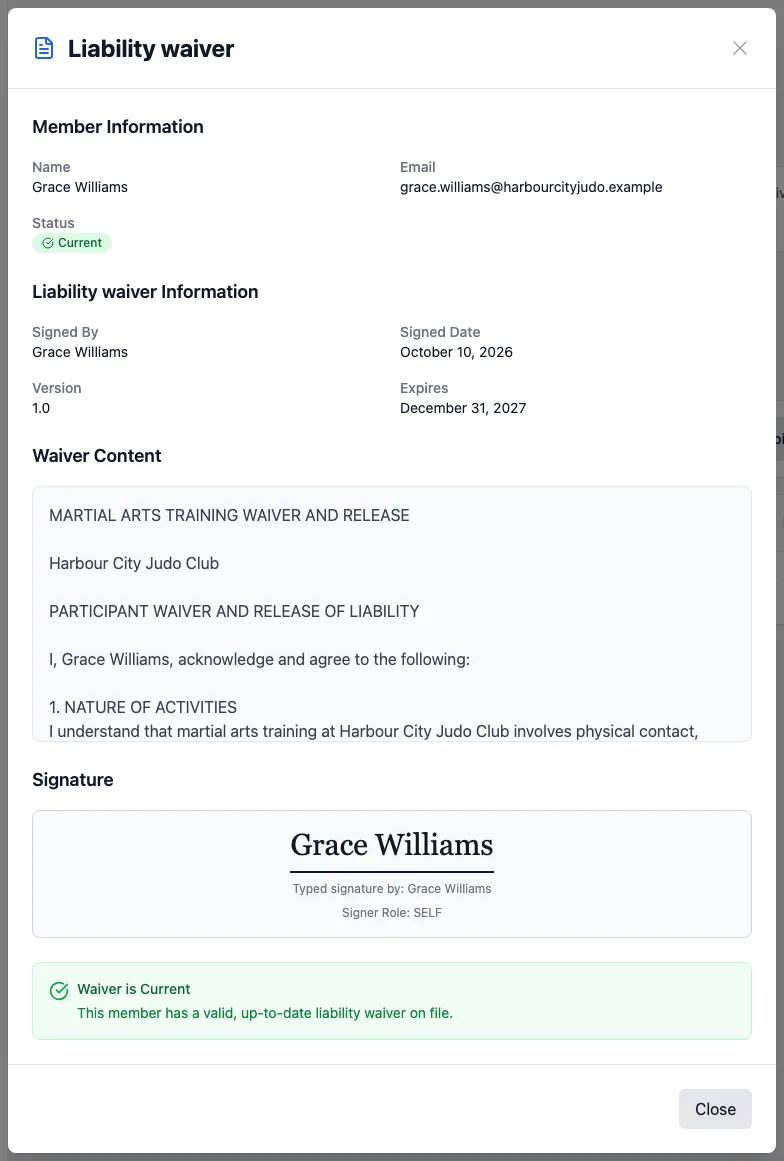
Click "View" on any signed waiver to see the full document with signature details:

Membership Waiver

Signed by Sarah Johnson

I, the undersigned, acknowledge that I am participating in martial arts training voluntarily and understand the physical nature of the activities involved...

[Waiver content preview...]

Signed By

Sarah Johnson

Date Signed

January 15, 2024 at 2:34 PM

IP Address

192.168.1.***

Expires

January 15, 2025

Digital Signature

Sarah Johnson

The signed waiver record includes:

  • Full waiver text - The exact version the member signed
  • Digital signature - The signature they provided
  • Timestamp - Exact date and time of signing
  • IP address - Partial IP for verification (last octet hidden)
  • Expiration date - When the waiver needs renewal

Compliance Overview

The dashboard shows overall compliance metrics for each waiver:

85%

Signed

10%

Pending

5%

Expired

These percentages are based on active members only. Inactive or cancelled members are not included in compliance calculations.

Managing Expirations

For waivers with expiration dates, you can track and manage renewals:

Expiring Soon

Filter to show waivers expiring in the next 30 days. Send renewal requests before they lapse.

Bulk Renewal Requests

Select multiple members with expiring waivers and send renewal requests in one click.

Automatic Renewals

Enable automatic renewal requests in your template settings to send requests 30 days before expiration.

Downloading & Exporting

Download PDF

Download any signed waiver as a PDF document with the full waiver text, signature, and timestamp.

Export Status Report

Export a CSV of all waiver statuses for record-keeping or auditing purposes.

Email Copy to Member

Send a copy of the signed waiver to the member for their records.

Member Profiles

You can also view waiver status from individual member profiles:

  • Go to the member's profile page
  • Click the "Waivers" tab
  • See all waivers for that member with their current status
  • Request new signatures or send reminders directly from their profile
Review the "Expiring Soon" filter weekly to stay ahead of renewals and maintain high compliance.
Signed waivers are retained indefinitely, even after a member leaves. This provides a permanent record for liability protection.
Export your waiver records periodically as a backup. While we store them securely, having your own copies is good practice.

Frequently Asked Questions