Waiver Templates
A template is the waiver text plus its rules: how long a signature lasts and how people can sign.
Who can use it: Owners and managers.
Open the templates
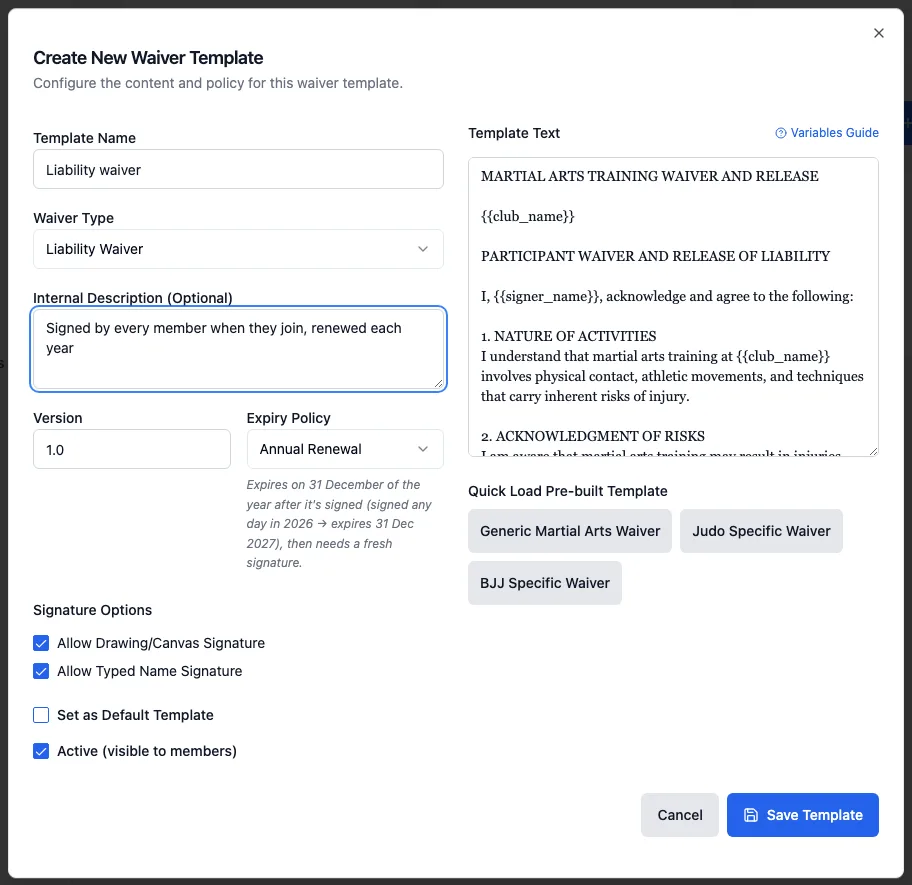
Go to Waivers and open the Waiver Templates tab. Click Create Template.
Fill in the details
- Template Name: what you and your members see, for example "Liability waiver".
- Waiver Type: Liability Waiver, Photo Release, Media Consent or Custom.
- Internal Description (Optional): a note for staff.
- Version: shown on the signing page and on each signed copy.
Write the waiver
Type it in Template Text, or click one of the Quick Load Pre-built Template buttons (Generic Martial Arts Waiver, Judo Specific Waiver, BJJ Specific Waiver) and edit it. Placeholders are filled in when someone signs. Hover over Variables Guide to see them all:
{{club_name}}: your club's name. Also{{club_legal_name}},{{club_abn}},{{club_acn}},{{club_address}},{{club_phone}}and{{club_email}}.{{signer_name}}: the person signing (the parent or guardian, for a child).{{participant_name}}: the member taking part (the child, for a child).{{guardian_name}}: the parent or guardian (blank for an adult).{{registrant_age}}: the member's age.{{current_date}}: the date they sign, and{{expiry_policy_description}}: the expiry rule.{{registrant_name}}: an older name that still works.
Choose how long a signature lasts
Expiry Policy has three choices:
- Annual Renewal: a signature lasts until 31 December of the year after it's signed (signed any day in 2026, it expires on 31 December 2027), then they sign again.
- Active Membership: one signature lasts while the member's membership is active.
- Fixed Period (Months): lasts the number of Validity Months you set, from the day they sign.
Each signed copy shows its own Expires date, so check one there if you're not sure.
Choose how people sign, then save
Under Signature Options, tick Allow Drawing/Canvas Signature, Allow Typed Name Signature or both (at least one is needed). Leave Active (visible to members) ticked and click Save Template.
The default template
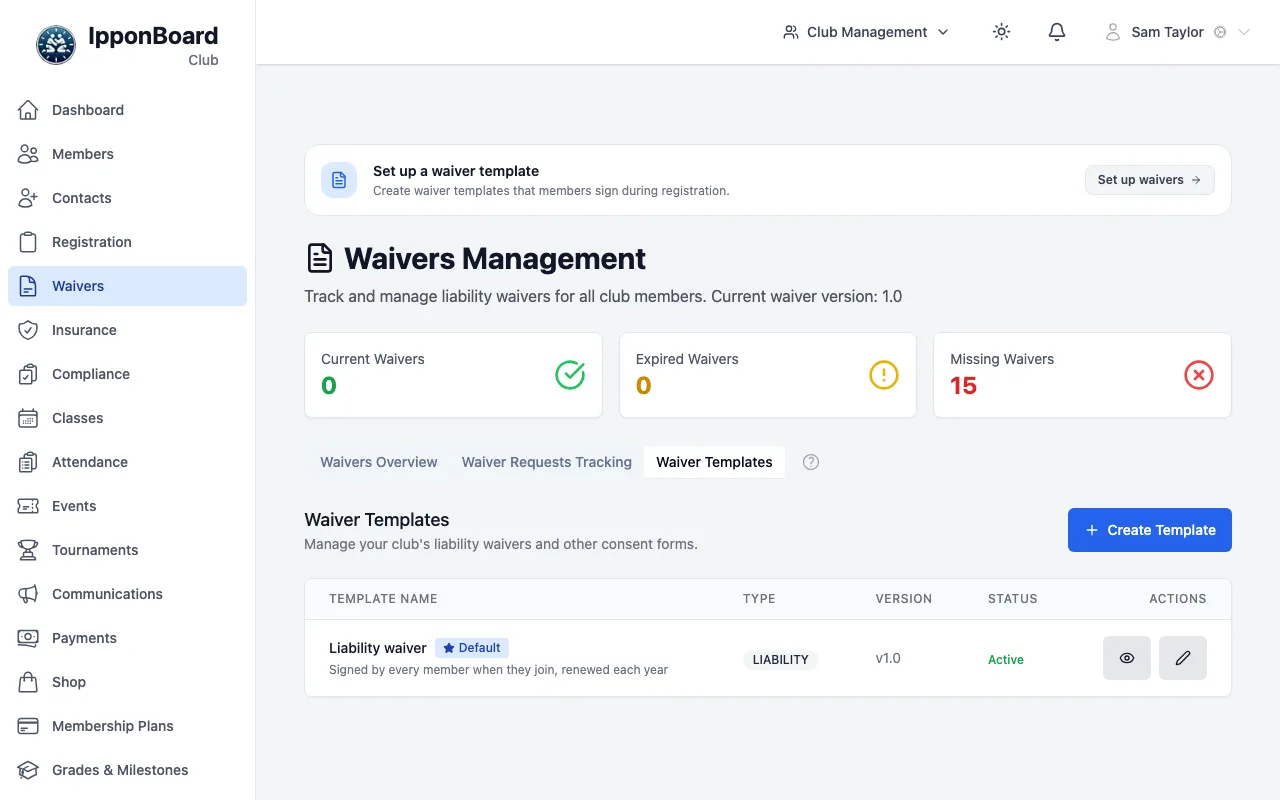
- Your club has one Default template. It's the waiver that check-in looks for, and the one members sign from the member portal.
- To change it, click the star (Set as Default) on another template, or tick Set as Default Template when you edit it.
- The default can't be deleted. Make another template the default first, then delete the old one with the bin button.