Products
Add products with sizes, a price, a picture and stock; change them; and take them off sale.
Who can use it: Owners and managers add, change and deactivate products. Coaches and front-desk staff can see them and adjust stock.
Add a product
Go to Shop and click Add Product. The New Product page has four parts.
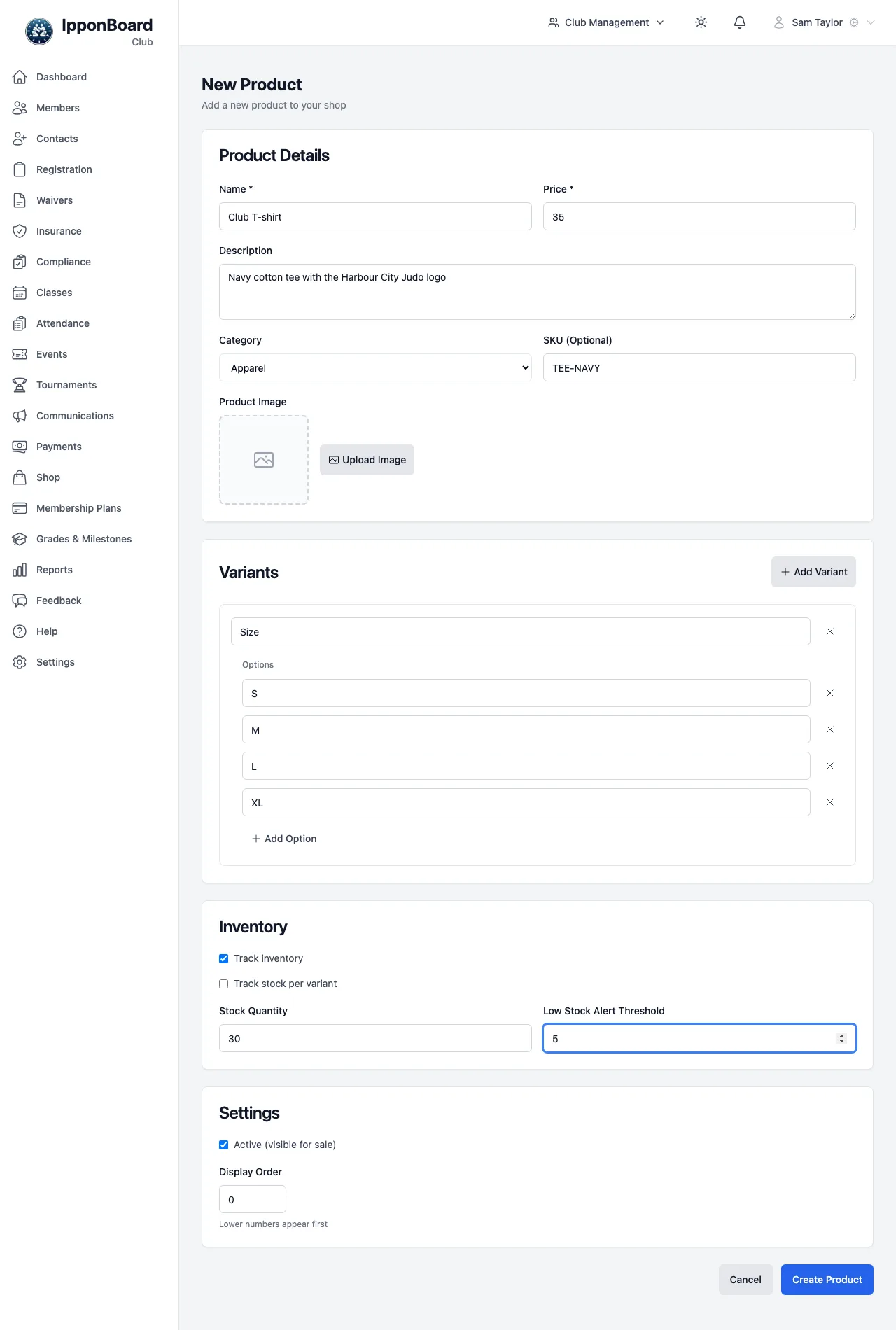
Product Details
Name and Price are required. Add a Description, a Category (Apparel, Equipment, Accessories or Other), a SKU (Optional), and a picture with Upload Image (up to 10 MB).
Variants (sizes, colours)
Click Add Variant, name it (for example "Size"), and add each choice with Add Option. Add a second variant ("Colour") if you need one; members then pick from every combination, such as "M-Navy". All variants share the product's price.
Inventory
Tick Track inventory to count stock. Then either enter one Stock Quantity and Low Stock Alert Threshold for the product, or tick Track stock per variant to enter a stock level and threshold for each combination. Leave Track inventory off for things you never run out of.
Settings, then create
Active (visible for sale) puts it on sale. Display Order sets the order products are listed in (lower numbers first). Click Create Product.
Look at, change or take off sale
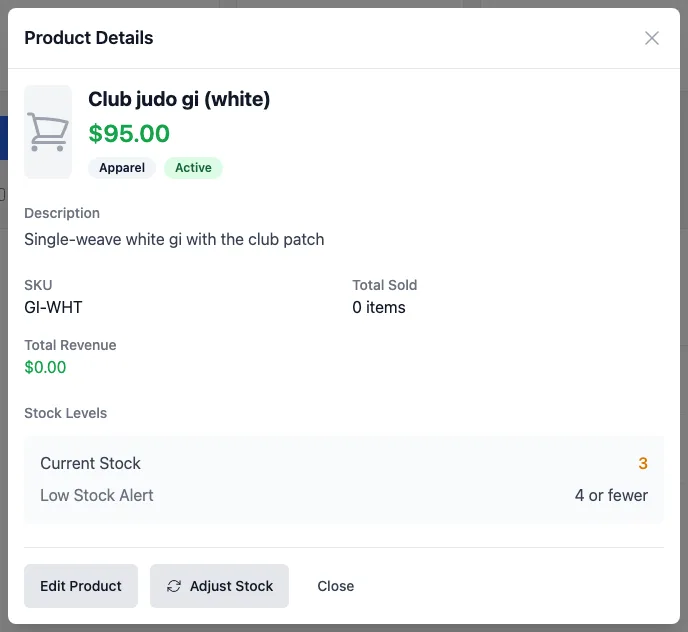
Click a product in the list to open Product Details: its price, category, SKU, how many have sold, the revenue, and its stock levels. Edit Product (or Edit in the list) opens the same form as when you added it.
To stop selling something, untick Active (visible for sale) or click Deactivate Product on its edit page. Its sales history stays. Tick Show inactive products on the Shop page to see it again.