Stock
See what's running low, and set the stock after a delivery or a count.
Who can use it: Owners, managers, coaches and front-desk staff.
What's running low
On the Shop page, Low Stock Alerts counts the products with that number or fewer left (their Low Stock Alert Threshold). In the list, those products show their stock in orange with a warning sign. For a product with stock per variant, it counts when any one size is low; open the product to see which.
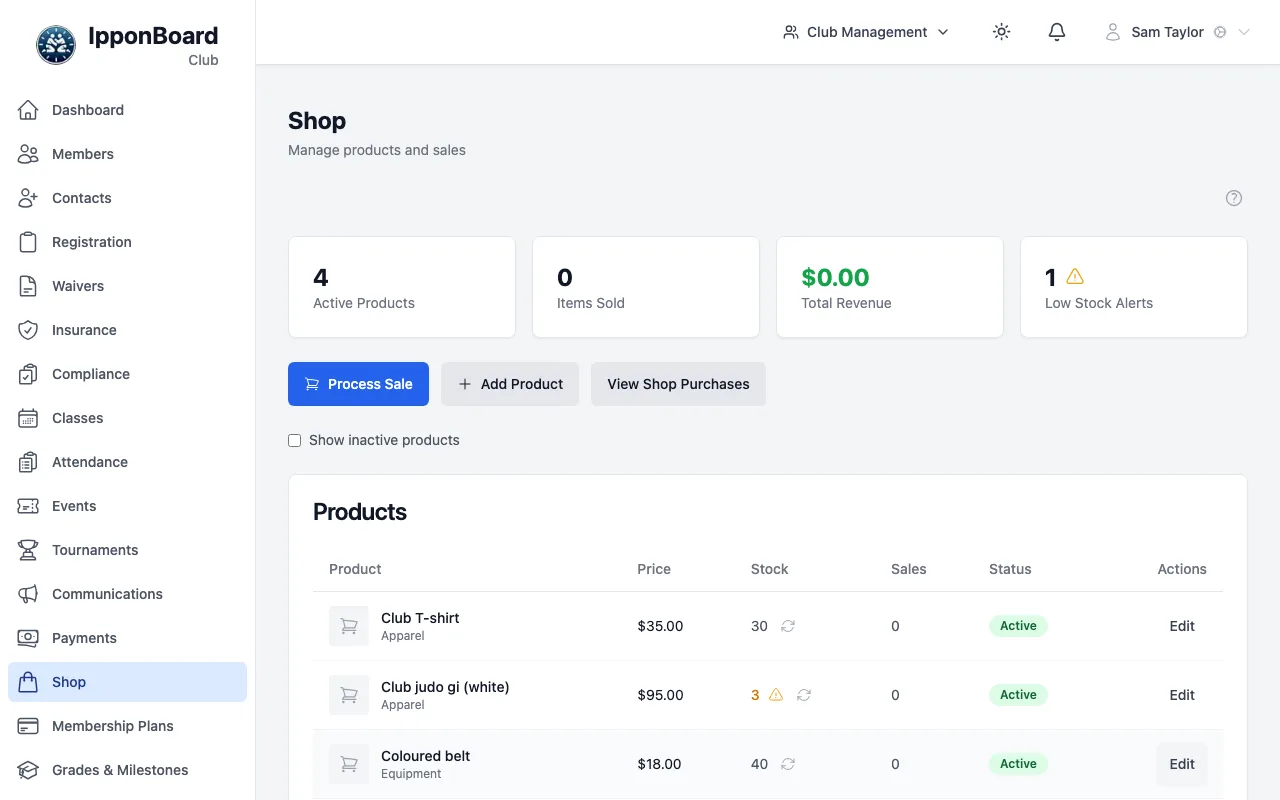
Stock only counts for products with Track inventory ticked. Alerts show here only; nobody is emailed.
Set the stock
Open Adjust Stock
Click the arrows icon next to the stock number in the list, or open the product and click Adjust Stock.
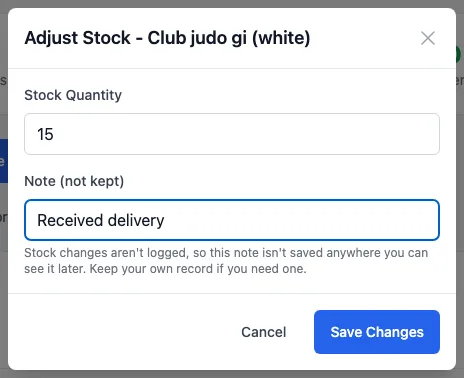
Enter the new total
Stock Quantity is the new total on the shelf, not the number to add. For a delivery of 12 gis when you had 3, enter 15. Products with stock per variant show one box for each size. Click Save Changes.
When stock changes by itself
- A sale, at the desk or in the member portal, takes what was sold off the stock.
- You can't sell more than you have: the sale stops with the number available.
- A refund doesn't put the item back. Use Adjust Stock if it comes back.