Reports
How the club is going: money in, members, and who's turning up. Download any of it as CSV or PDF.
For club owners, managers and treasurers. You'll check the headline numbers, look into one area, and download a report for a committee meeting or your accountant.
Who can use it: Owners and managers (Reports in the menu), and coaches as your club allows: attendance only by default (Settings → Staff & Devices → What coaches can do).
Track A
Check how the club is going
The headline numbers, then money, members and attendance.
Track B
Download a report
One section, or the whole club in one file.
A. Check how the club is going
Open Reports
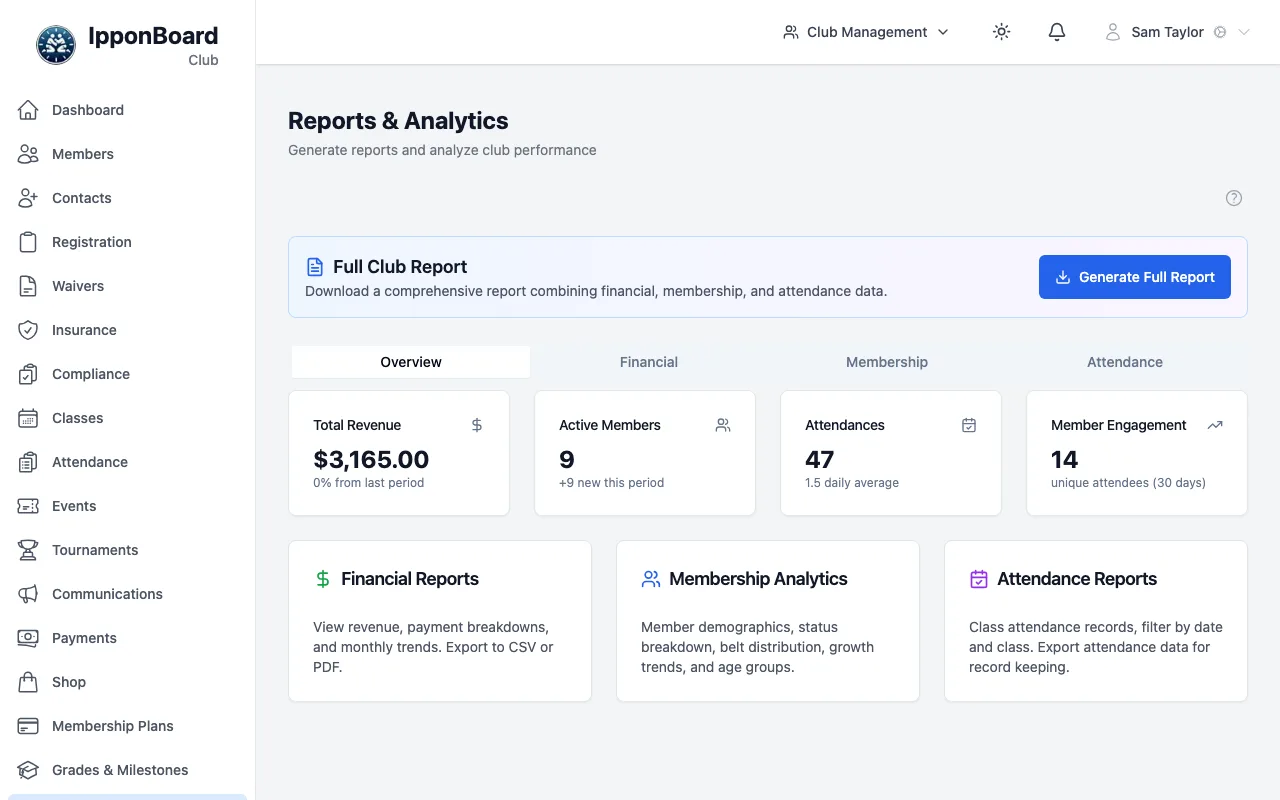
Go to Reports. The Overview tab shows four numbers: Total Revenue (last 12 months), Active Members, Attendances (class check-ins in the last 30 days) and Member Engagement (how many different people came in those 30 days).
Money: the Financial tab
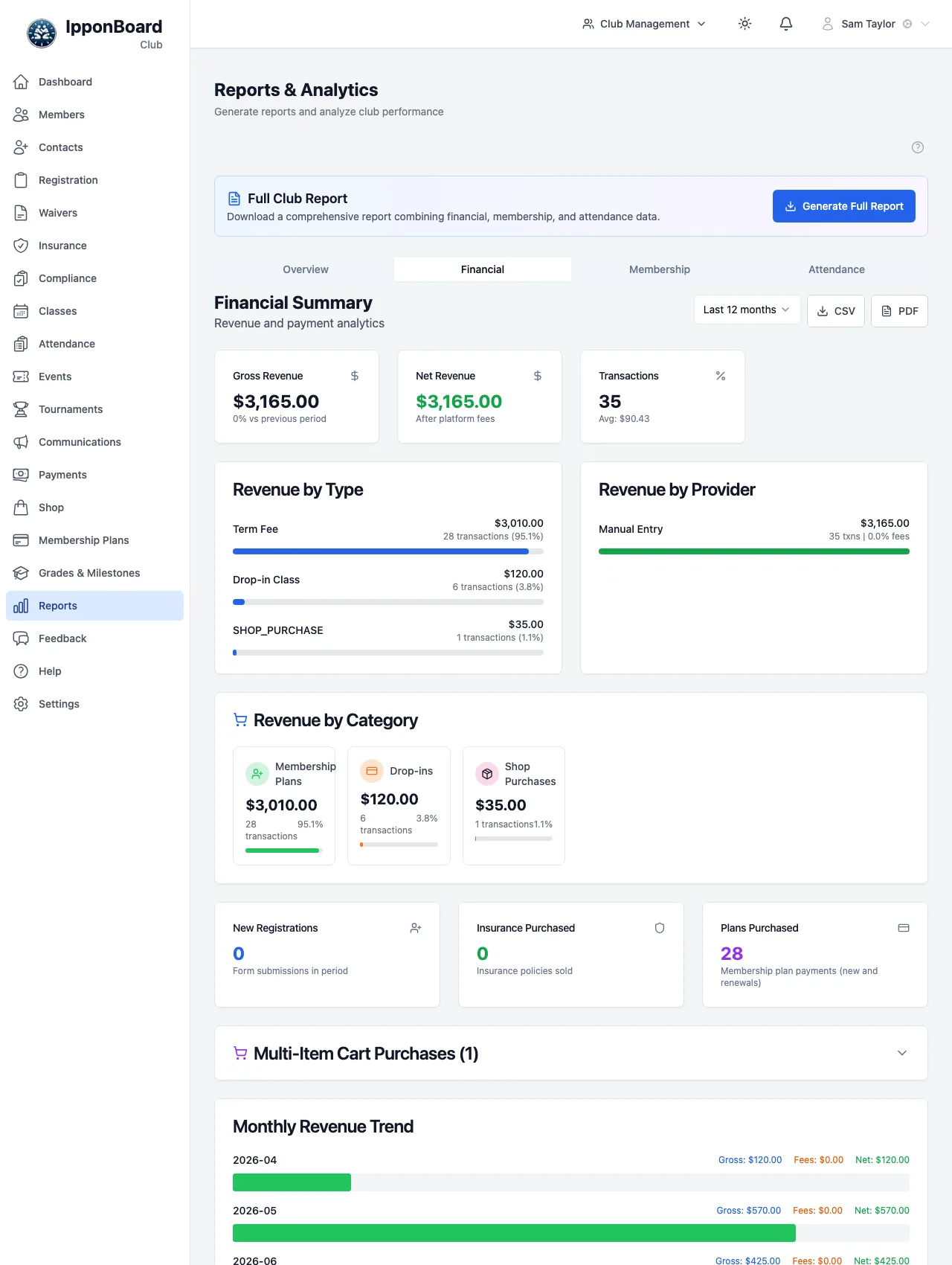
Gross and net revenue, transactions, and revenue by type, by payment provider and by category (plans, drop-ins, shop, events), with a month-by-month trend. Choose the period at the top right.
Members: the Membership tab
How many members you have, how many are active, how many joined in the period, and members by status, role, belt and age.
Attendance: the Attendance tab
Class check-ins over a date range (the last 30 days to start with), filtered by class. Each row shows the date, class, member and status.
B. Download a report
One section
On the Financial or Membership tab, pick the period and click CSV (for a spreadsheet) or PDF. On the Attendance tab, set the filters and click Export CSV or Export PDF.
The whole club in one file
Click Generate Full Report at the top. The Start Date and End Date start as the last 12 months; change them if you like, pick PDF or CSV, and click Download. It combines a summary, revenue by category and by month, members by status, role, belt and age, and attendance by class and by day, with your top attenders.

The detailed guides, in order
- Financial reports: Revenue by type, provider and category; CSV and PDF.
- Membership reports: Members by status, role, plan, belt and age.
- Attendance reports: Recent class check-ins by date and class; CSV and PDF.