Members
Find, add and look after the people who train at your club.
The Members page lists everyone at your club: adults, juniors, guardians and staff. From here you can find someone, open their profile, add a new member, or export and message a group.
Open it from the sidebar: Members.
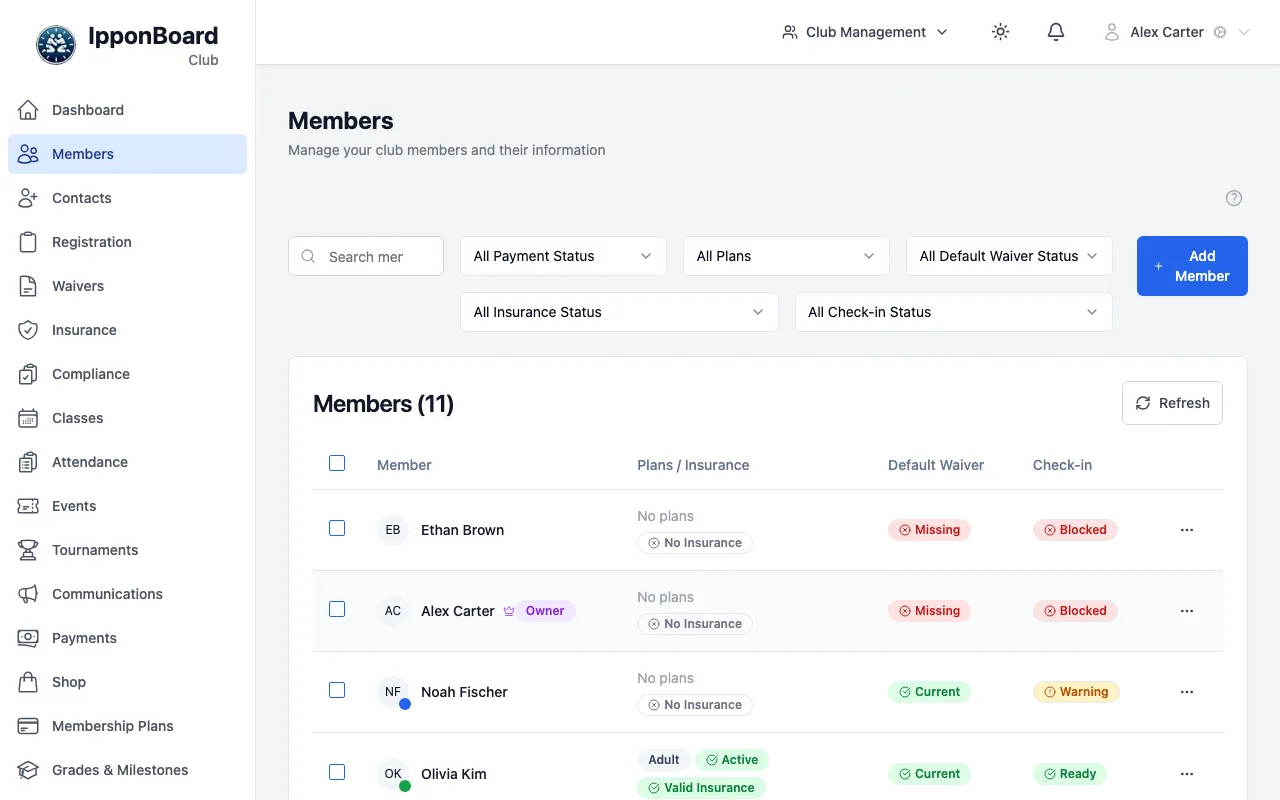
What's on the page
- Search by name, email or member number.
- Filters for payment status (Current, Past Due, Grace Period, No Plan), membership plan, default waiver, insurance (or whatever your club calls it) and check-in status (Ready, Warning, Blocked).
- The table columns: Member, Plans / Insurance, Default Waiver and Check-in. Under a name you'll see labels such as Guardian, Guardian Only or Dependent.
- The ⋯ menu at the end of each row has View Profile, Edit Member and Delete Member.
Exporting or messaging a group
Narrow the list
Use the search and filters to show just the people you want.
Tick the members
Tick the box beside each member, or the box in the header row to select everyone shown.
Export or message
Two buttons appear at the top: Export (n) downloads a CSV file, and Message (n) takes you to Communications with those members already picked.
Guides
Adding members
Add someone yourself with the registration wizard: adult, junior, family, guardian or guest.
Public registration
Turn on your online sign-up form, share the link or QR code, and review what comes in.
Member profiles
The tabs on a member’s page, editing their details, and turning on their login.
Guardians and dependants
Link parents and children, invite a second guardian, and set the primary guardian.
Roles and permissions
Owner, Manager, Coach, front-desk accounts and members: who can see and do what.
Good to know
- Not every member needs a login. You can record attendance, plans and waivers for someone who never logs in. Juniors are usually managed by their guardian, and you can turn on a login for anyone later from their profile.
- Guardians look after junior members. A guardian can also train (an active member) or be guardian-only. See Guardians and dependants.
- Member numbers are optional. Turn them on under sidebar Settings → Club Information → Member Numbers. When they're on, you can search by number and it shows at the top of the member's profile.