Grade Requirements
Set the training time, classes and syllabus for each belt. Members and coaches then see how close someone is.
Who can use it: Owners, managers and coaches.
The Grade Requirements tab
In Grades & Milestones, open Grade Requirements. Under Belt Progression Configuration you'll see the Junior Belts, the Senior Belts and the Dan Grades. Each belt shows its minimum months, its minimum classes and how many technical requirements it has. Every belt starts with IpponBoard's default requirements, so you only change the ones your club does differently.
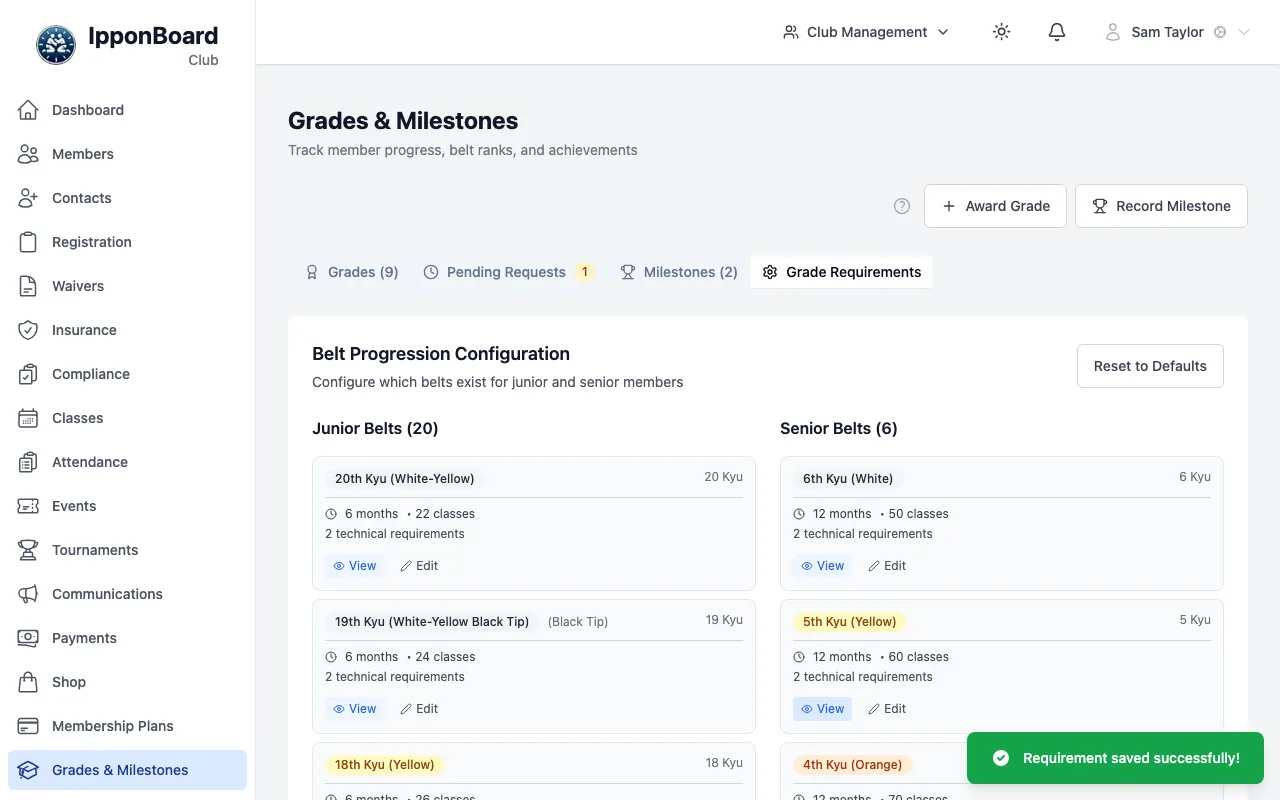
Change a belt's requirements
Open the belt
Click Edit on the belt (or View, then Edit Requirements).
Fill in what it needs
Minimum Months is required. Minimum Classes and Contest Points are optional. Technical Requirements, Knowledge Requirements and Other Requirements take one item per line. Click Save Requirements.
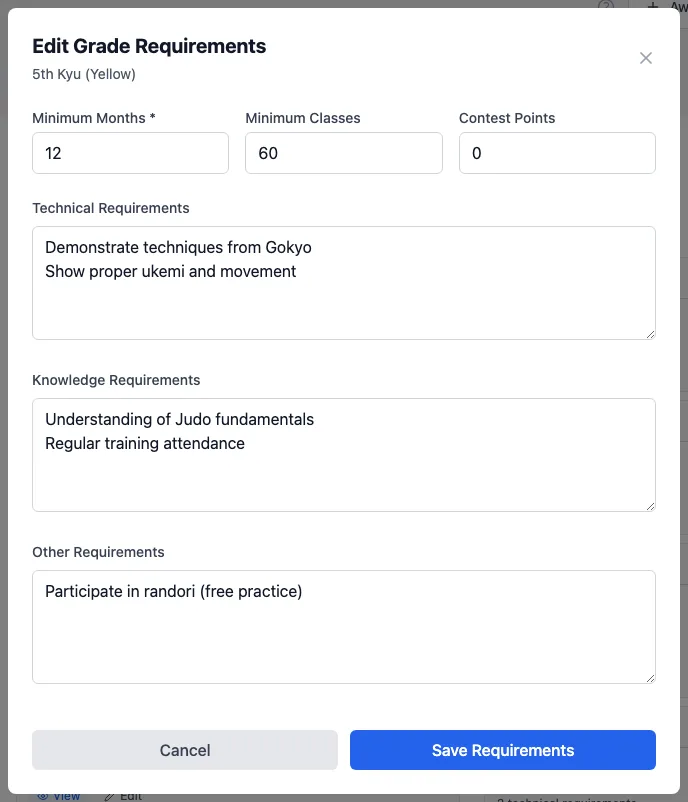
How close is someone?
On a member's Grades tab, Next Grade shows two bars: Training Time (months since their last grade) and Class Attendance (classes checked in since their last grade), and the syllabus under Grading Requirements. The bars and the syllabus all use the requirements of the belt they're working towards. When both bars are full it says they may be eligible; until then it says Not yet eligible and what's missing.
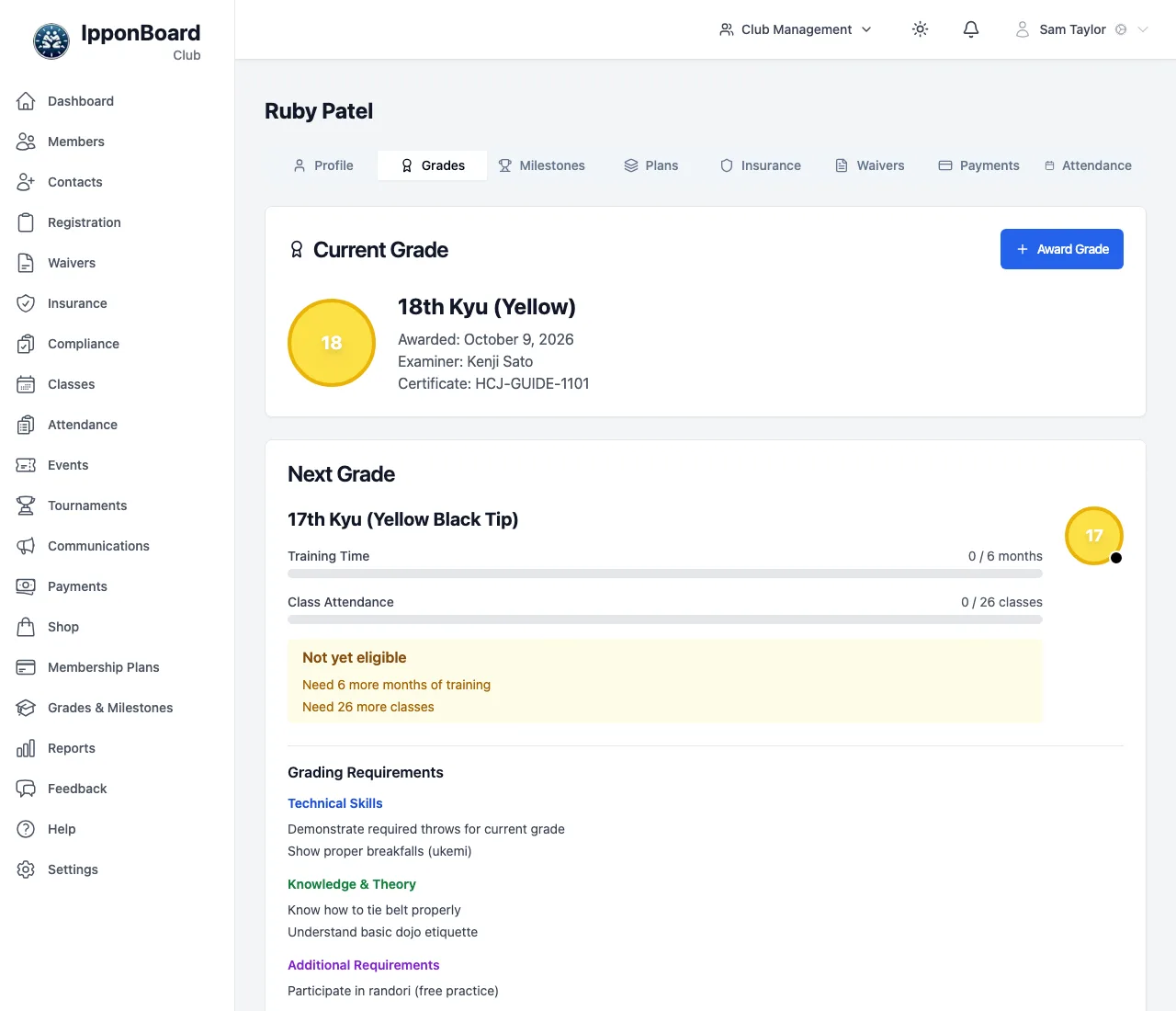
Members see the same in the member portal. It's a guide: nothing stops you awarding a grade early, and nothing is awarded automatically. Contest points and the syllabus aren't checked for you.