Grades
Award a belt, review the grades members send in, and keep each member's grade history.
Who can use it: Owners, managers and coaches award, edit and approve grades. Only owners and managers can delete one. Front-desk staff can see them.
The belts
IpponBoard comes with three sets of belts, and you pick one each time you award a grade:
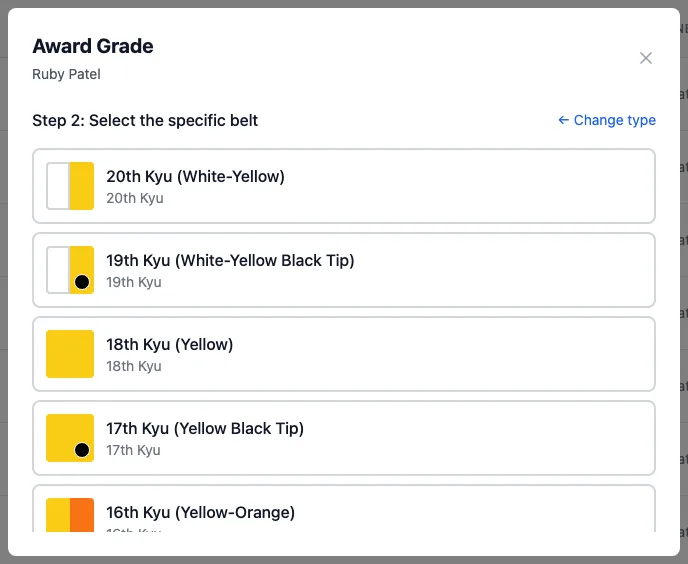
- Junior Kyu: 20th to 1st kyu, including the striped and black-tip belts.
- Senior Kyu: 6th to 1st kyu, solid colours.
- Dan Grade: black belt, 1st to 10th dan.
You'll find the full list, with what each belt needs, on the Grade Requirements tab (see Requirements). You can't add your own belts or rename them.
Award a grade
Start
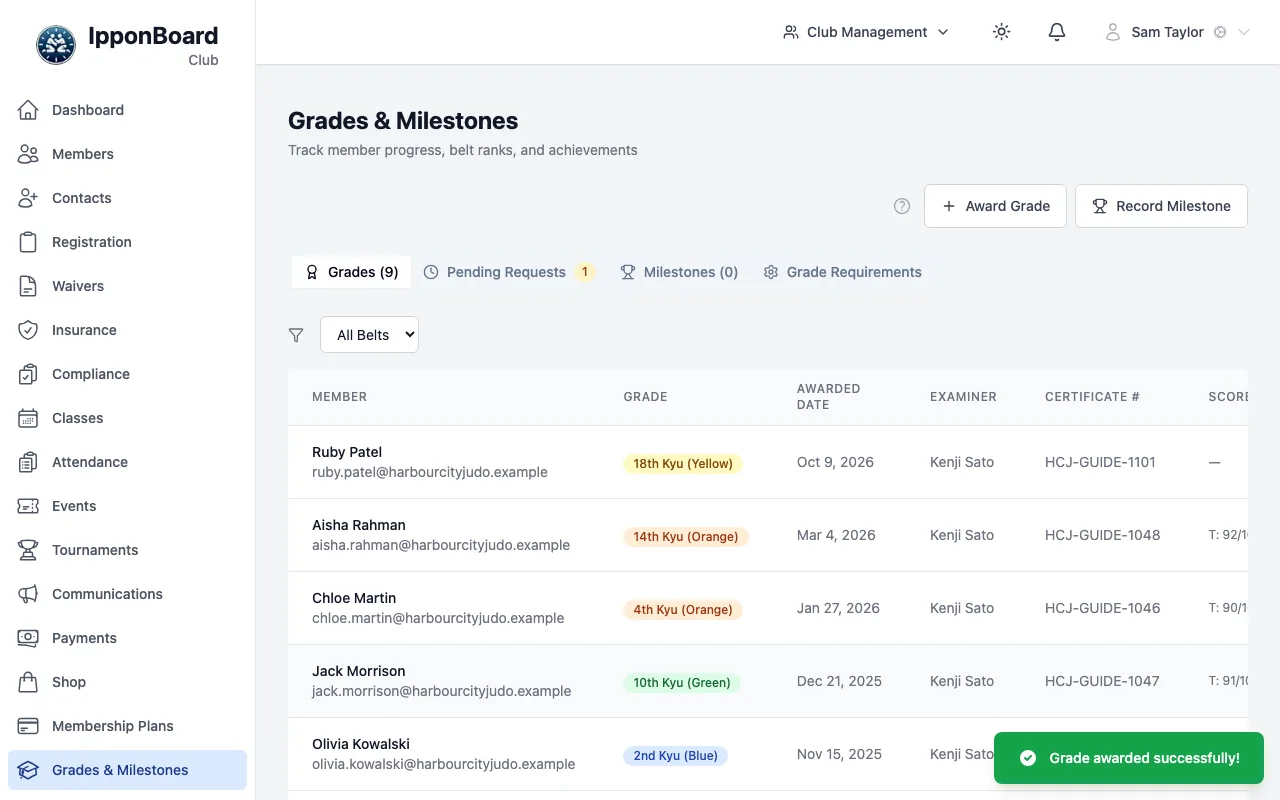
In Grades & Milestones, click Award Grade and pick the member. Or, from a member's profile, open the Grades tab and click Award Grade.
Choose the type, then the belt
Pick Junior Kyu, Senior Kyu or Dan Grade, then the belt. Change type and Change belt take you back a step.
Add the details
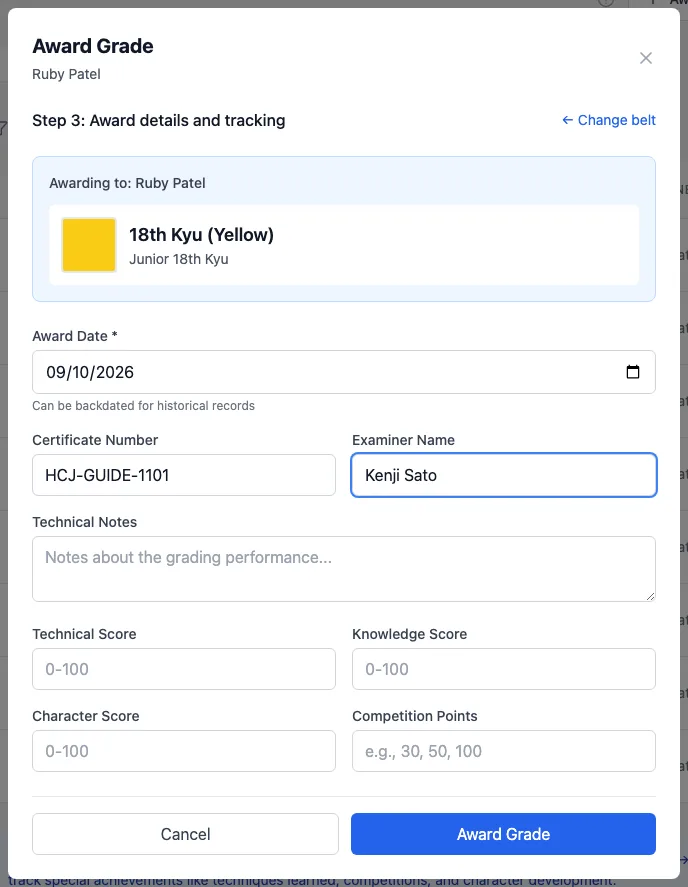
Award Date is required and can be backdated. Optional: Certificate Number, Technical Notes, a Technical Score, Knowledge Score and Character Score out of 100, and Competition Points. Click Award Grade.
Change or delete a grade
Click a grade in the list to open Grade Details. The pencil (Edit) lets you change the date, certificate number, examiner, notes and scores (not the belt), then Save Changes. The bin (Delete) removes it, for owners and managers.
Grades members send in
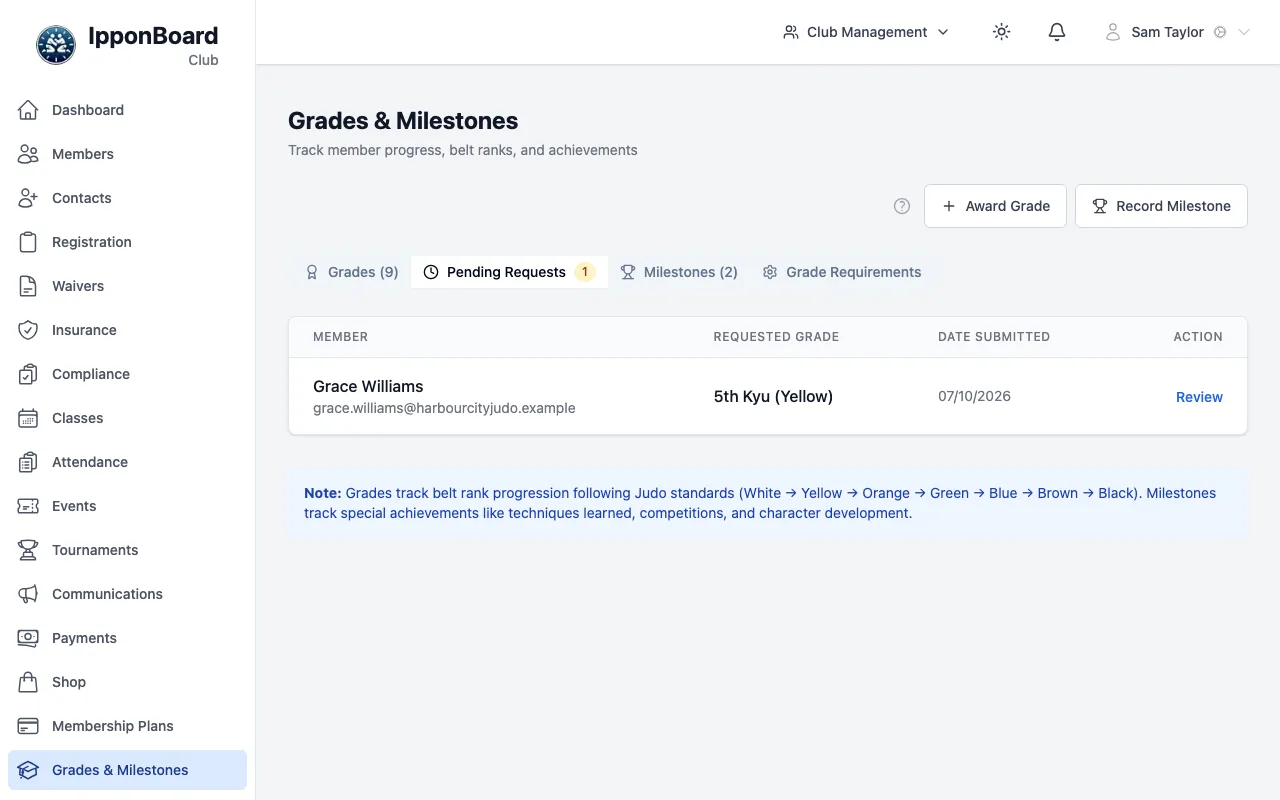
In the member portal, members (and parents, for their children) can tell you about a grade with I have a grade or I have graded. It doesn't count until you approve it. While any are waiting, a Pending Requests tab appears with a count.
Review it
Click the row (or Review) to see what they sent: the date graded, examiner, certificate number, notes and scores.
Approve or reject
Approve lets you correct any detail and add Approval Notes, then Confirm Approval: the grade is added to their grades. Reject needs a Rejection Reason, which the member will see; then Confirm Rejection.
A member's grades
A member's profile has a Grades tab: their Current Grade, the Next Grade with their progress towards it, and their Grade History. Members see the same on the member portal.