Milestones
Record the things members achieve between belts: a technique, a kata, a competition, leadership. Attendance milestones are added for you.
Who can use it: Owners, managers and coaches record and edit milestones. Only owners and managers can delete one. Front-desk staff can see them.
Record a milestone
Choose the member
In Grades & Milestones, click Record Milestone. Search for the member and click them.
Describe it
Pick the Milestone Type: Technique Learned, Kata Completed, Competition Result, Attendance, Leadership, Character, Certification or Special Achievement. Give it a Title (for example "Mastered O Goshi") and an Achieved Date. A Description and Coach Notes are optional.
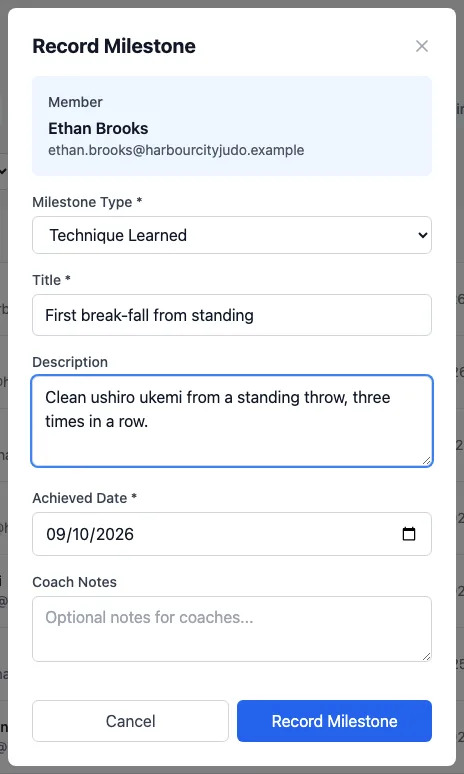
Save it
Click Record Milestone. It appears on the Milestones tab, on the member's profile and in their member portal achievements.
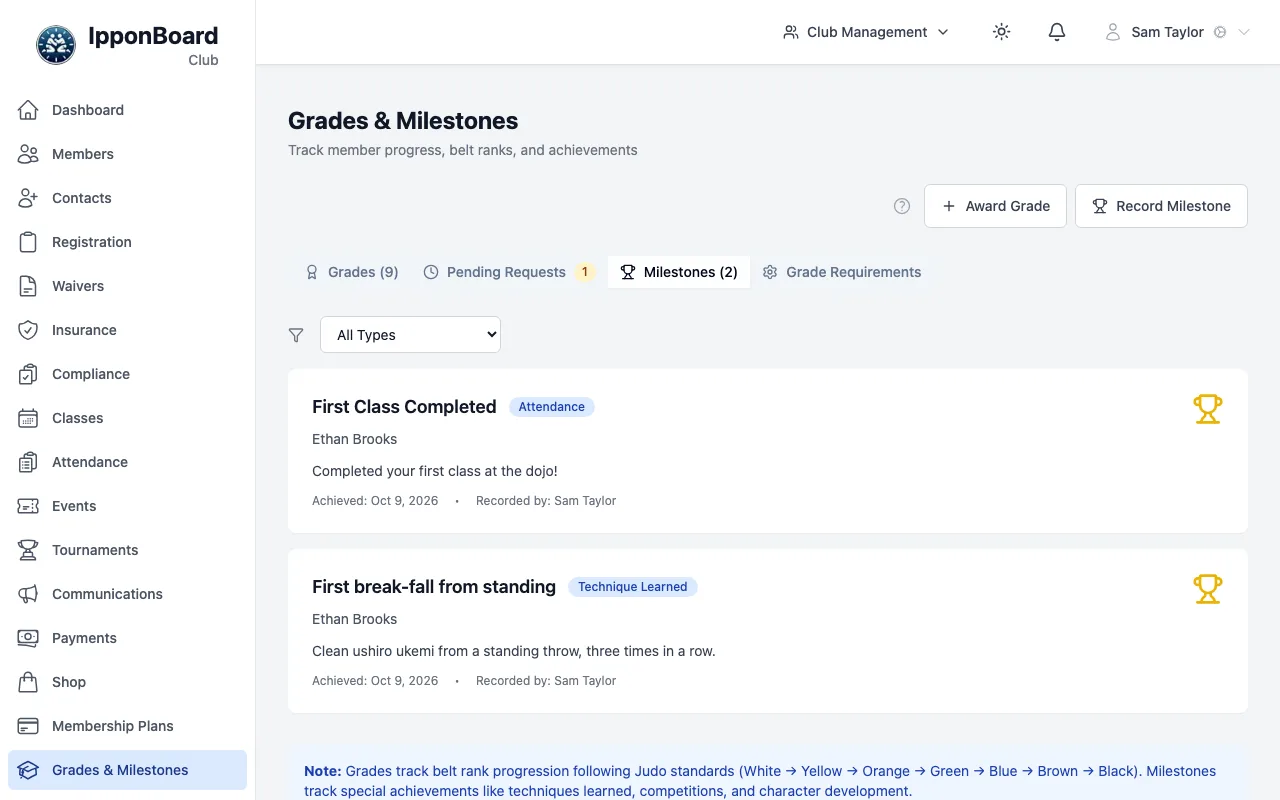
Milestones added for you
When a member checks in to a class, IpponBoard adds an Attendance milestone as they pass 1 class (First Class Completed), then 10, 25, 50, 100, 250, 500, 750 and 1,000 classes. They're also caught up when you record a milestone for that member, which is why Ethan's first-class milestone above shows the coach as "Recorded by".
When you award a grade (or approve one a member sent in) that moves them up a belt colour, it adds a Technique Learned milestone such as YELLOW Belt Achieved, once for each colour. A member's first grade doesn't get one, nor does a move within the same colour (for example a new stripe).
You don't set these up, and you can't change the numbers.
Change or delete a milestone
Click a milestone to open Milestone Details. The pencil (Edit) lets you change it and Save Changes; the bin (Delete) removes it.