Insurance Types
Each kind of cover your members can hold, such as a federation registration or insurance bought through the club.
Who can use it: Owners and managers.
Make one type for each kind of cover you accept. A member needs a valid record for any one active type to count as covered, so if you accept either a federation registration or your own club insurance, make both.
Open the form
Go to Insurance in the menu and click Add Insurance Type.
Name it and say how long it lasts
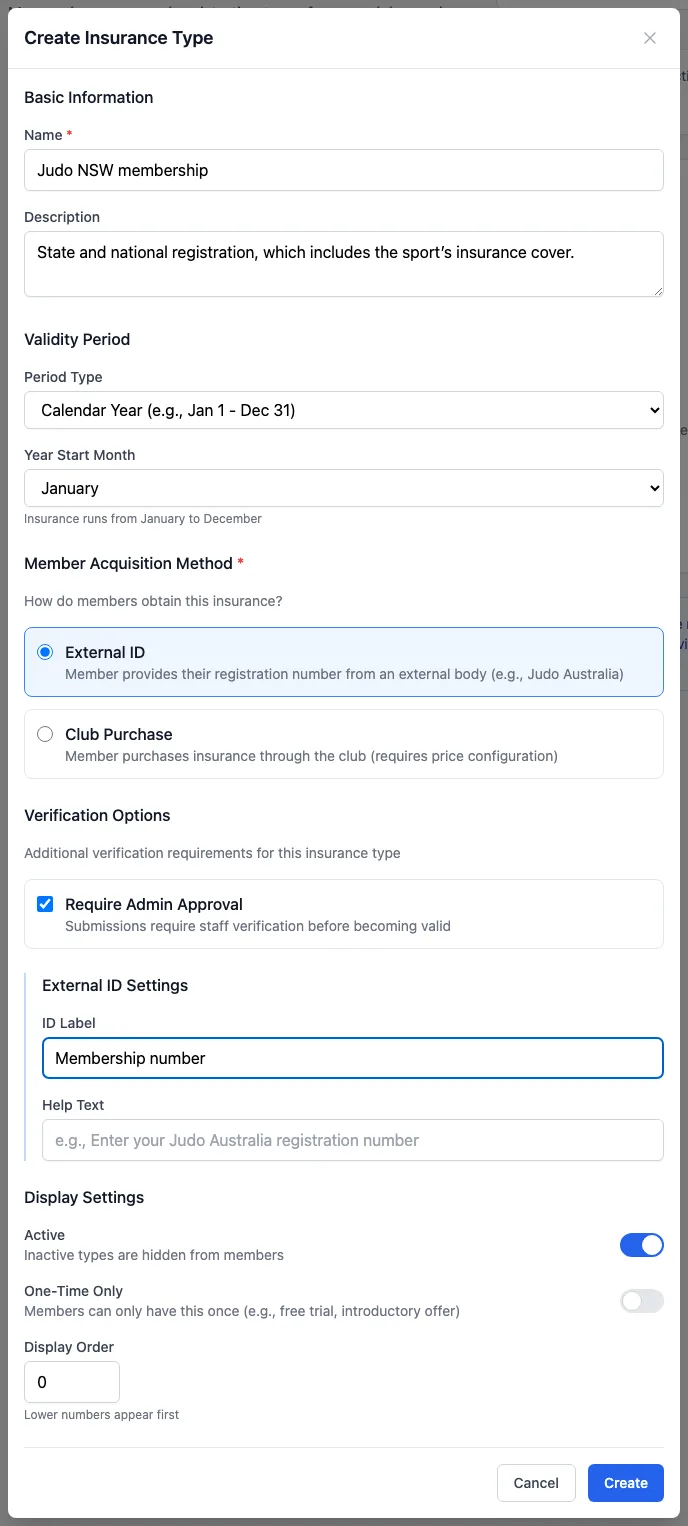
Fill in the Name and, if you like, a Description. Then pick the Period Type:
- Calendar Year (e.g., Jan 1 - Dec 31), with a Year Start Month if your year doesn't start in January.
- Monthly (Rolling).
- Term-Based (Follows Club Terms), using one of your term schedules (create one in Settings → Term Schedules first).
- Fixed Duration (e.g., 12 months from start), with a Duration Value in Weeks or Months.
- Perpetual (Never Expires).
Choose how members get it
Under Member Acquisition Method, pick one:
- External ID: members enter a number from another body. Set the ID Label (what the number is called, for example "Membership number") and optional Help Text under External ID Settings.
- Club Purchase: members buy it from the club. Enter a Price (it must be more than zero) and the Currency.
Decide whether you approve each one
Require Admin Approval (ticked by default) means numbers members enter stay Pending until you approve them. Untick it and a number counts as soon as it's entered.
Display settings, then save
Active types are offered to members; inactive ones are hidden. One-Time Only means a member can only have it once. Display Order sorts the types (lower numbers first). Click Create.
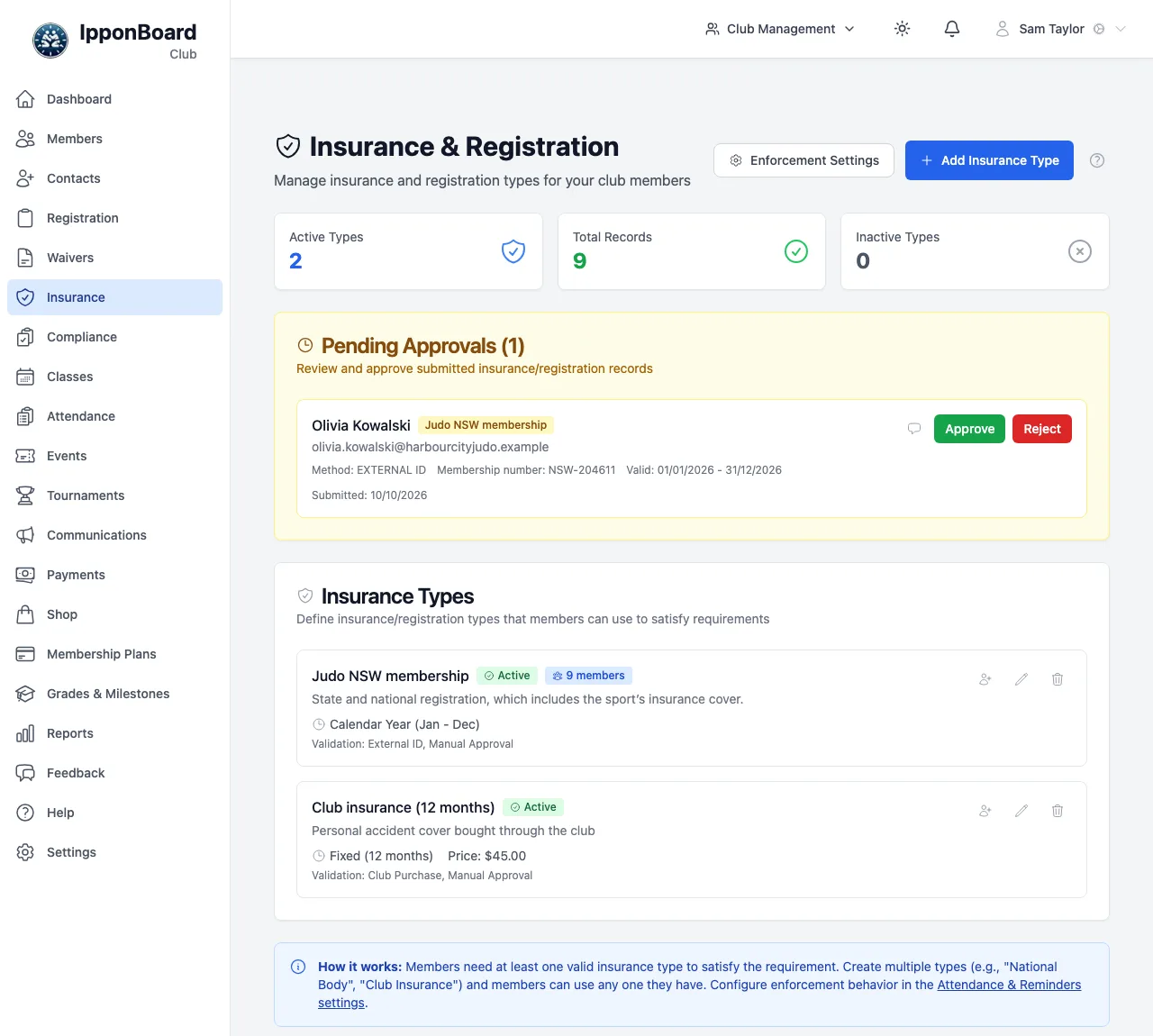
Your types on the Insurance page
Each type shows whether it's active, how many members hold it, how long it lasts, its price and how it can be validated. The icons on the right add a member, edit the type, and deactivate it.