Waivers
See which waivers you and your children have signed, and which still need signing.
Your club asks everyone who trains to sign its waiver, and a parent signs for each child. You usually sign it when you register. Until it's signed, the club may not let you check in: the dashboard says Sign your waiver to check in, or Sign waiver for … for a child.
The Waivers page
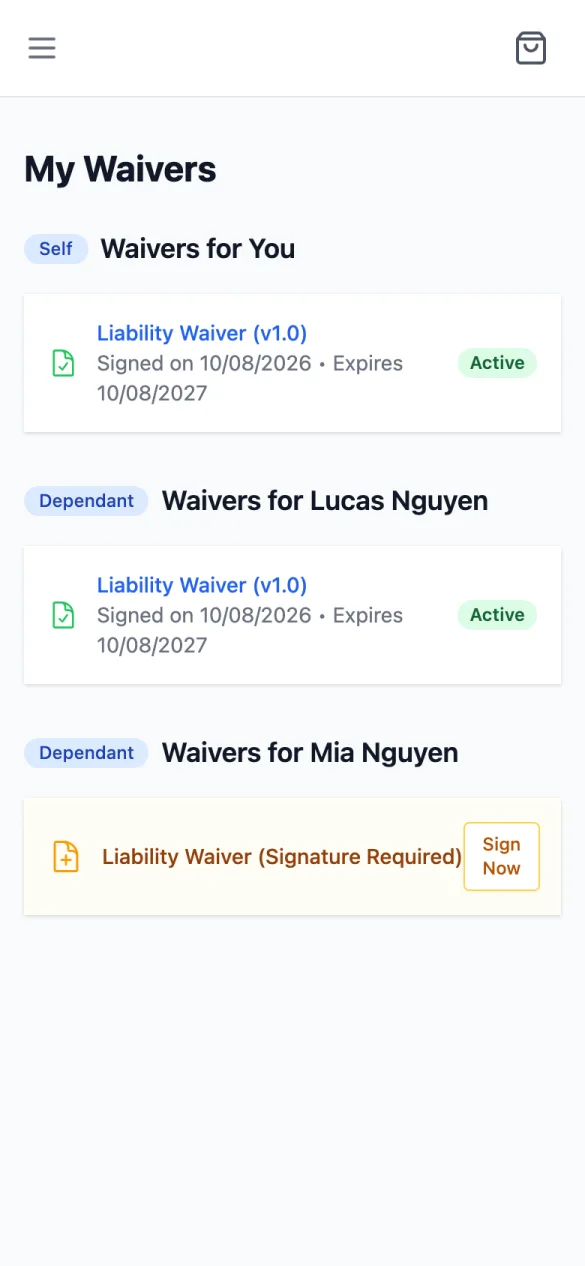
In the menu, tap Waivers. My Waivers groups them by person: Waivers for You (marked Self) and one group per child (marked Dependant).
- A signed waiver shows its name and version, Signed on and Expires dates, and Active (or Expired). Tap it to see the details. An expired one also has a Sign Again button.
- One still to sign reads (Signature Required) with a Sign Now button.
How to sign: Signing a waiver.
When a waiver expires
Many clubs ask you to sign again every year. An expired waiver shows Expired and the dashboard says Your waiver has expired — sign it again. Tap Fix → there, or Sign Again on the Waivers page, and sign it the same way as a new one; the new signature replaces the expired waiver.
A copy of what you signed
The portal doesn't offer a download of a signed waiver; ask the club if you need a copy.