Joining & Signing In
Join your club with its registration form, set up your login, and find your way around the member portal.
Short version with a video: Join your club. This page has the detail.
1. The registration form
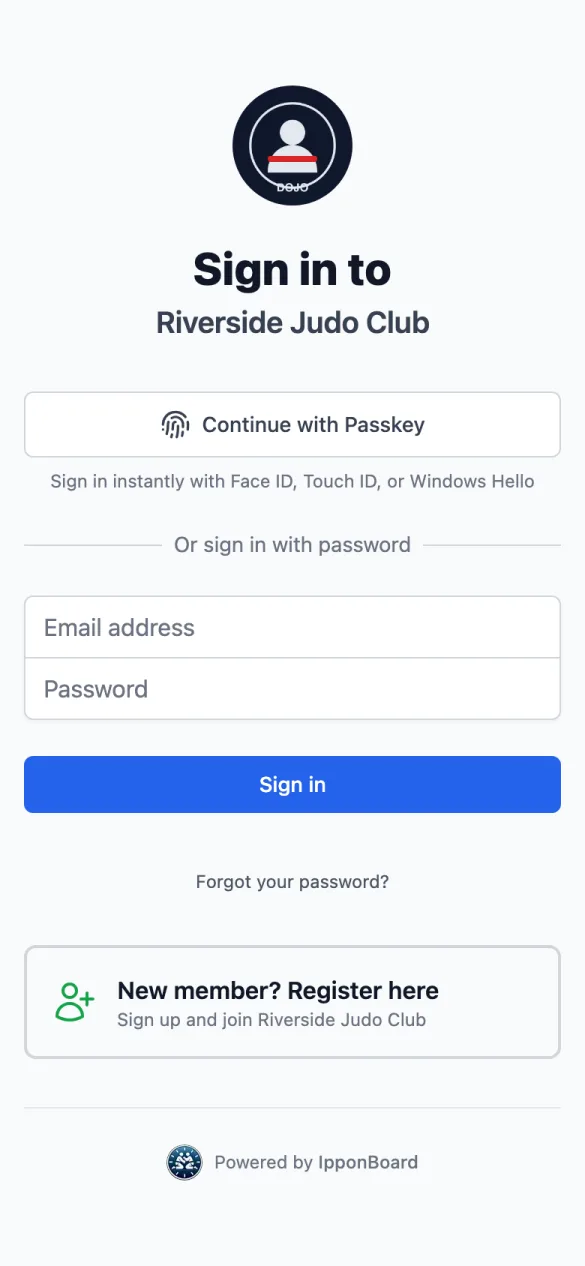
Your club gives you the link to its form. You can also find it on the club's sign-in page under New member? Register here, or through Find a Club on the IpponBoard sign-up page. The form is the same on a phone or a computer.
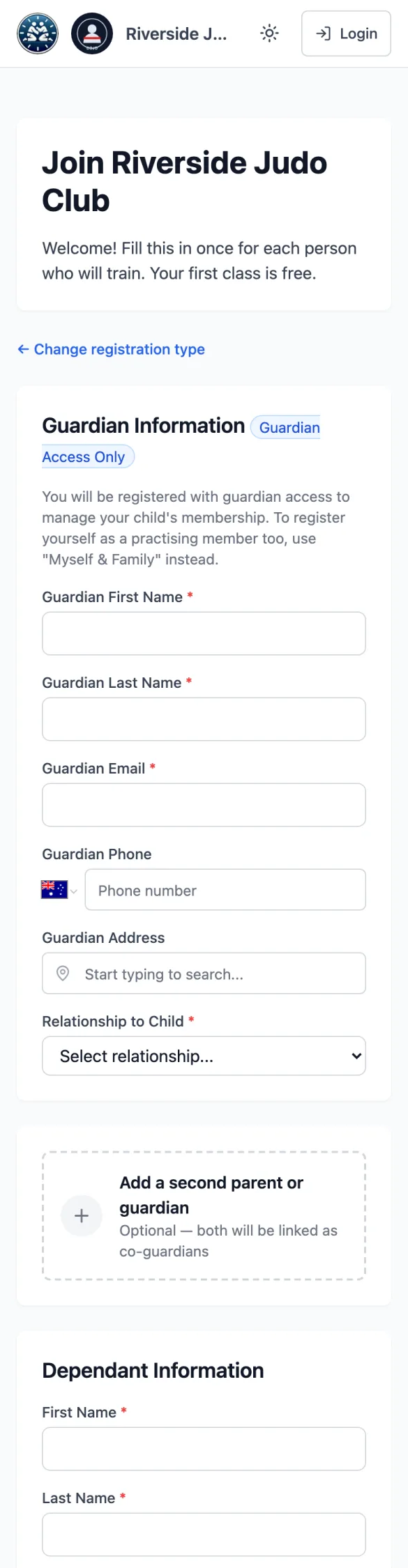
Who are you registering?
Register Myself is for an adult who trains. Register Dependant is for a child; you fill it in as their guardian and don't become a training member yourself. Register Myself & Family is for a parent who trains and is adding their children.
Personal information
Your details, then each child's (Add Another Dependant for more), any medical information, and an emergency contact. Add a second parent or guardian links the other parent so you can both manage the children. Tap Continue; if the email or the child is already registered with the club, the form tells you and offers to sign you in or reset your password instead.
Plans and insurance (if your club asks)
Some clubs add a plan step, and an insurance or national registration step (named the club's way). Pick what you need or tap Skip for now if it's offered. No membership plan (pay per class) is there for casual training.
Waiver Agreement
Read the waiver and sign it: Type Signature (type your full name exactly as shown) or Draw Signature. A parent signs for a child in the parent's own name.
Submit, or pay and submit
With nothing to pay now, the button is Submit Registration. If you chose a plan or cover that's paid now, it's Review & pay, and you pay online on the next screen.
2. Your login
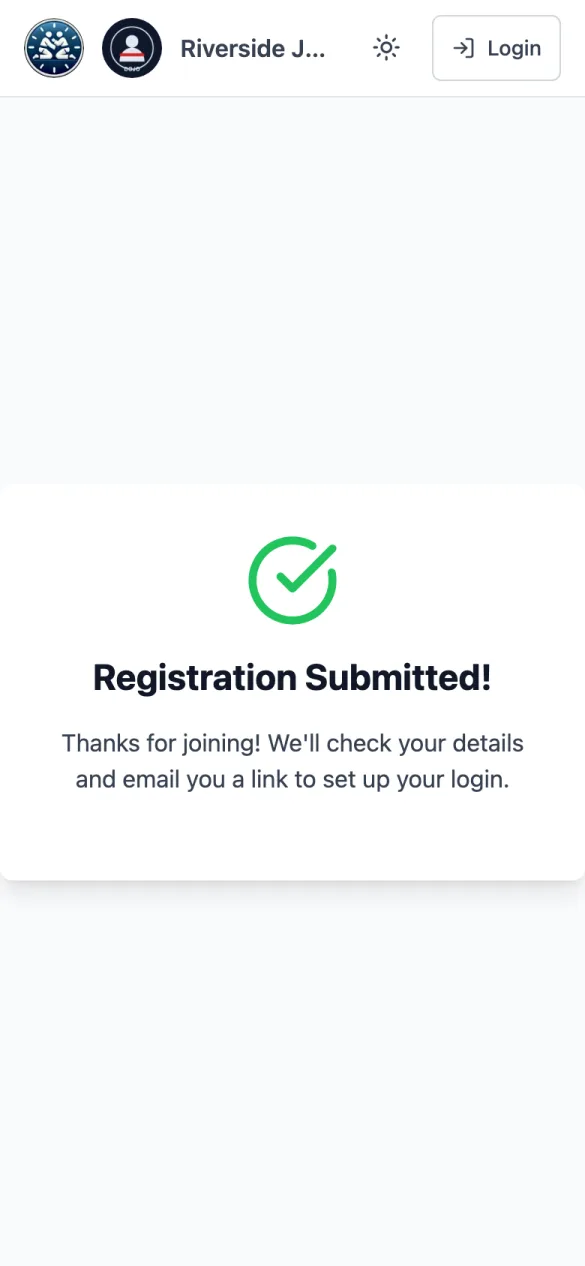
Most clubs check new registrations before they become memberships. When the club approves yours, you get a welcome email with a link to Set Up Your Account. Choose Set Up Passkey to sign in with Face ID, Touch ID or Windows Hello, or Set a Password. If your club doesn't check registrations first, the email comes straight away.
After that, sign in on your club's page (it reads Sign in to and your club's name): Continue with Passkey, or your email and password and Sign in. Forgot it? Forgot your password? emails you a reset link.
If you sign in at the main IpponBoard sign-in page instead and you belong to more than one club (or you also run one), you choose where to go first.
3. Finding your way around
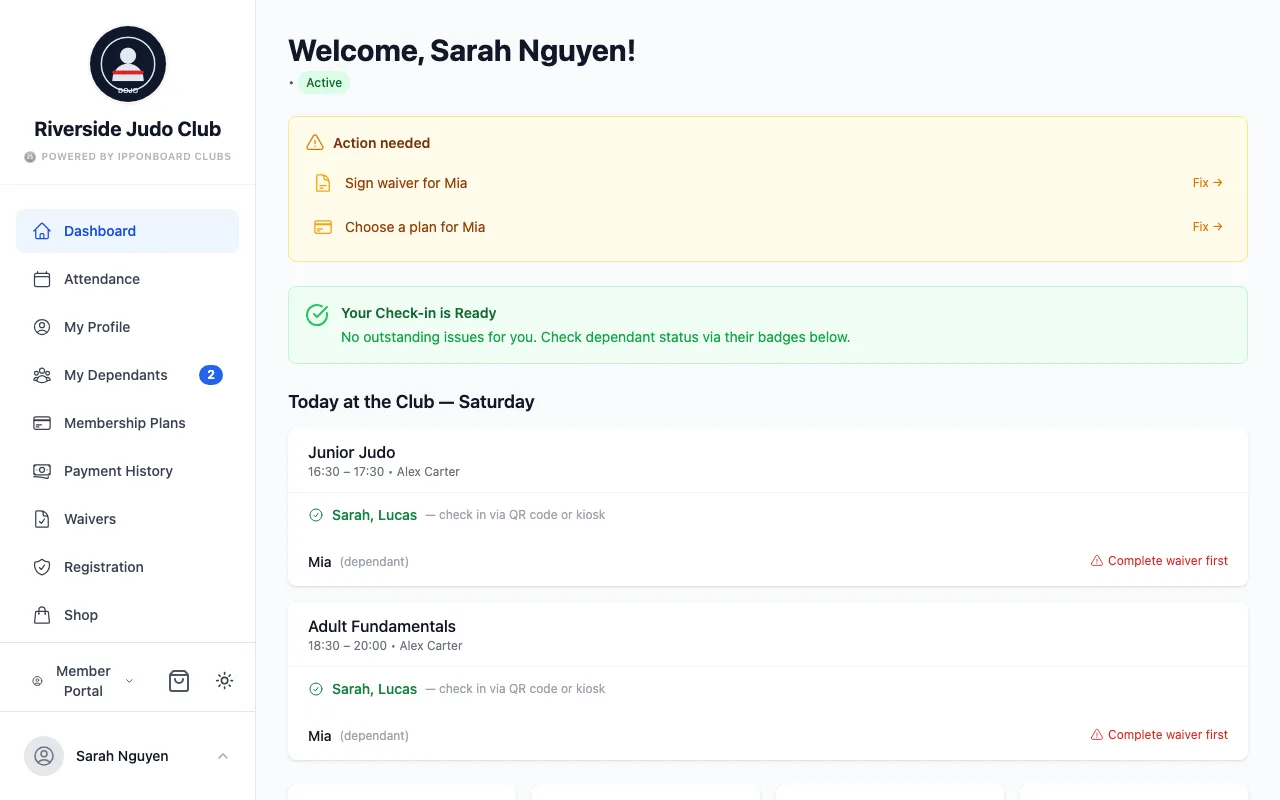
On a phone, the menu is behind ☰ at the top left; the bag at the top right is your cart. On a computer the menu is always down the left. What's in it:
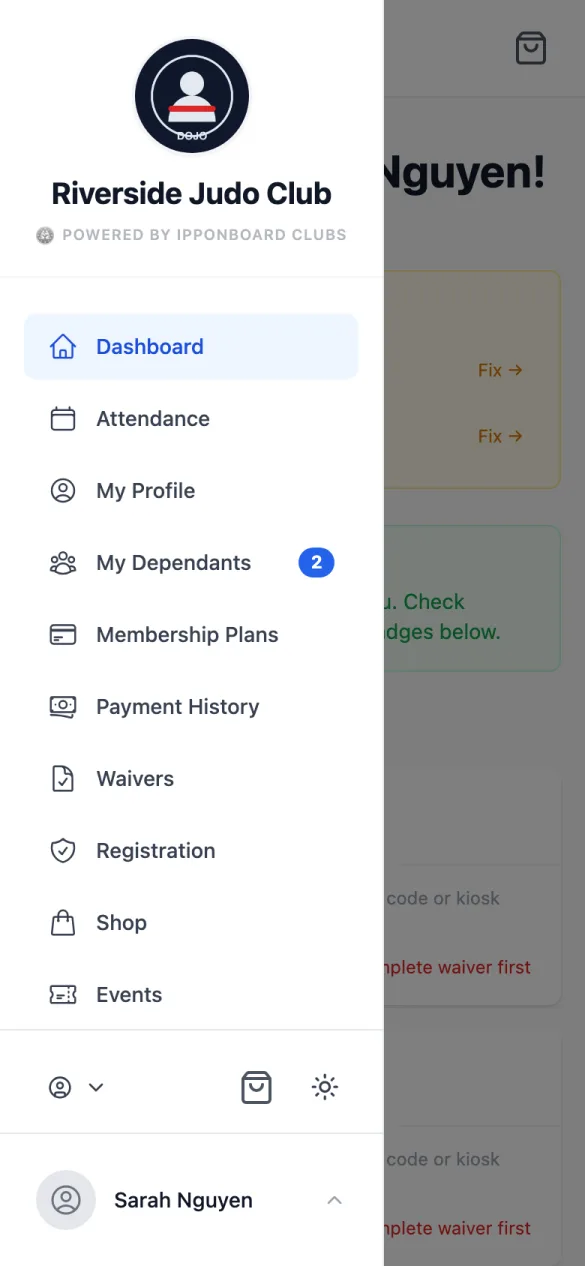
- Dashboard: what needs doing, today's classes and who can check in.
- Attendance: your classes (and your children's).
- My Profile, My Dependants.
- Membership Plans, Payment History.
- Waivers; insurance (if your club uses it, under its own name, such as Registration); Shop (if your club has one).
- Events; Tournaments (if your club runs them here).
- Belt Progress, Announcements, Achievements, Feedback.
- My Account: your account across all your clubs, your children, and your password. Also in the menu under your name at the bottom, with Logout.
The dashboard
Top to bottom: Action needed (each item with Fix →), your check-in status (Check-in Ready, or Your Check-in is Ready when you have children; Check-in Warning or Check-in Blocked), Today at the Club with who is covered for each of today's classes, then your belt, classes this month, unread announcements, your children and the latest announcements.

Announcements
Announcements lists your club's news, newest first, with NEW on the ones you haven't opened. Filter by Unread Only or by type (events, gradings, schedule changes and so on).