Payment Methods
Manage your saved cards and payment options.
Your payment methods are used for recurring membership charges and other purchases. Keep your information up to date to avoid payment failures.
Your Saved Cards
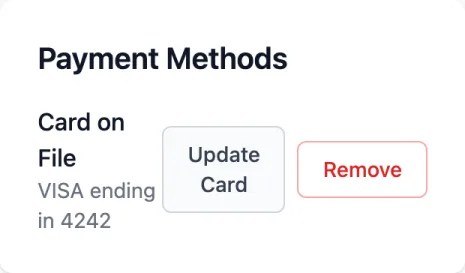
View your saved payment methods in Membership → Payment Methods. You'll see:
- Card type and last 4 digits
- Expiration date
- Which card is your default for recurring payments
Adding a New Card
Go to Payment Methods
Navigate to Membership → Payment Methods in the portal.
Click Add Payment Method
Click the "Add Payment Method" button.
Enter card details
Enter your card number, expiration date, and CVC. Your billing address may also be required.
Save the card
Click "Save". A small authorization hold may appear temporarily to verify the card.
Setting Your Default Card
Your default card is used for:
- Recurring membership payments
- Event registrations (unless you choose differently at checkout)
- Shop purchases (unless you choose differently)
To change your default: Click the card you want to use, then select "Set as Default".
Updating a Card
If your card expires or you get a new one:
- Add the new card using the steps above
- Set the new card as your default
- Remove the old card if desired
Some card issuers automatically update card details when they expire. If your recurring payments continue working, your card was likely updated automatically.
Removing a Card
To remove a saved card:
- Go to Payment Methods
- Click the card you want to remove
- Select "Remove Card"
- Confirm the removal
You cannot remove your only card if you have an active membership. Add a new card first.
Payment Security
Your cards are secure
We never store your full card number. Payment information is handled by Stripe or Square, industry-leading payment processors with bank-level security.