Plans & Payments
Buy a membership plan or drop-in classes for yourself or your children, pay what's due, and keep your receipts.
Two pages in the menu: Membership Plans to buy and manage plans, and Payment History for everything you've paid or owe. To manage a plan you already have, see Your plan; for your card, see Your saved card.
Membership Plans
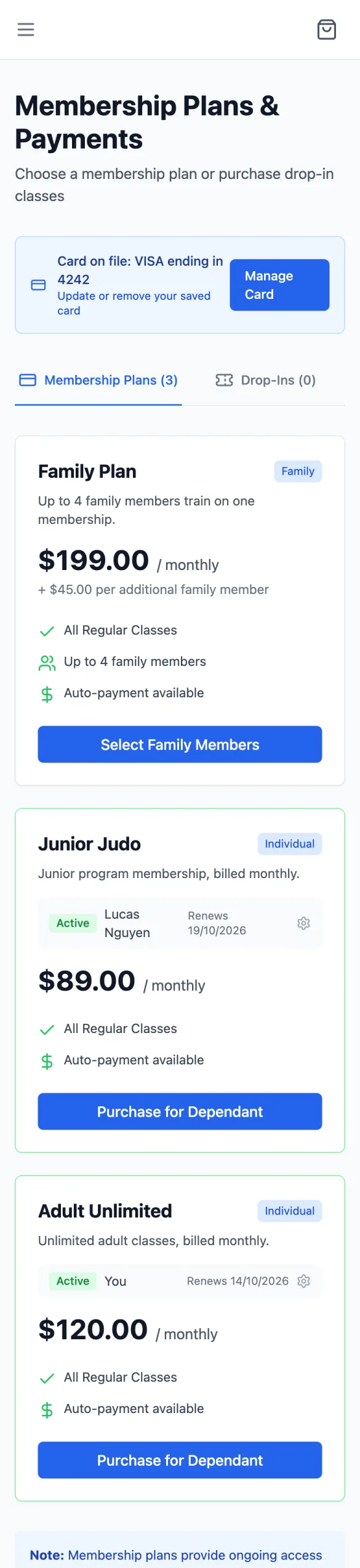
The page (Membership Plans & Payments) opens with your card on file, then two tabs: Membership Plans (ongoing, usually monthly) and Drop-Ins (pay per visit). Each plan shows its price, what it covers (for example All Regular Classes), and, if you or a child already have it, a row each with its status and renewal date.
Buying a plan
Tap the plan's button
Purchase Plan for a plan nobody in your family has yet; Purchase for Dependant once you have it and want it for a child too. A family plan has Select Family Members instead. Drop-ins: Purchase Drop-In, or Buy More Visits.
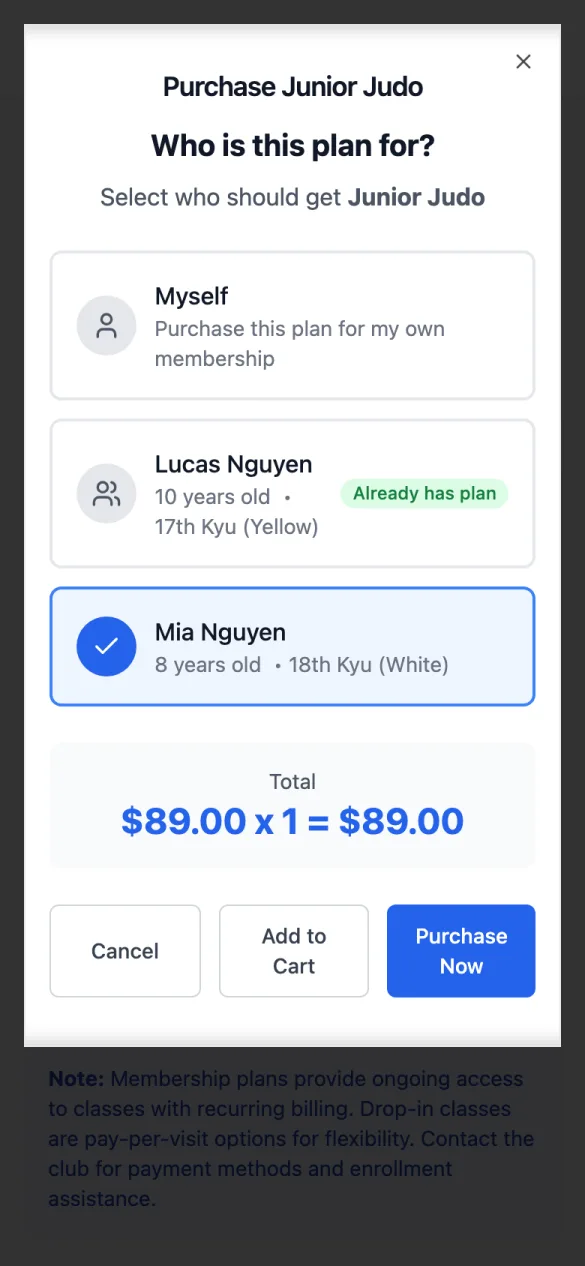
Who is this plan for?
Tick Myself and/or each child (anyone who already has it shows Already has plan). The total updates as you tick. If it can only be for you, this isn't asked.
Pay now, or add it to the cart
Purchase Now goes straight to checkout; Add to Cart lets you add shop items or event fees and pay once. At checkout, your saved card (if you have one) or Pay online: a card, Apple Pay or Google Pay, Link, or buy now, pay later (such as Klarna or Zip) where your club's Stripe account offers it. Tick Enable automatic renewal if you want the plan to renew by itself. The button says what you'll pay (Pay $80.00), and Payment received shows what you paid, with your receipt.
Payment History
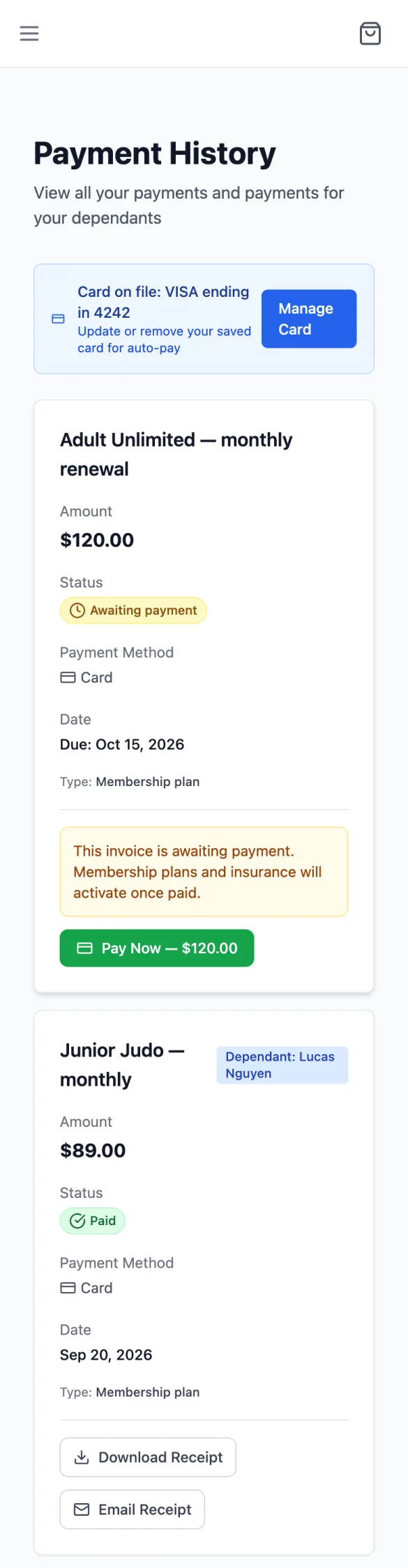
Every payment for you and your children (marked Dependant: …), newest first, with the amount, status, how it was paid and the date.
- An invoice from the club waiting to be paid has Pay Now. Plans and insurance on it start once it's paid.
- A completed payment has Download Receipt and Email Receipt.