Belt Progress & Grades

Track your judo journey from your current belt to your next grading.

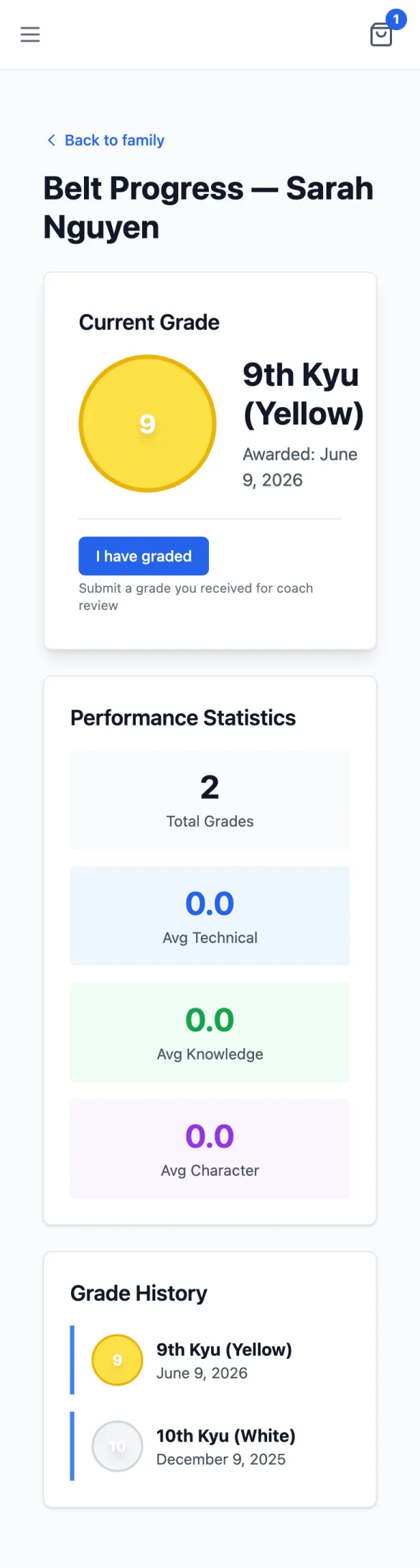
The Grades page shows your current belt rank, tracks your progress toward your next grading, and maintains a complete history of all grades you've achieved.

Current Grade

The top section displays your current belt with a visual representation. For belts with stripes (like yellow-white or orange-yellow), the display shows a split belt with both colors. Belts with a black tip show a small black dot indicator.

Belt Display

Shows your belt color, kyu/dan number, and any stripes or black tip. The display uses your club's naming convention (e.g., "Yellow 7th Kyu" or "Yellow with White Stripe").

Grade Details

Shows when the grade was awarded, who examined you, and your certificate number if one was issued.

Performance Scores

If your club records grading scores, you'll see three categories:

  • Technical: Your performance in techniques and throws
  • Knowledge: Understanding of judo theory and terminology
  • Character: Attitude, etiquette, and sportsmanship

Next Grade & Eligibility

If your club has configured grading progressions, you'll see information about your next belt and what's required to achieve it.

Progress Bars

Visual progress indicators show how close you are to meeting requirements:

  • Training Time: Shows months completed vs. months required since your last grading
  • Class Attendance: Shows classes attended vs. minimum required

When a requirement is met, the bar turns green and shows a checkmark.

Eligibility Status

Eligible for grading

When all requirements are met, you'll see a green banner suggesting you speak to your coach about your next grading.

Not yet eligible

A yellow banner lists the specific reasons why you're not yet eligible (e.g., "Need 2 more months training time").

Grading Requirements

Detailed requirements are organized into categories:

  • Technical Skills: Specific throws, holds, or techniques you need to demonstrate
  • Knowledge & Theory: Japanese terminology, judo history, or rules you need to know
  • Additional Requirements: Other criteria like contest points or special achievements

Performance Statistics

If you have multiple grades recorded with scores, you'll see summary statistics:

Total Grades

The number of grades you've achieved at this club.

Average Scores

Your average Technical, Knowledge, and Character scores across all gradings.

Grade History

A complete timeline of all grades you've achieved, shown in chronological order. Each entry includes:

  • Belt visualization with stripe and black tip indicators
  • Date the grade was awarded
  • Your scores for Technical, Knowledge, and Character (if recorded)
  • Strengths: Areas where you excelled
  • Areas to Improve: Feedback for your continued development
  • Certificate download link (if available)

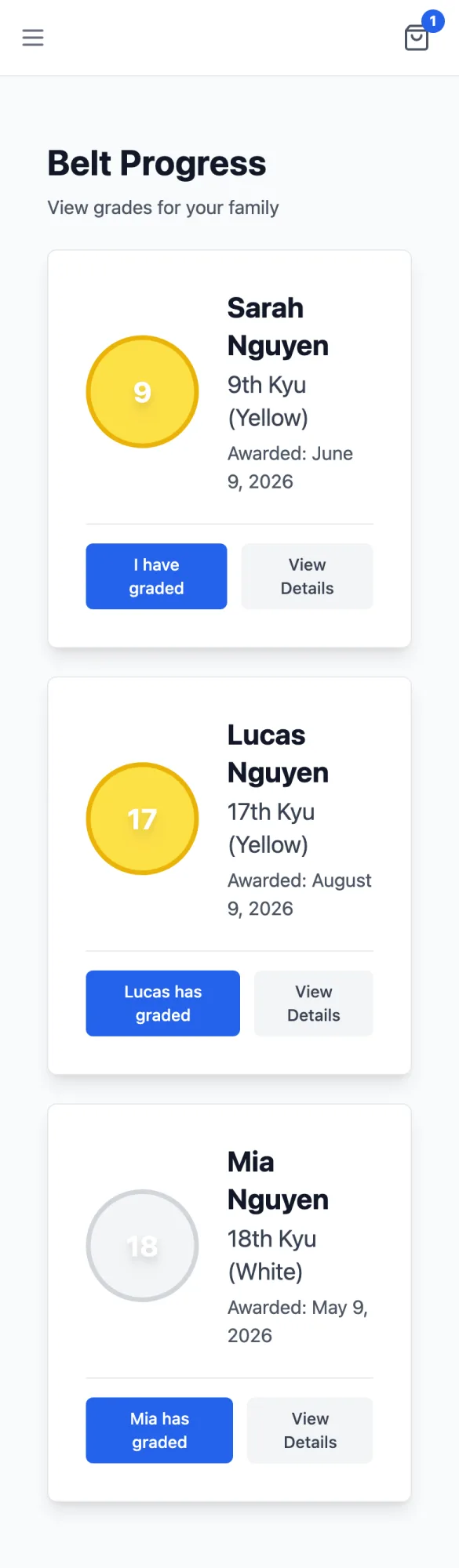
Viewing Dependent Grades

If you're a parent or guardian with dependents linked to your account, you can view their grades by navigating to their profile and clicking on Grades, or by using the membership ID parameter in the URL.

Meeting the minimum requirements makes you eligible, but your coach will make the final decision about when you're ready to grade. Use the requirements list as a study guide!
Download your certificates from the grade history when available. These are official records of your achievements.
Requirements vary between clubs and belt levels. The system shows what your club has configured, which may differ from other organizations.

Frequently Asked Questions