Checking In
Check yourself and your children in to class by scanning the club's QR code, and see your attendance.
Your club puts up a QR code for its classes (a poster, or a screen at the door). Scan it with your phone's camera and you're checked in in a few seconds.
Checking in with the QR code
Scan the code and choose the class
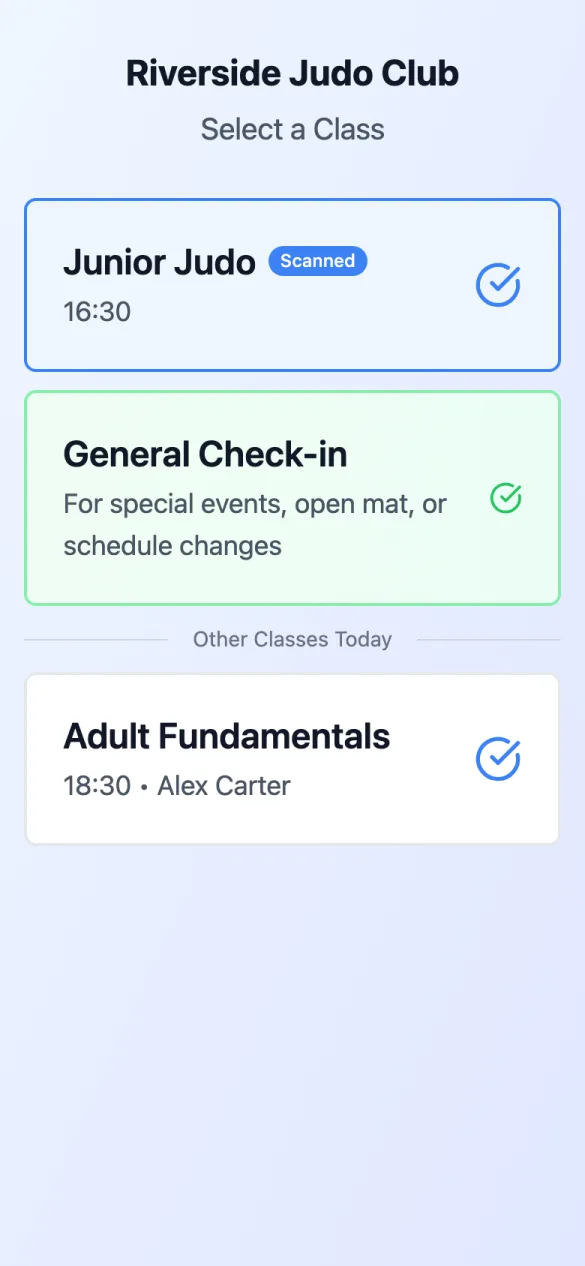
Open the link your camera shows. Under Select a Class, the class you scanned is marked Scanned; Other Classes Today are listed below it, and General Check-in is for open mat, special events or a changed timetable. Tap your class.
Check yourself in
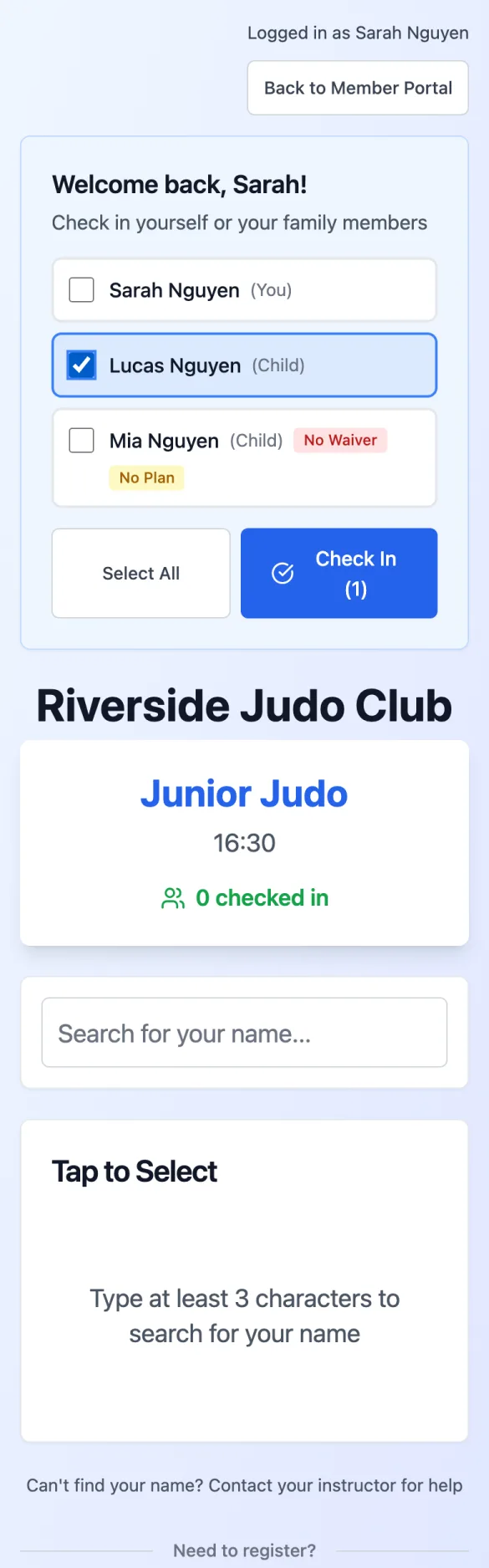
Signed in, you'll see Welcome back, …!. Tick your name and tap Check In (1). Checked in! Have a great class. means it's recorded. (Not signed in? Tap Member Login at the top, or find your name in the search as below.)
Check in a child
Signed in, your children are listed under your name, so there's no searching: tick them (or tap Select All) and tap Check In (2), which counts everyone ticked. A badge such as No Waiver or No Plan beside a name shows what still needs sorting out. Not signed in? Type at least three letters of their name in Search for your name..., tap them (they show as Dependant), then tap Check In 1 Person. You can pick several people before you tap.
If you can't check in
The dashboard tells you before you get to the dojo: Check-in Ready, Check-in Warning or Check-in Blocked, and under Today at the Club, who is covered for each class. On the check-in page you may see:
- Waiver Required: tap Sign Now and sign it first.
- No Active Membership: buy a Drop-In Pass or View Membership Plans.
- Payment Reminder: you have something due; Continue or Go to Payments.
- An insurance problem: Resolve Now.
- Already checked in to this class: nothing more to do.
If someone isn't covered for today's classes, the dashboard offers Sort out coverage for …, which takes you to the plans that would cover them. Each check-in uses one class from a class-limited plan; the dashboard shows Classes Remaining.
Your attendance
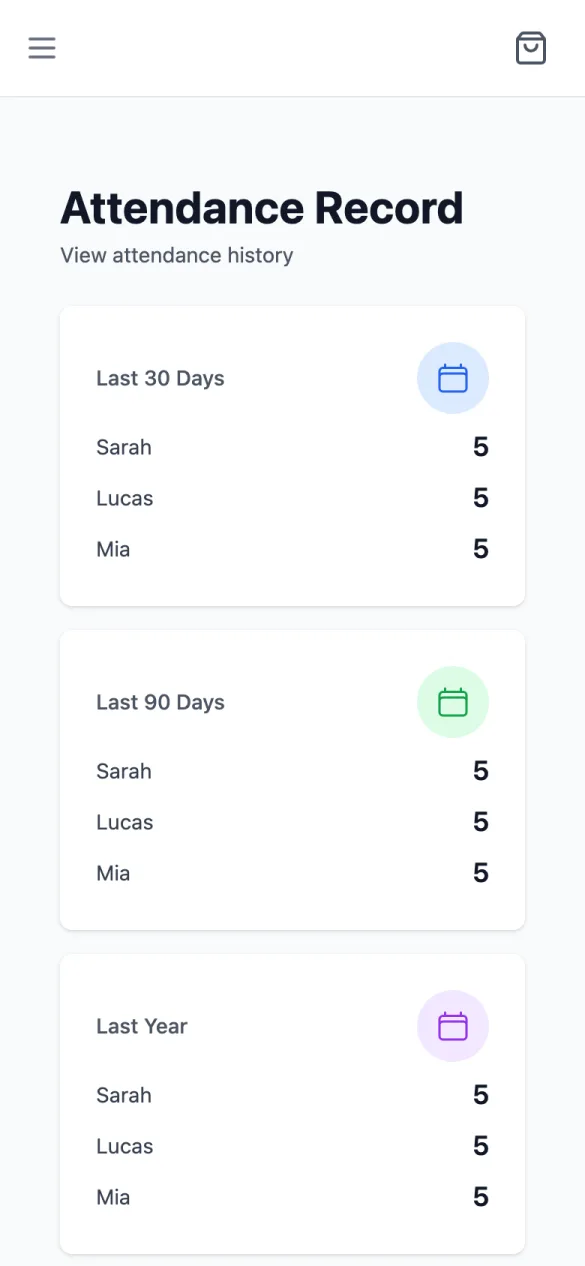
Attendance in the menu shows Attendance Record: classes in the Last 30 Days, Last 90 Days, Last Year and All Time, for you and each child, then the full Attendance History.