Lead Tracking
Statuses, priorities, sources and follow-ups, and turning a lead into a member.
Who can use it: Owners, managers, coaches and front-desk staff.
Statuses: the pipeline columns
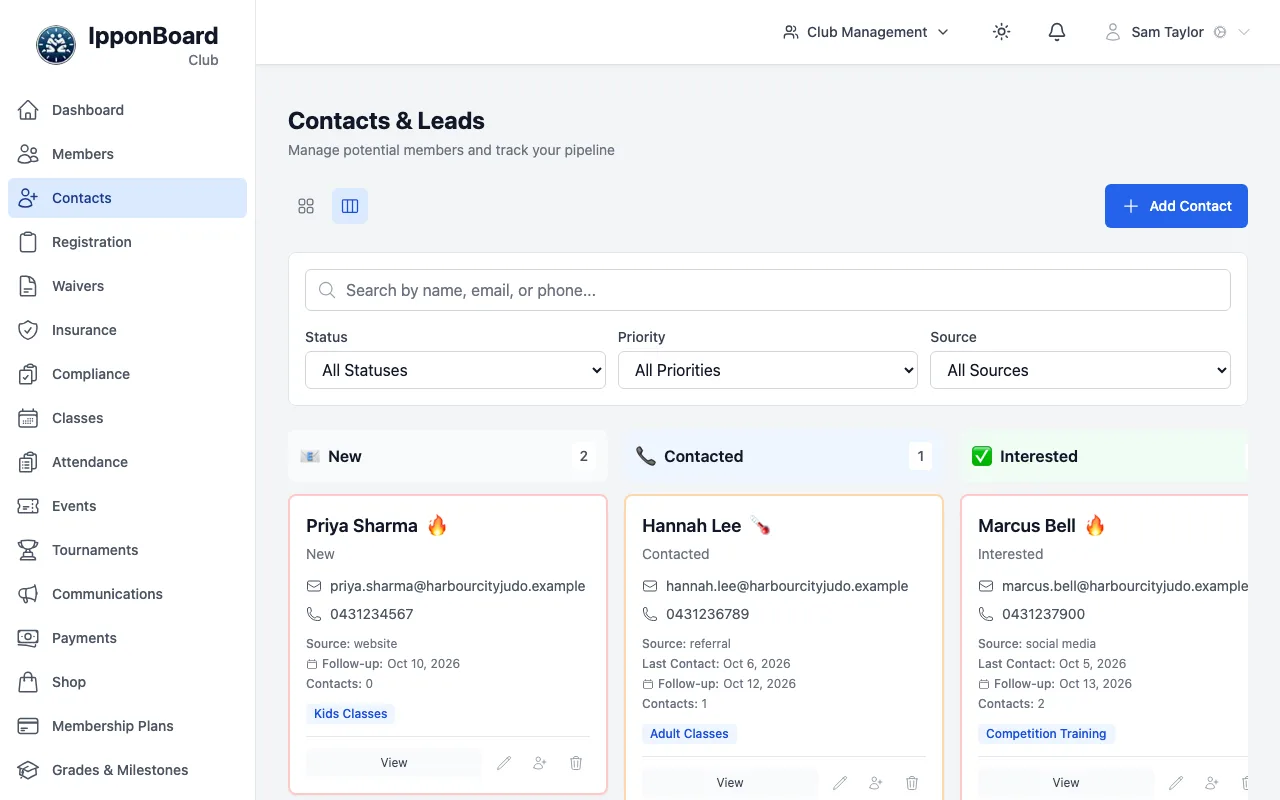
In pipeline view each status is a column. Change a contact's status by editing them (the pencil on the card, or View then Edit).
| Status | Meaning |
|---|---|
| New | Just added. Nobody has been in touch yet. |
| Contacted | You've rung, emailed or spoken to them. |
| Interested | They want to come along. |
| Trial Scheduled | They're booked in for a trial class. |
| No Response | They haven't got back to you. |
| Not Interested | They've decided not to join. These can't be converted. |
| Converted | Now a member. Set by Convert to Member, not by hand. |
Every time you change a status, the contact's Contacts count goes up by one and Last Contact is set to today. That's how the card shows how often you've been in touch.
Priority, source and interests
- Priority: Hot, Warm or Cold. It colours the card's border so the keen ones stand out.
- Source: Event, Website, Referral, Walk-in, Social Media, Phone, Email or Other. Source Details says more ("Saturday open mat"), and Referred By records who sent them.
- Interests: tick Adult Classes, Kids Classes, Competition Training, Self Defense, Fitness or Beginner Classes. They show as tags on the card.
- Next Follow-up: the date you've said you'll get back to them. It's shown on the card until they're converted or not interested.
Filter by any of these with the Status, Priority and Source lists, or search by name, email or phone.
A contact's details
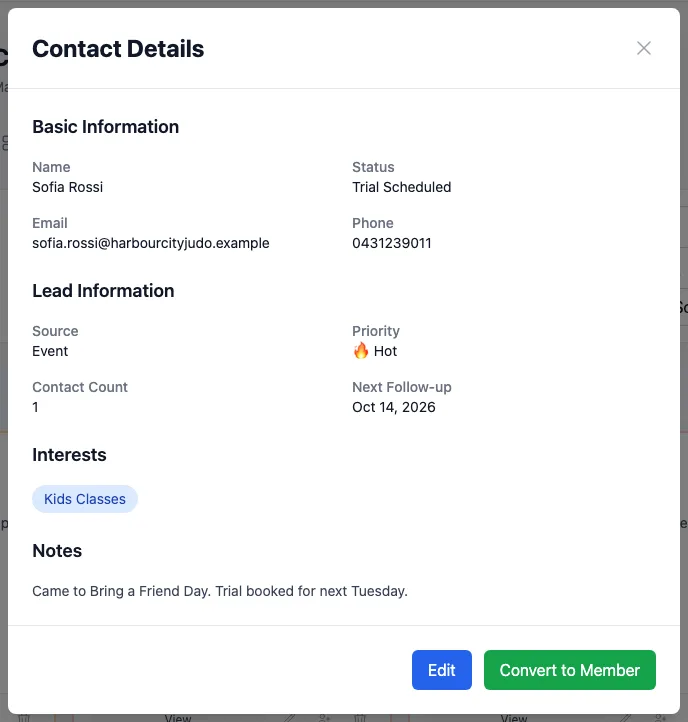
Click View on a card to see everything about them, including your notes. Edit and Convert to Member are at the bottom.
Converting a lead into a member
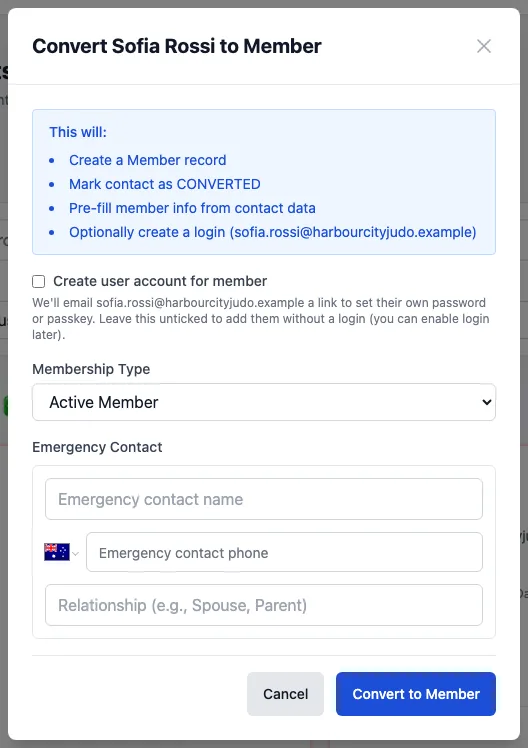
Convert to Member adds them to Members using the contact's name, email, phone, date of birth and address, and moves the contact to Converted. In the window:
- Membership Type: Active Member for someone who'll train, or Guardian Only for a parent who won't.
- Emergency Contact: a name, phone and relationship (optional).
- Create user account for member (needs an email): emails them a link to set their own password or passkey. Leave it unticked and they're added without a login, whichever membership type you choose.
Converting doesn't put them on a plan or take a payment. Do that next from Members or Payments.