Insurance / Registration
Give your club your national body registration number, or buy cover through the club, for you and your children.
Many clubs need every member to be registered (and so insured) with the national body. If yours does, it's in the menu under the club's name for it: Insurance, Registration or similar. Below we use "Registration", as in the pictures. Without it in your menu, your club doesn't use this.
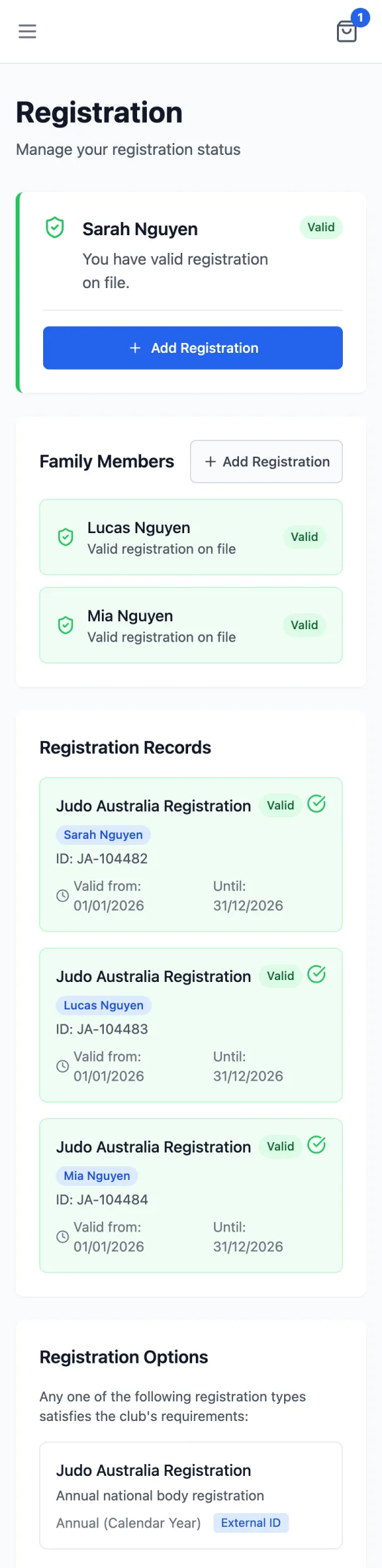
The page
- Your status at the top: Valid, Pending Verification (the club is checking it), Expired or Missing.
- Family Members: the same for each child.
- Registration Records: each record with its number (ID), the dates it's valid, Expiring Soon in its last 30 days, and Renew.
- Registration Options: the types your club accepts, and whether you give an existing number (External ID) or buy it from the club (with its price).
Adding it
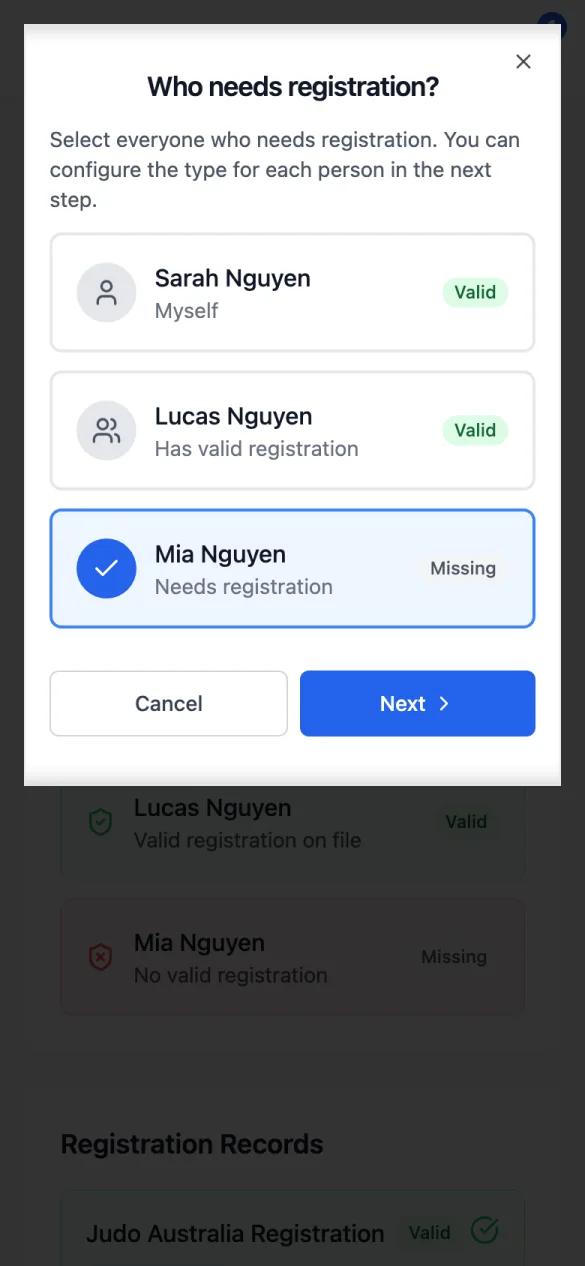
Tap Add Registration
At the top, or beside Family Members. The first question is Who needs registration?: tick yourself and/or your children, then Next.
For each person, choose the type and how
Pick the type, then Submit Existing ID (type the number your national body gave you) or Purchase (buy it through the club). Next Person moves on; Review after the last one.
Submit, pay, or both
The summary's button matches what you chose: Submit ID, Pay Now, Add to Cart, or Submit & Pay Now. A number you submit shows Pending Verification until the club checks it.